What should you consider when choosing?
First decide whether one participant will be speaking or whether several people in the room will share the same online connection. Then choose the style and connection, and check the meeting app’s audio settings before the training session.
Personal headset, mono
Choose this when: you’re joining online on your own and want to keep hearing people in the meeting room.
Trade-off: one ear stays free, but the training audio is less separated from the sounds in the room. HP describes mono as a style that leaves one ear free.
Personal headset, stereo
Choose this when: you’re joining as an individual and want to listen to the training audio through both earcups.
Trade-off: it may be harder to hear people speaking around you. Microphone noise reduction is not the same as noise cancellation for your own ears.
Room audio
Choose this when: several people in the small meeting room need to be heard clearly through the same connection.
Trade-off: this requires you to choose an audio setup for the room, rather than simply choosing a personal headset. Check which microphone and speaker are active to prevent echo.
| What to consider |
What should you check? |
Who is this important for? |
| Speaking clearly |
Check whether the microphone is adjustable, where the mute control is and which microphone the meeting app is using. |
If you’ll be asking questions during the training, you’ll want to position and mute the microphone without having to search for the controls. Around 37% of consumers rank speaking clearly as their top buying priority. |
| Listening while staying connected to the room |
Decide whether you’ll be listening on your own or whether several people will share the same online connection. Choose mono or stereo based on how much of the sound in the room you want to hear. |
If it’s important to hear comments from colleagues sitting beside you, you’ll want to keep up with them while listening to the trainer. Around 27% of consumers give listening while staying aware of the room their top priority. |
| Connection to your laptop |
Check whether your laptop has USB-A or USB-C, and look up the full model code and included adapter. Logitech lists USB-A for the H390; connections can vary between versions. |
If your laptop has only one suitable port, you’ll want to know in advance whether the headset will plug straight into it. Around 18% of consumers prioritise the connection. |
| Comfort during the session |
Check the style, adjustability and ear cushions. Also make sure the cable is long enough for where you’ll be sitting; Logitech lists a 1.9 m cable for the H390. |
If you’ll be wearing the headset for a long time, you’ll want it to feel comfortable on you; product features alone can’t guarantee that. Around 18% of consumers make wearing comfort their top priority. |
Products at Joybuy
This selection includes headsets and earphones for listening and speaking online as an individual. Check the style, connection and controls for each version; the product names don’t all refer to the same type of USB connection.
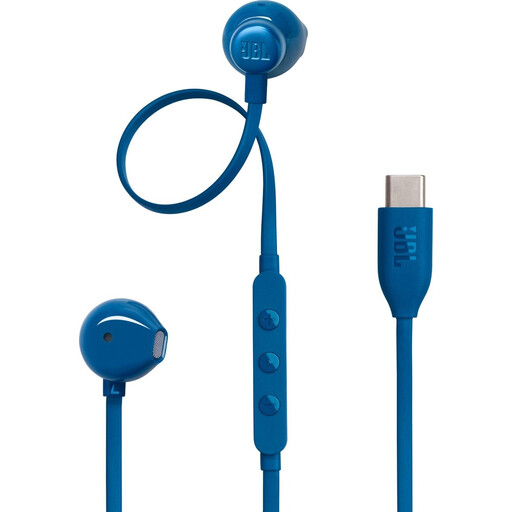 Image unavailable
JBL Tune 305C - Blue
The product information lists a built-in microphone and in-line controls, making these a good option if you want to respond while listening on your own.
Joybuy
 Image unavailable
Logitech PC 960 USB Wired Headset
This wired USB headset is an option for listening and speaking on your own. The product information lists stereo sound, an adjustable microphone boom and a mute control.
Joybuy
 Image unavailable
Logitech H340 USB Headset, Black, Wired
The product information lists USB plug-and-play and stereo sound, plus an adjustable microphone for joining online individually.
The microphone is described as reducing background noise; this doesn’t mean that sound is actively cancelled for the wearer.
Joybuy
 Image unavailable
Jabra Evolve2 65 USB-A Black MS Mono
The model name indicates a mono version with USB-A. The product information lists a USB-A Bluetooth adapter for computer use and a Teams button.
The product information also lists three microphones; check that the adapter connection and platform version suit your needs.
Joybuy
 Image unavailable
Jabra Evolve 30 II MS Stereo
This stereo headset is designed for listening and speaking on your own; the product information lists an included Link MS controller for USB.
Joybuy
Frequently asked questions
How can you check that the right microphone is on before training?
In Teams, select your headset as both the speaker and microphone. Microsoft also describes a test call for Teams for work or school, which lets you record and listen back to a short message. Check which features are available to your account and organiser.
Can one USB headset pick up everyone’s voice in the meeting room?
Don’t assume it can without checking: a personal headset is designed for the wearer. If several people will speak through the same connection, decide which room audio and microphone the app will use; Teams offers a separate room audio option.
What should you do if there’s echo when someone joins on a second device too?
Check which devices are recording or playing sound at the same time. Microsoft says that when someone joins Teams on a second device, the microphone and camera are initially switched off to prevent echo; make any changes in line with the audio setup you’ve chosen.
Who can help if a headset you bought as a consumer in the Netherlands is faulty?
According to the Dutch government, the retailer is your point of contact for a remedy under the legal guarantee. The Netherlands doesn’t have a fixed statutory guarantee period for all products; what you can expect depends, among other things, on the product, its price and the information provided at the time of sale.
Can you simply record an online training session with colleagues?
No. Buying a headset doesn’t give you permission to process personal data in a recording. According to the Dutch Data Protection Authority, processing requires a valid legal basis under the GDPR; consent is one possible basis. Check the recording policy and the circumstances of the training separately.


