What should you look for when choosing?
Start with the connector and cable route at standing height. Then check that the microphone and controls are comfortable to use, and test the audio in your chosen calling app.
| What to consider |
What should you check? |
Who is this important for? |
| How clearly your voice comes through |
Check that the microphone boom and mute control suit your preferences, and make a test recording with everyday background noise. Noise cancellation is a manufacturer-stated feature, not a prediction of how the headset will sound in your room. |
If I’m interviewing in a shared space, I want my voice to be easy to follow without assuming a microphone will eliminate every background noise. Around 36% of consumers prioritise clear speech. |
| Connector and cable route |
Check whether your computer has USB-A or USB-C, then measure the cable route from the port with the desk at your preferred height. Logitech states 1,9 m for the H390 configuration described; EPOS states 2 m for the IMPACT 100 MS Stereo 1001421. |
When I’m standing, I want to move my head and body naturally without the cable becoming taut. Around 29% of consumers prioritise the connection and freedom of movement. |
| Fit during the interview |
Consider the version, adjustability and ear cushions; try the headset beforehand if possible. EPOS states a weight of 76 g for the stereo version of the IMPACT 100, but that doesn’t tell you how it will feel to wear. |
If I’m wearing the headset for a long conversation, I want the headband and ear cushions to feel comfortable and stay in place. Around 21% of consumers prioritise fit. |
| Mute control and audio test |
Find the mute button before the interview and select the headset as your input and output device. Microsoft describes an audio test before joining a Teams meeting; for another app, use its own test function. |
If I want to focus on the conversation, it’s useful to be able to mute the microphone quickly and know in advance which audio devices are active. Around 14% of consumers prioritise easy-to-reach controls. |
Joybuy products for wired calls
This selection includes wired USB headsets and USB-C earphones for calls. Check that each product’s connector fits your computer and that its style — earphones or a headband headset — suits your preferences.
 No image available
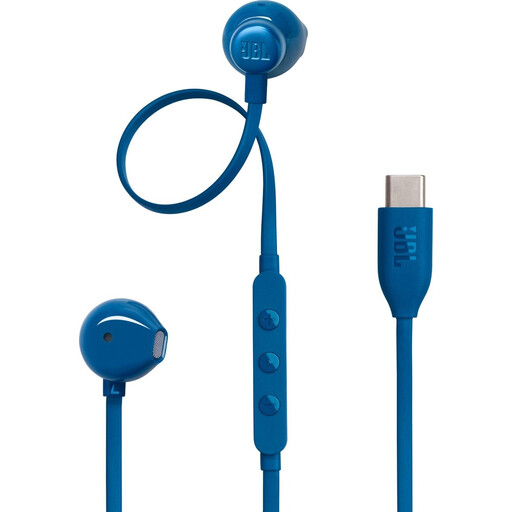
JBL Tune 305C wired USB-C earphones
An option if you’re looking for wired USB-C earphones for calls.
The product description mentions an integrated microphone and in-line controls. Check that earphones suit the way you want to wear your headset during a call.
View at Joybuy
 No image available
Jabra Evolve2 30 SE
The product description mentions a USB-A connector and compatibility with a USB-C adapter, which may be useful if you switch between port types.
It also mentions two integrated microphones and a mute control. Check which adapter is supplied with the exact version.
View at Joybuy
 No image available
Jabra Evolve2 75
The product description mentions a USB-C cable included for a wired connection.
It also mentions eight microphones and call controls. Check that the connector fits your computer and test the microphone in your calling app.
View at Joybuy
 No image available
Logitech PC 960 USB headset
A wired USB headset to consider if you want easy access to in-line controls during calls.
The product description mentions volume and mute controls, as well as an adjustable microphone boom. Check that the USB connector fits your computer.
View at Joybuy
 No image available
Logitech H650e wired stereo headset
The product description mentions USB plug-and-play for calls and conferences.
It also mentions a microphone, in-line volume controls and a noise-isolating microphone. Test how your voice sounds in your own calling environment.
View at Joybuy
Frequently asked questions
How do I test the headset before my job interview?
Select the headset as your microphone and speaker in the app you’ll be using, then test both at the height you’ll use for the interview. Microsoft describes device settings and an audio test before joining a Teams meeting; for another app, use its own test function.
Is a 1,9 or 2 m cable automatically long enough for a sit-stand desk?
No. Logitech states 1,9 m for the H390 configuration described, while EPOS states 2 m for the IMPACT 100 MS Stereo 1001421. However, the distance you need depends on where the port is, the cable route and the desk height. Measure the route in your own setup.
How can I keep a headset in good working order?
Make sure the cable or plug doesn’t become taut when you adjust the desk. EPOS states that the ear cushions on the IMPACT 100 are replaceable; check before buying whether parts are available for the exact version.
What if my headset develops a fault too soon?
For a purchase by a consumer in the Netherlands, statutory rights are separate from any manufacturer’s guarantee. According to ACM ConsuWijzer, the seller must resolve a fault if a product stops working sooner than you could reasonably expect under normal use, for example by repairing or replacing it. There is no fixed statutory two-year lifespan for every headset.
Which product regulations are relevant to a headset?
According to the European Commission, CE marking is required when a product falls under EU rules that require it; the manufacturer is responsible for ensuring compliance. Don’t assume that a Teams certification or a noise-cancellation claim means a product complies with CE requirements. The Dutch government advises that you can dispose of unwanted electrical equipment at an appropriate collection point or recycling centre, among other options.


