
Presenter with housemates who talk
Wants the project team to hear mainly their own voice and can test the microphone before the call.


For a project update from a shared home, a wired USB headset with an adjustable boom microphone is a practical starting point. Test it with background conversation to see if your voice remains clear. If household noise distracts you, compare the fit and passive sound isolation of the earcups too. Also check the USB connection, mute controls and audio settings in your calling app. A noise-cancelling claim doesn’t guarantee that people listening won’t hear your housemates.
Wants the project team to hear mainly their own voice and can test the microphone before the call.
Wants to hear participants clearly when there’s noise at home, so pays attention to the fit and sound isolation of the earcups.
Wants to switch between computers without connection issues, and checks USB-A, USB-C and the selected audio devices in the calling app.
Start by checking how clearly your voice comes through, then make sure the headset suits your computer and presentation style. Microphone noise cancellation and passive sound isolation for your ears are two different features.
| What to consider | What should you check? | Who should pay particular attention? |
|---|---|---|
| How clearly your voice comes through | Check that you can position the boom microphone properly, then test your voice with background conversation. | If I’m presenting while my housemates are talking, I want to know whether my voice comes through clearly. Around 33% of consumers give clear voice transmission top priority. |
| Reducing distractions for yourself | Check the fit of the ear cushions and distinguish between passive sound isolation and microphone noise cancellation. | If I want to hear participants clearly, I want the earcups to help block out the sounds around me. Around 27% of consumers put reducing household noise distractions first. |
| Connection and calling app | Check the exact USB type and whether you need an adapter, then select the headset microphone in your calling app. | When I switch between computers, I want to make sure the plug and audio settings work with my devices. Around 20% of consumers prioritise connection and recognition by the calling app. |
| Comfort and controls | Check where the mute control is and try the fit if you’ll be presenting for a long time. | If I want to mute quickly during an update and wear the headset comfortably, the controls and fit are what matter most to me. Around 20% of consumers put these points first. |
Microphone processing focuses on the sound sent to other people; sound-isolating ear cushions are designed to block out noise for you, the wearer. One feature doesn’t prove that the other works.
Compare the features separately and test the microphone with background noise before you present.
USB-A and USB-C are different connections. The right choice depends on the port on your computer and the exact headset version.
Check the plug type and what’s included in the box, and make sure the version you choose comes with any adapter you need.
You may need an adapter if the headset connection and computer port don’t match.
The calling app may be using a different microphone, or the headset may be muted.
Make a test call or recording before your presentation, and check both the physical mute control and the microphone selected in the app.
The H390 is a wired option to compare for presentations; the Zone Wired is a business model with two microphones.
The Evolve2 40 SE is a wired USB headset to compare if passive sound isolation, a boom microphone and a visible in-call indicator are important to you.
The IMPACT 100 UC Stereo USB-C+A is an on-ear model to compare if you want USB-C and a USB-A adapter.
The Blackwire 3300 series is a wired USB range to compare if an adjustable fit and plug-and-play setup are important to you.
These wired USB headsets are worth considering for project updates on a computer. Check that the connection, microphone and controls on each version suit your equipment and how you’ll use it.
 No image available
An option to consider if you use a USB-A computer and want a mute control.
USB-A connection and stereo sound. The product description lists memory foam ear cushions, two integrated microphones and in-line controls.
 No image available
An option to consider if you’re looking for a wired USB headset with controls on the earcup.
USB Type-A and stereo sound. The product description lists volume control and microphone mute on the earcup.
 No image available
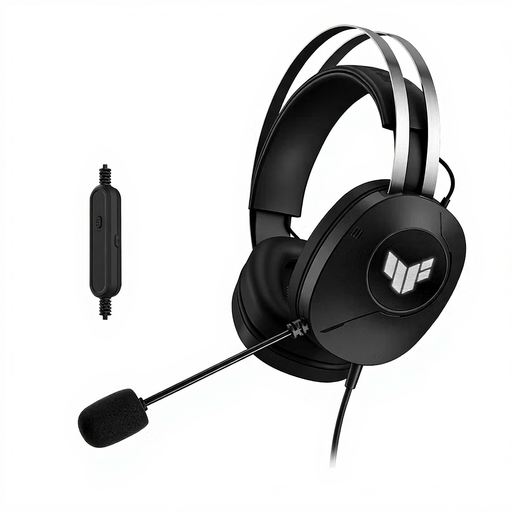
A wired USB Type-A option to consider if you want an adjustable microphone.
The product description lists a foldable microphone and an adjustable headband.
 No image available
A wired USB option to consider if you want to position the microphone before you speak.
The product description lists an adjustable boom microphone and in-line controls.
 No image available
A wired USB option to consider if you want to be able to adjust the microphone.
The product description lists stereo sound, an adjustable microphone and an adjustable headband.
Select the headset as your microphone and speaker in your calling app, then use its audio test. Zoom describes a test that plays back a microphone recording; also check how your voice sounds with background noise.
First check the physical mute button or boom microphone, your mute status in Teams and your device or browser’s microphone permission. Connecting the headset alone doesn’t confirm that Teams is using its microphone.
Teams offers adjustable background noise suppression when the microphone is active. Test the result with the headset in your own room; the Teams feature doesn’t guarantee how well the headset performs.
For a faulty product, the Dutch Government says the seller should be your first point of contact to find a solution, such as a repair or replacement. When you buy remotely from a business, you’re often entitled to a 14-day cooling-off period; check the applicable terms and exceptions.
Yes. A USB headset placed on the market in the Netherlands must meet the applicable EU product requirements and, where required for that product, carry a CE marking. The Dutch Government says products of this kind need a CE marking; this alone doesn’t tell you whether a specific item has been marked correctly.