
Online reader
You want listeners to hear even the quiet words. Position the microphone and listen back to a recording before your reading. Microsoft Support explains how to test and play back a microphone recording in Windows.


Start with a USB headset that’s compatible with your computer and has a microphone you can position easily. Then check whether the cable has enough slack when your desk is at its highest setting. A mono headset leaves one ear free, while a stereo headset lets you hear online audio through both ears. Neither option guarantees that quiet passages will be clear, so test a recording beforehand.
You want listeners to hear even the quiet words. Position the microphone and listen back to a recording before your reading. Microsoft Support explains how to test and play back a microphone recording in Windows.
You change the desk height or move around while reading. The cable length, the route it takes around your desk and how easy it is to reach the mute control all affect how practical your set-up is.
You want to hear people joining online, while possibly keeping track of what’s happening in the room. A mono headset leaves one ear free; a stereo headset plays sound through both ears.
First check the microphone and connection. Then measure the cable route with your desk at its highest setting, and decide how you want to hear online audio and the room around you.
A good fit if: you want to hear online audio through both ears and usually stay close to your desk.
Bear in mind: the stated cable length doesn’t tell you how much room you’ll have to move around. Measure the whole route.
A good fit if: you want to mute the microphone quickly during or between verses, or need a USB-C-to-A adapter.
Bear in mind: check that the connection and cable length supplied are right for your computer and desk.
A good fit if: you want to choose between keeping one ear free and hearing online audio through both ears.
Bear in mind: connections and features can vary between versions, so check the full model number.
| What to consider | What to check before buying | Who is this for? |
|---|---|---|
| Clarity | Check whether the microphone boom is adjustable, then record yourself reading both quietly and at full volume. | When I read quietly, I want listeners to follow my words, so I test a recording beforehand. Around 33% of consumers say clarity is their top buying priority. |
| Room to move | Measure the cable route with the desk at its highest setting, leaving room to turn your head. | At a standing desk, I want to move around without the cable becoming taut. Around 27% of consumers name room to move as their top priority. |
| Listening and fit | Choose mono or stereo deliberately, and check that the headband and ear cushions suit you. | I want to hear the other participants and decide whether I can still keep track of what’s happening in the room. For around 20% of consumers, listening preferences and fit come first. |
| Connection and controls | Check your computer’s port, the exact headset version and how to mute the microphone. | If I want to mute quickly while reading, the connection needs to work with my computer and the controls need to be within easy reach. Around 20% of consumers put connection and controls at the top of their list. |
Some of the cable has to run from your computer’s port and up along the desk, so you won’t have the full stated length available to move around.
Measure the entire cable route with your desk at its highest setting before choosing a wired model.
A feature that describes the microphone doesn’t automatically tell you how much background noise you’ll hear or how well it captures changes in your voice.
Check which part of the conversation the feature applies to, and listen back to a test recording. Microsoft Support explains how to test a microphone in Windows and play back the sample.
USB connections and controls vary between versions. For example, HP says the 3.5 mm option in the Blackwire 3300 series is only available with the Blackwire 3315 and 3325.
Check the full model name, port and any adapter for the specific version.
If the port isn’t compatible, you may need a suitable adapter or a different version.
According to the Government of the Netherlands, there is no fixed statutory warranty period in the Netherlands; a manufacturer’s warranty is separate. If a product is faulty, contact the retailer.
Consider any additional cover alongside your existing statutory rights, and contact the retailer if your product is faulty.
The H390 is a wired computer headset worth considering if you’re looking for controls on the cable and a positionable microphone boom.
The Ayda USB is worth considering if a flip-to-mute microphone and the supplied USB-C-to-A adapter suit your set-up.
The Blackwire 3300 series is worth considering if you want to choose between mono and stereo, or are looking for a business headset.
The Evolve 20 offers a choice of mono or stereo, with wired USB controls for calls.
These wired USB headsets with microphones are options for giving an online reading via your computer. Focus on comparing the microphone controls, connection and cable route with your own set-up.
 No image available
A good fit for giving a reading via your computer if you want stereo sound and to position the microphone while speaking.
The product description lists stereo sound, an adjustable microphone boom, mute and volume controls on the cable, and a 240 cm cable.
 No image available
A wired USB headset to consider if you want to use your computer for online speech and control the volume on the cable.
The product details list stereo sound, a microphone and controls on the cable. The description also mentions echo cancellation; that alone doesn’t tell you how well it reproduces quiet poetry.
 No image available
Worth considering if you want stereo sound and to position the microphone boom while reading.
The product description lists a microphone boom that rotates 270 degrees, a 1.8 m USB cable and an adjustable headband. Measure the cable route to your computer.
 No image available
A good fit for giving a reading via your computer if you want to mute the microphone between lines by flipping it up.
The product description lists stereo sound, volume controls, USB-A with a USB-C adapter included, and a 180 cm cable. Check that the length works for the route to your computer.
 No image available
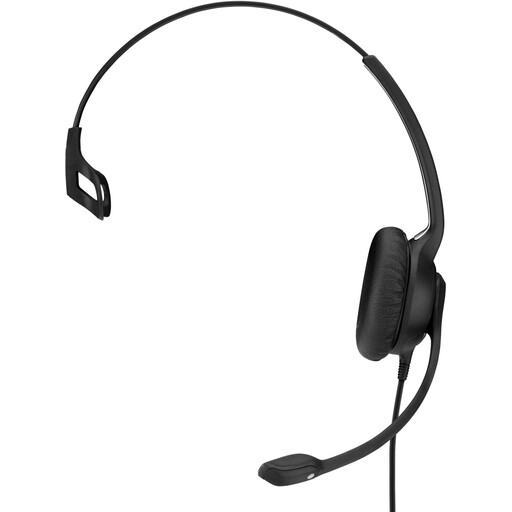
A mono headset to consider if you want to keep one ear free while presenting online.
The product description lists a flexible microphone boom, a 2.9 m cable and a weight of 58 g. This is a single-sided mono headset; choose another version if you want to hear online audio through both ears.
On a Windows computer, select the microphone you intend to use under Sound > Input, start a test, speak at your normal distance, both quietly and loudly, then listen back to the recording. Adjust the input volume if needed, and check that the microphone isn’t muted. Microsoft Support explains these test steps; they don’t prove that a particular model sounds better.
Not necessarily: a USB headset for a computer isn’t automatically a microphone for a standalone sound system. Check the system’s inputs and audio set-up before assuming you can connect the headset to it.
When you buy remotely from a business, you usually have a 14-day cooling-off period; check the terms that apply. The Government of the Netherlands says there is no fixed statutory warranty period in the Netherlands. If a product is faulty, contact the retailer; your statutory rights are separate from any manufacturer’s warranty.
The Dutch Data Protection Authority says recognisable visitors may only be filmed, and footage may only be published, if there is a legal basis for doing so. This guidance concerns images taken at events and doesn’t automatically apply to a private reading or audio-only recordings.