
Quiz host who speaks a lot
If you present questions and results, look for an adjustable microphone and a mute button that’s easy to reach during the quiz. Logitech and Trust describe these controls on their headset models.


Choose a USB headset with a connection, microphone and mute controls that suit your computer and the way you present. Then measure the cable route with the desk at standing height, and balance wearing comfort against your preference for hearing what is happening in the room. A longer cable gives you more room beside the desk, but it won’t make a wired headset suitable for walking around.
If you present questions and results, look for an adjustable microphone and a mute button that’s easy to reach during the quiz. Logitech and Trust describe these controls on their headset models.
If you adjust the desk height, check that the cable reaches safely from the computer to the headset without becoming taut. Logitech and Trust list cable lengths of 1.9 m and 1.8 m respectively for the models mentioned.
If you’re presenting several rounds, choose a style that suits your preference for keeping one ear free or covering both ears. HP Poly describes mono and stereo versions in the Blackwire 3300 series.
First check the microphone controls and connection. Then measure the cable route and choose a style that suits the space where you’ll be presenting.
| Buying priority | What should you check? | Who is it for? |
|---|---|---|
| Microphone and mute | Check whether the microphone is adjustable and how to mute it while speaking. | If I present lots of quiz questions, I want to be able to position the microphone properly and mute it quickly. Around 31% of consumers put clear speech and muting first. |
| Cable reach at standing height | With the desk raised, measure from the USB port in use, along the intended route, to your head. | When I raise the desk, I want the cable to follow a safe route without pulling. For around 25% of consumers, cable reach at standing height is the top priority. |
| Style and comfort | Choose mono or stereo and check that the headband and ear cushions feel comfortable. | For longer rounds, I want a comfortable headset. If there are other people in the room, I may also want to keep one ear free. Around 25% of consumers prioritise comfort or staying connected to the room. |
| Connection and software | Check whether it uses USB-A or USB-C, the full model variant and the audio settings in your quiz software. | If I don’t want to waste time adjusting settings beforehand, I check that my computer and quiz software use the headset as both a microphone and a speaker. Around 19% of consumers put connection and set-up first. |
The cable also needs to reach from the USB port to your head along the route you plan to use. A length that works when you’re sitting may become taut when the desk is raised.
Measure the route with the desk at standing height, and position the cable so it doesn’t become taut or cross a walkway.
A feature that reduces background noise picked up by the microphone doesn’t mean the headset actively blocks out ambient sound for the listener.
Choose mono or stereo depending on whether you want to stay connected to the room or block it out. If you’re looking for active noise cancellation, check separately whether the model offers it.
Connections and features can vary by model or variant. According to HP, the extra 3.5mm connection in the Poly Blackwire 3300 series is available only on the 3315 and 3325.
Compare the full model name, connection and controls before choosing a version.
The H390 is a wired USB headset for anyone looking for controls on the cable.
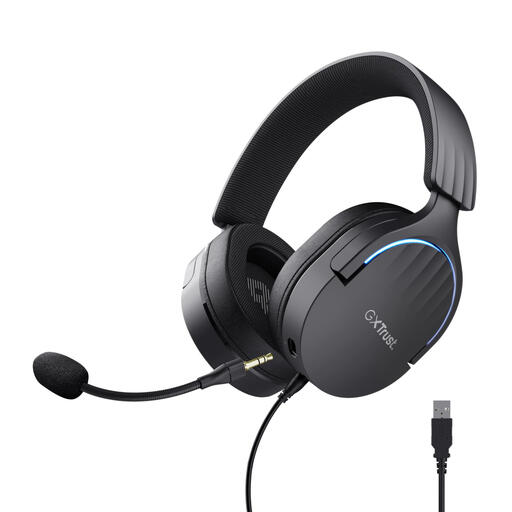
The Ayda USB PC Headset, item 25088, has controls on the earcup and a microphone that flips up to mute.
The Evolve2 30 SE is available in versions where the connection and any platform controls may matter.
The Blackwire 3300 series includes models with a choice of mono or stereo.
This selection focuses on wired USB headsets with microphones and controls that could suit presenting at a sit-stand desk. For each version, check that the connection and controls work with your computer and quiz software.
 No image available
Worth considering if you want to use a USB headset with microphone mute during quiz rounds.
The product description lists USB-A, two integrated microphones and microphone mute controls. It also mentions a USB-C adapter option.
 No image available
A wired option to consider if you want to control the volume and mute the microphone from the cable.
The product description lists a 240 cm cable, a mute indicator, an adjustable microphone boom, and volume and mute controls.
 No image available
A wired USB option to consider if you’re looking for stereo audio and an adjustable microphone.
The product description lists stereo audio via USB and an adjustable microphone that reduces background noise.
 No image available
A wired USB headset to consider if having microphone mute controls on the earcup would be useful.
The product description lists stereo sound, a detachable microphone, volume and mute controls on the earcup, and a 200 cm cable.
 No image available
Worth considering if you want to mute the microphone during a quiz round by flipping it up.
The product description lists a 180 cm cable, stereo audio, USB-A and a USB-C adapter cable, plus volume controls on the earcup.
Select the headset as both the microphone and speaker in your quiz or calling software, then make a test recording. Zoom, for example, offers separate tests for the speaker and microphone; follow the instructions for the platform you use.
Not necessarily. Jabra warns that not all USB-C devices or apps support audio with the Evolve2 30 SE. So check both your device and the headset version you’ve chosen, and test the audio in the app you’ll use for the quiz.
Measure the cable route again with the desk at standing height, and don’t use the headset with a taut cable. Logitech lists a 1.9 m cable for the H390 USB-A, while Trust lists 1.8 m for the Ayda USB 25088. Check for yourself whether the version you choose suits your set-up.
According to ACM ConsuWijzer, when you buy online from a business you generally have a statutory cooling-off period of up to 14 days after delivery; exceptions may apply. The statutory guarantee is separate from a manufacturer’s warranty: under normal use, the product must do what you could reasonably expect it to do, and the seller is your point of contact if it’s faulty.
Not simply because it belongs to this product category. According to the Dutch government, CE marking is mandatory for product groups covered by the relevant CE rules; general product safety requirements also apply. Whether a specific version needs the mark depends on the product rules that apply to it.