
Quiz hosts working among chatty colleagues
You want participants to hear your questions and instructions clearly. Consider the microphone position and test a recording with the usual level of background noise in the room.


Start with a wired USB headset that lets you position the microphone close to your mouth, then make a test recording in the room where you’ll be hosting the quiz to check how clearly you can be heard. If you’re missing answers yourself, pay attention to the fit and how well the ear cups block out noise too; microphone noise cancellation doesn’t tell you how much noise you’ll hear. Before buying, check the USB connection and test that mute works with your computer and quiz app.
You want participants to hear your questions and instructions clearly. Consider the microphone position and test a recording with the usual level of background noise in the room.
If conversations around you make it hard to listen, consider the fit and how well the ear cups block out noise as well as the microphone. That’s a different need from simply making your own voice clear to others.
You want to connect straight away and mute between quiz rounds. Check that the USB connection and controls work with your computer and quiz app, and consider comfort too.
First, check that participants can hear your voice clearly. Then consider separately whether you can follow their answers, and whether the connection, controls and fit suit your quiz.
| What to consider | What to look for | Who is this important for? |
|---|---|---|
| Making yourself clear to participants | Check that you can position the microphone well and test a recording with normal office noise in the background. | If I want participants to hear my questions clearly, how my voice sounds to them comes first. Around 36% of consumers say clarity is their top priority. |
| Hearing participants | Compare the fit and passive noise isolation; check separately whether the exact model has active noise cancellation (ANC). | If I miss answers because of conversations around me, I also want to know how well I can hear. Around 29% of consumers put hearing participants first. |
| Connection and muting | Check that the USB-A or USB-C version is compatible with your computer, and test the mute control in your quiz app. | If I want to get started without connection problems and mute quickly during rounds, the port and controls are crucial. Around 21% of consumers put these points first. |
| Comfort | Consider the adjustability, type of ear cushions and whether you want a mono or stereo version. | If I’m wearing the headset throughout a quiz, I want a comfortable fit that stays comfortable and doesn’t distract me. Comfort is the most important factor for around 14% of consumers. |
A microphone feature affects the sound participants hear from you. Noise isolation or ANC in the ear cups affects what you hear; one doesn’t guarantee that the other will work well enough.
Compare microphone noise cancellation, passive noise isolation and any ANC separately. Test both speaking and listening to participants in the room where you’ll be hosting the quiz.
USB-A and USB-C connections, mono and stereo options, and controls can vary between versions. The wrong connection can disrupt your preparations or the quiz itself.
Check the full model variant and any adapter against your computer’s port. Also test the audio settings and mute function in the quiz app you’ll be using.
A headset doesn’t change the source of the noise. The Social and Economic Council of the Netherlands identifies colleagues talking as a significant source of noise disturbance at work.
For important quiz rounds, also consider whether you could use a quieter room or agree some ground rules with your colleagues.
The wired H390 is a USB option for quiz hosts who value microphone positioning and controls on the cable.
The wired Evolve2 40 SE comes in mono and stereo versions, so you can weigh up fit and passive noise isolation.
The Blackwire range includes several wired USB models, including the 3320 and 8225.
The wired IMPACT 860T ANC is worth considering if listening, speaking and easy-to-reach controls are all important to you.
The wired UH37 is another option to compare if you’re looking at dual microphones and ear cushions with passive noise isolation.
This selection features wired USB headsets for quiz hosts who want to compare clarity, easy-to-reach mute controls or options that also reduce noise reaching their ears. Connections and other features vary by model.
 No image available
An option to compare if you’re looking for a wired USB headset with easy-to-reach mute controls.
The product description lists stereo ear cups, an adjustable headband, USB Type-A, a noise-cancelling microphone and controls on the ear cup.
 No image available
A wired USB option to consider if you’re looking for stereo sound and a microphone for quiz communications.
The product description lists stereo sound, a cardioid microphone and a weight of 285 g. It describes the microphone as designed to reduce background noise during communications.
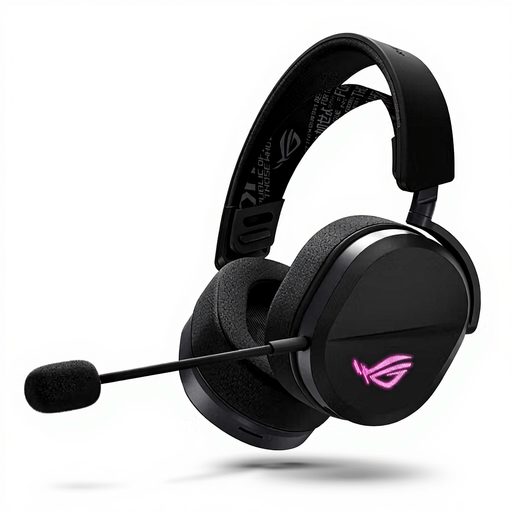 No image available
An option if you want to compare a USB Type-C wired mode with a microphone boom.
The product description lists a unidirectional microphone boom and three connection options: wired via USB Type-C, 2.4 GHz and Bluetooth.
 No image available
A wired USB option to compare if an adjustable microphone and headband are important to you.
The product description lists plug-and-play USB, stereo sound and an adjustable microphone that reduces background noise. It also mentions a lightweight, adjustable headband.
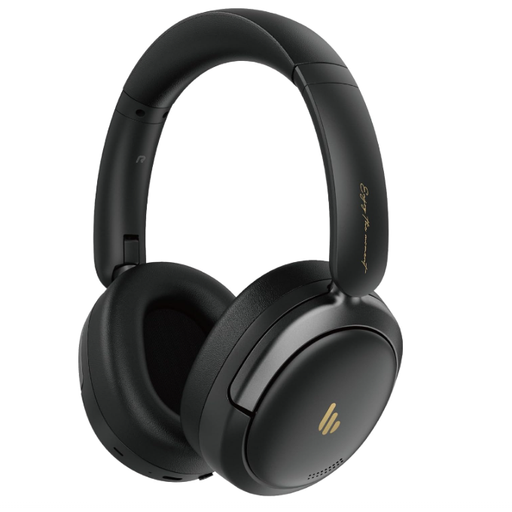 No image available
A model to compare if you want to consider ANC for listening as well as microphone noise cancellation.
The product name mentions hybrid ANC. The product description lists USB-C wired audio, Bluetooth and a built-in microphone with AI noise cancellation for calls.
No, these are separate things to consider: the microphone affects what participants hear from you, while the ear cushions and any ANC affect the sound reaching your ears. Test both sides of a conversation in the room where you’ll be hosting the quiz.
Connect the right USB version, select the headset for audio input and output on your computer and in your quiz app, position the microphone near your mouth, and test recording, playback and muting. Logitech’s H390 guide also recommends trying another port and connecting directly rather than through a USB hub if you have connection problems.
First, check whether replacement ear cushions are available for the exact model. According to the Dutch government, statutory rights apply alongside any manufacturer’s warranty; there is no fixed statutory warranty period in the Netherlands, and the seller is your point of contact if a product is faulty.
For eligible consumer purchases made at a distance, you generally have 14 days to change your mind, although exceptions and the circumstances of the purchase matter. The Dutch government recommends checking the information about the cooling-off period; also read the seller’s returns information before buying.