
Individual participant
Joining the group conversation from their own computer and wants to speak clearly and mute quickly. Logitech and Trust describe the controls available on their respective headset models.


If you’re joining from your own computer, choose a USB headset with a connection that suits your computer, an easily adjustable microphone and conveniently placed mute controls. If several participants are sharing one computer, a headset designed for one person won’t necessarily make everyone audible. In that case, look for audio equipment designed for the room and check your meeting app’s settings.
Joining the group conversation from their own computer and wants to speak clearly and mute quickly. Logitech and Trust describe the controls available on their respective headset models.
Taking part individually and wants to compare microphone positioning and the coverage around the ears. Jabra describes passive noise isolation on the Evolve2 40 SE.
Wanting several people in the same room to take part in an online conversation. Microsoft Support describes room equipment and voice isolation settings for Teams.
First decide whether you’ll be joining on your own with a headset or whether several people need to speak through one computer. These situations call for different audio setups.
| What to consider | What should you look for? | Who is this important for? |
|---|---|---|
| Microphone and mute controls | Compare the microphone positioning and check whether you can easily use the mute function during a call. | If I want to speak without accidentally leaving the microphone on, I look for conveniently placed controls. Around 33% of consumers put speaking clearly and muting first. |
| Connection and settings | Check whether you need USB-A or USB-C, then select the right microphone and speaker in your meeting app. | If I want to connect the headset directly to my computer, I also check which input and output the app is using. Around 27% of consumers prioritise a suitable connection and audio settings. |
| Fit and noise isolation | Compare adjustability and ear cushions; distinguish between noise isolation for your ears and noise reduction by the microphone. | If I’m joining a longer session or sitting in a noisy environment, I want to know how the headset fits and what I can still hear around me. Around 20% of consumers prioritise comfort and noise isolation. |
| Audio for a shared room | Find out whether everyone is using their own device. If you’re sharing one computer, check the room’s audio setup and app settings. | If several people need to speak next to the same computer, I want their voices to come through to the online participants too. Around 20% of consumers prioritise audio for a shared room. |
A personal headset is designed for the person wearing it and won’t necessarily provide the right audio setup for everyone in the same room.
Before choosing, find out whether each participant will be using their own device. If you’re sharing a computer, test the room’s audio setup.
Microphone noise reduction and passive noise isolation around your ears are different features.
Check separately what the microphone does and how much noise the ear cushions block out.
With the Jabra Evolve2 40 SE, the connection, mono or stereo sound, and UC or MS version can vary by product number.
Compare the full product number with your computer’s USB connection and the version you want.
The H390 is a wired USB headset for individual use; compare the USB-A and USB-C versions.
The Ayda USB-ENC is designed for anyone looking for a wired headset with a USB-A or USB-C connection and a flip-up mute microphone.
According to Jabra, the Evolve2 40 SE has versions for individual online calls, including mono and stereo models with different connections.
The wired Blackwire 3200 series includes options for individual communication.
The IMPACT 100 range is a wired option to compare for individual calls.
These Joybuy products are wired options for joining from a computer as an individual participant. Check that the connection on the version you choose is right for your device.
 No image available
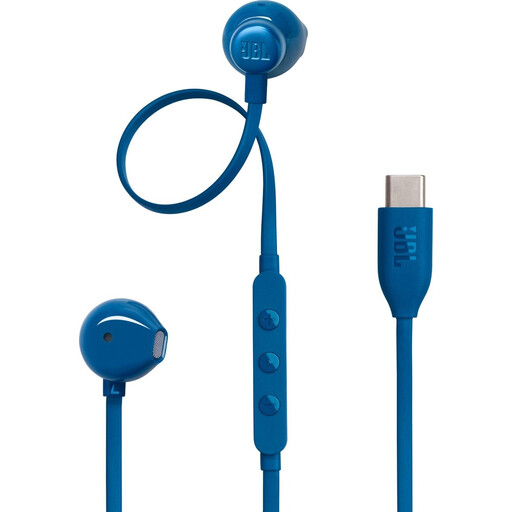
A wired option for individual use if your device has a compatible USB-C connection.
USB-C connection and built-in microphone.
 No image available
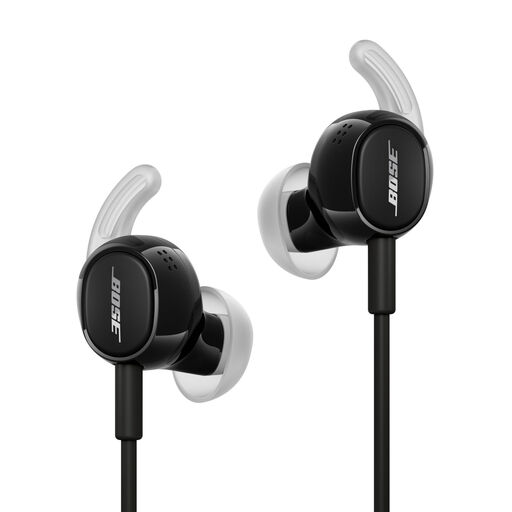
Wired earbuds for an individual participant who wants to listen and speak via USB-C.
USB-C connection and microphone for calls. Check that your device supports USB-C.
 No image available
A wired headset for individual use if your computer has a USB-A connection.
USB-A connection, stereo earcups and two integrated microphones. The product description lists a USB-C adapter as a compatible option and includes microphone mute controls.
 No image available
A wired USB headset to compare for individual use from a computer.
The product description lists a wired USB connection and a cardioid microphone for communication.
 No image available
A wired USB option for individual use, with an adjustable and muteable microphone boom.
The product description lists an adjustable microphone boom, in-line controls and a mute indicator.
Don’t assume it will. If several people need to speak in the same room, choose and test audio equipment designed for that space. Microsoft Support describes a meeting room mode for Teams that uses room equipment; voice isolation may exclude other voices.
Connect the right USB version, select the headset separately as the microphone and speaker in your meeting app, and run a test call if possible. Jabra recommends keeping the microphone close to your mouth.
For a consumer purchase, the seller must offer a solution if the product doesn’t meet your reasonable expectations. According to the Dutch government, the Netherlands has no fixed statutory warranty period; a manufacturer’s warranty doesn’t replace your statutory rights. Online consumer purchases are generally subject to a 14-day cooling-off period, with some exceptions.