What should you look for?
Start with the connection and call controls. Then consider the headset style and how much you want to stay in touch with what’s happening in the rest of the kitchen during your session.
| What to consider |
What should you check? |
Who is this important for? |
| Speech clarity and muting |
Check the position of the microphone boom and where the mute control is located. Treat noise-cancelling claims as statements made by the manufacturer. |
If I’m taking part in a call at the kitchen table with background noise, I want to be able to position the microphone properly and mute it quickly. Around 36% of consumers prioritise speech clarity and muting. |
| The right USB connection |
Compare the connector on the exact model with the USB-A or USB-C port available on your computer. |
I want to know before the session that the headset will connect directly to my computer. Around 29% of consumers make connection compatibility their top priority. |
| Fit and background noise |
Check whether the model is mono or stereo, and whether the headband and ear cushions suit your preferred fit. |
If I want to keep hearing what’s going on at home during a call, I’ll weigh up a mono model against a stereo one. Around 21% of consumers choose mainly based on fit and awareness of their surroundings. |
| Simple controls |
Check which buttons the exact model has, and only look into any platform-specific features if you need them. |
For an occasional mentoring session, I mainly want the controls I need, without extra features I won’t use. Around 14% of consumers prioritise simplicity. |
Joybuy products
This selection includes USB headsets and USB audio options for calls. Check that each product’s connection and fit suit your needs. The Jabra Evolve2 75 below uses Bluetooth with a USB-A adapter, so it isn’t a wired USB headset.
 No image available
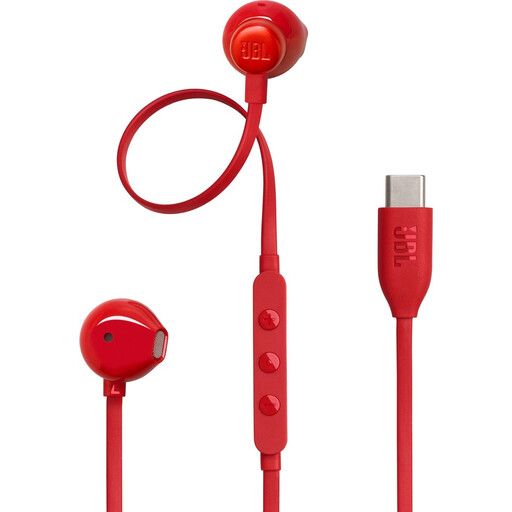
JBL Tune 305C wired USB-C earphones, red
Worth considering if you’re looking for wired USB-C earphones for calls; check that your computer has a compatible port.
The product information lists three-button in-line controls and a built-in microphone.
Joybuy
 No image available
Jabra Evolve2 30 SE
An option if you’re looking for a wired headset for calls and want to check its computer connection in advance.
The product information lists a mute control and a USB-A connection with the option of using a USB-C adapter. Check which model and connection are included with this offer.
Joybuy
 No image available
Razer Kraken V3 X, black
Worth considering if you’re looking for a headset for calls; before buying, check the connection on the model being offered and make sure it suits your computer.
The product information describes a wired USB headset with a microphone.
Joybuy
 No image available
Jabra Evolve2 75
A possible choice if you want to keep one ear free during calls and prefer a wireless Bluetooth connection.
The product information lists a USB-A Bluetooth adapter. The headset connects wirelessly via Bluetooth and doesn’t connect directly via a USB cable. You may need to charge it beforehand.
Joybuy
 No image available
Logitech PC 960 wired USB stereo headset
An option if you’re looking for a wired stereo headset and want to be able to mute the microphone during calls.
The product information lists an adjustable microphone boom and in-line volume and mute controls.
Joybuy
Frequently asked questions
How should you set up your headset before a mentoring session?
Connect the headset to a compatible port on your computer and, if necessary, select it as the input and output device in your system and meeting app. Test the microphone and mute button beforehand. If you have problems with the H390, Logitech also recommends checking the USB connection and sound settings.
Do you need to buy a Teams-certified headset?
No, not just because you’re looking for a USB headset. Microsoft describes additional Teams call controls for certified devices. If you need these features, check the certification of the exact model you’re considering.
What should you do if a product develops a fault after purchase in the Netherlands?
If a product is faulty, contact the retailer, who is responsible for providing an appropriate solution. According to the Dutch Government, there is no fixed statutory warranty period in the Netherlands; what you can expect depends, among other things, on the product and normal use. A stated manufacturer’s warranty therefore doesn’t, by itself, set out all your statutory rights.
Can you return a headset bought online?
For online consumer purchases in the Netherlands, you generally have a statutory cooling-off period of up to 14 days after delivery. ACM ConsuWijzer lists exceptions, including certain unsealed hygiene products. Check the applicable terms before unsealing a headset; this doesn’t mean that every headset is covered by such an exception.


