
Individual participant
You’re using your own laptop in a small meeting room and want to speak and listen clearly, without relying on audio for the whole room. Logitech and HP describe personal USB headsets for this kind of use.


If you’re joining from your own computer, choose a wired USB headset with a connection and design that suit your computer and meeting app. If several people at the table need to be heard through one device, consider shared room audio, such as a speakerphone: a personal headset is designed for the person wearing it. If several participants are each using their own device, balance the microphones and speakers to help prevent echo or feedback.
You’re using your own laptop in a small meeting room and want to speak and listen clearly, without relying on audio for the whole room. Logitech and HP describe personal USB headsets for this kind of use.
You’re taking part while colleagues sit at the table with you. You want to follow the meeting on your own device and avoid echo when several devices are active at once; Microsoft Learn recommends balancing the microphones and speakers in this kind of setup.
You want remote participants to hear several people speaking at the table. Microsoft describes speakerphones for shared spaces, so first consider whether a personal headset is right for the job the device needs to do.
First decide who will be speaking and which device they’ll use. Then choose a headset connection, wearing style and controls to suit your role.
Choose this when: you’ll be speaking and listening on your own computer.
The trade-off: the microphone is designed for the wearer and won’t automatically pick up everyone at the table.
Choose this when: several people at the table will speak to remote participants through one meeting computer. Microsoft describes speakerphones as an option for shared spaces.
The trade-off: the setup needs to suit the room and the number of speakers.
Choose this when: people in the room are each joining on their own device and need their own audio.
The trade-off: balance the active microphones and speakers; according to Microsoft Learn, several devices in the same meeting can cause echo or feedback.
| What to consider | What to look for | Who is this important for? |
|---|---|---|
| How clearly your voice comes through | Check the microphone boom and test your voice against the background noise you expect during the meeting. Treat claims about microphone noise cancellation as product information. | If I’m speaking through my own computer, I want remote participants to be able to hear me clearly. Around 33% of consumers prioritise how clearly their voice comes through. |
| Who needs to be heard | Before buying, decide whether one person or several people need to speak through the same device, and whether the room already has audio equipment. | If several colleagues at the table need to speak to remote participants, I want to know whether a personal headset will be enough. Around 27% of consumers prioritise shared room audio. |
| Connection and meeting app | Check whether it’s USB-A or USB-C, the exact model variant, and whether you can select the headset as both the microphone and speaker in your meeting app. | If I want to use the headset with my computer and meeting app, I’ll check the connection and required features in advance. Around 20% of consumers prioritise confidence that the connection will work. |
| Comfort and mute controls | Check whether the headset is mono or stereo, how it fits and where the mute controls are on that specific version. Mono leaves one ear free; stereo can provide more passive noise isolation. | If I’ll be wearing the headset for a long meeting or want to keep hearing colleagues in the room, fit and easy-to-use mute controls matter to me. Around 20% of consumers prioritise comfort and quick muting. |
A personal headset is designed for the person wearing it. For several speakers joining through one device, Microsoft lists speakerphones as an option for shared spaces.
Before you buy, work out how many people need to speak through the same device and whether the room already has audio equipment.
If everyone at the table needs to be heard, you may still need shared audio equipment as well as a personal headset.
Passive isolation mainly affects what you hear through the ear cups; the microphone determines what sound is sent to the other participants.
Assess these two features separately and test the microphone in the room where you’ll be meeting.
Connections and features can vary between versions. For the Blackwire 3320 version 8X220AA described by HP, USB-C and a USB-A adapter are listed; this combination won’t necessarily be included with other variants.
Compare the full model number and included connection with the port on your computer and the meeting app you use.
If you need a specific connection, you may need a different version or a separate adapter.
Zone Wired is a personal wired USB headset for one wearer, not a microphone for the whole meeting table.
The Blackwire 3200 and 3300 ranges include personal USB headsets in mono and stereo versions.
Evolve2 40 SE is a personal office headset with passive noise isolation; one version is specifically listed as USB-C, MS Stereo.
IMPACT 100 includes lightweight wired personal headsets in mono and stereo versions.
These Joybuy products are wired headsets for speaking and listening on your own through a computer; they’re not a substitute for shared audio if everyone at the table needs to be heard through one device.
 No image available
Designed for individual use with a USB-A connection; the product information mentions Teams optimisation.
Stereo sound, two integrated microphones and controls for volume, muting and calls.
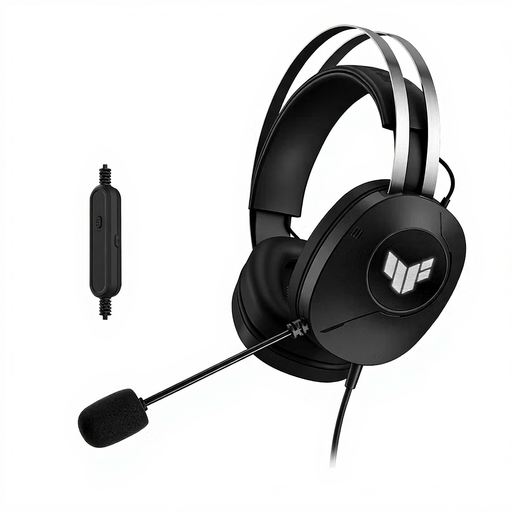 No image available
A wired USB Type-A headset for speaking and listening individually on a computer.
The product information mentions stereo sound and a foldable microphone boom.
 No image available
For speaking individually through a computer; the product information mentions an adjustable microphone boom.
Stereo sound, a microphone that the product information says reduces background noise, and in-line mute controls.
 No image available
Wired USB stereo headset for personal calls and conferences.
The product information mentions a microphone, acoustic echo cancellation and in-line controls.
 No image available
Wired stereo headset for personal online calls via USB.
The product information mentions an adjustable microphone that reduces background noise and a plug-and-play USB connection.
A personal USB headset is designed for the person wearing it. If several people in the room need to be heard through one device, consider shared room audio, such as a speakerphone. If everyone is using their own device, balance the active microphones and speakers to help prevent echo or feedback.
Connect the appropriate USB connection and select the headset separately in Teams as your speaker and microphone. If needed, make a test call; the settings available may depend on your organisation’s policies.
Check that the right microphone is selected in Teams and that it isn’t muted. Then test the headset with the microphone boom in its usual position and against the background noise you’ll have during the meeting.
For many eligible distance purchases from a business, you generally have a 14-day cooling-off period, as explained by the Dutch government. You also have statutory consumer rights if a product doesn’t meet what you could reasonably expect under normal use; ACM ConsuWijzer advises contacting the seller. Check the terms of your specific purchase, especially if you’re buying for business use.