
Language learner with chatty housemates
Wants their voice to come through clearly during speaking exercises, while minimising distractions from conversations at home during listening practice.


First, choose a USB headset with a connector that fits your computer and a microphone you can position and mute during speaking exercises. If housemates distract you while you’re listening, assess the earcup fit separately: microphone noise cancellation doesn’t tell you how much room noise you’ll hear. Comfort matters even more during longer lessons.
Wants their voice to come through clearly during speaking exercises, while minimising distractions from conversations at home during listening practice.
Looks for a comfortable fit, suitable ear cushions and a cable that’s long enough, as the headset will be worn for the whole lesson.
Needs to distinguish between USB-A, USB-C and versions supplied with an adapter; a product range’s name doesn’t always tell you which connector you’ll get.
Suitable for: anyone who wants two earcups and an adjustable microphone for regular online lessons.
Keep in mind: on-ear ear cushions may not block out as much sound as a well-fitting over-ear model. Manufacturers’ claims about microphone noise cancellation don’t tell you how much surrounding noise you’ll hear.
Suitable for: anyone who wants less distraction from housemates during listening exercises and can find a comfortable earcup fit.
Keep in mind: an enclosing design doesn’t guarantee sound isolation; fit and comfort vary from person to person.
Suitable for: anyone who speaks regularly and wants to compare specific features such as mute controls or a busy light.
Keep in mind: versions can differ in connector, fit and mono or stereo sound; manufacturers’ claims don’t guarantee clear speech in every shared home.
| What to consider | What to check before buying | Who should pay extra attention? |
|---|---|---|
| Housemates while you’re listening | Check the headset style and ear cushions; try the fit if possible. | I want to hear as little as possible of my housemates during listening exercises, so I pay attention to the fit. Around 29% of consumers give reducing audible room noise their top priority. |
| Clear speech | Check whether the microphone is adjustable and how to mute it during the lesson. | If I want to be clearly understood during speaking exercises, I look at the microphone position and mute control. Around 23% of consumers prioritise clear speech. |
| Comfort during the lesson | Compare the headset style, adjustability and cable length; try it on if possible. | For a long lesson, I want a comfortable headset that gives me enough room to move. Around 18% of consumers prioritise comfort. |
| Connection to your computer | Compare your computer’s port with the connector on the exact version being offered, and check whether an adapter is included. | I want to know whether the connector fits my computer before the lesson starts. Around 18% of consumers give USB compatibility their top priority. |
| Controls you need | Check whether the version you’ve chosen has the volume control or mute function you want. | I want to choose controls I’ll actually need during the lesson, without unnecessary extras. Around 12% of consumers take essential features into account when making their choice. |
A microphone feature focuses on the sound your conversation partner hears. It doesn’t tell you how much of the conversations at home you’ll hear through the earcups.
Assess the microphone and the headset style separately. Try the fit if surrounding noise while you’re listening is your main concern.
A model range may include different USB connectors and mono or stereo versions. The product range’s name alone doesn’t tell you whether the connector will fit your computer.
Compare the full model name and what’s in the box with your computer’s port.
If you choose an incompatible version, you may need a suitable adapter or have to exchange the headset.
ACM ConsuWijzer distinguishes between a voluntary warranty from the manufacturer or seller and your rights if a product is faulty.
Keep your proof of purchase and contact the seller if there’s a fault; the outcome depends on the circumstances.
The H340 is a straightforward USB-A stereo headset; the H390 has in-line controls and is available in different connector versions.
The Roha II is an on-ear USB option; the Ayda Max has an over-ear design.
The Evolve2 30 SE is a business on-ear headset available in different versions.
The Blackwire 3200 series includes wired USB headsets with different styles and connection options.
These Joybuy product picks are for online lessons where you want to listen and speak via USB.
 No image available
An option for anyone who wants to listen via USB during online lessons and adjust the microphone sound on the headset.
 No image available
An option for anyone looking for a wired headset with a microphone for online lessons.
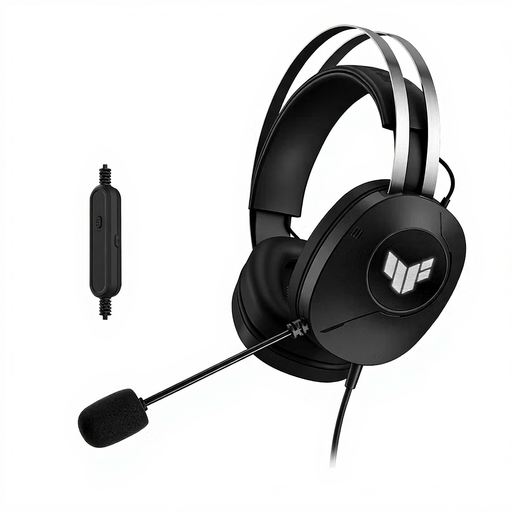 No image available
Suitable for anyone joining online lessons on a USB-A computer and looking for an over-ear design.
 No image available
Suitable for anyone who wants to speak online via USB and mute the microphone during speaking exercises.
 No image available
An option for anyone looking for a USB headset with an adjustable microphone for online language lessons.
No. A microphone feature focuses on the sound your conversation partner hears; to reduce what you hear, consider the headset style and fit separately. The manufacturers mentioned don’t provide comparable measurements of sound isolation in a shared home.
Check the connector, mute setting and sound settings on both your computer and the lesson app. Select the headset as the input and output device; this follows Logitech’s setup instructions for the H390.
According to ACM ConsuWijzer, online purchases generally come with a statutory 14-day cooling-off period after delivery, with some exceptions, including certain unsealed hygiene products. Don’t assume the same rules apply to every headset. Separately, you may have statutory rights against the seller if a product is faulty; the circumstances matter.
The Dutch government states that electronic products in the EU must carry a CE marking. This marking is not a performance certification for microphone quality or sound isolation.