
Applicant with chatty housemates
Your main priority is making sure your answers remain clear when people are talking elsewhere in the house. Compare the microphone features and test a recording in your own room.


Start by choosing the USB version that fits your computer, then test the microphone before the interview. Check separately that your voice comes through clearly and that you can hear the interviewer well: microphone noise cancellation doesn’t automatically mean you’ll hear less of your housemates. Manufacturer specifications can help you compare models, but it’s still important to try the headset in your own room.
Your main priority is making sure your answers remain clear when people are talking elsewhere in the house. Compare the microphone features and test a recording in your own room.
You want to follow the interviewer clearly, so you’re also considering the earcups. Microphone noise cancellation alone won’t meet your listening needs.
Check that the USB-A or USB-C version works with your computer and video-calling app, then make a test call in advance.
Best for: if you want to answer clearly and listen to the interviewer through both earcups.
Keep in mind: Jabra and Logitech describe two microphones on specific models. These are manufacturer specifications, not the result of a hands-on comparison.
Best for: if you want to be able to mute quickly and need a suitable connection.
Keep in mind: Trust says the Ayda 25088 has a boom microphone that mutes when flipped up, and comes with a USB-C-to-A adapter. Check the exact version.
Best for: if comfort during the interview is a priority and you’re comparing a specific stereo version.
Keep in mind: EPOS lists the IMPACT 100 stereo at 76 g. Its stated weight doesn’t tell you how the headset will fit your head or how much household noise you’ll hear.
| What to consider | What to look for | Who is this important for? |
|---|---|---|
| Clear answers | Check the microphone type and position, as well as the mute control. Test a recording with the usual household noise in the background. | If I want to answer while my housemates are talking, I need to know whether my voice will still come through clearly. Around 36% of consumers prioritise making themselves understood. |
| Being able to follow the interviewer | Compare the stereo version and fit, and see whether you can follow a conversation clearly with the usual household noise in the background. | If I’m easily distracted, I want to hear the interviewer clearly, not just focus on what my microphone picks up. Around 29% of consumers prioritise being able to listen without disturbance. |
| Checking the connection and audio | Check your computer’s port and the exact USB-A, USB-C or adapter version. Select the headset for both input and output, then test the call. | If I don’t want any surprises with the connection before the interview, I also check that the video-calling app recognises the microphone and speakers. Around 21% of consumers prioritise connection and ease of testing. |
| Comfort and cost | Compare the fit and version, and check that the cable is long enough for your workspace. | If I’m wearing the headset throughout the interview, I want it to feel comfortable and don’t want to pay for features I don’t need. Around 14% of consumers prioritise comfort and cost. |
A noise-cancelling microphone affects the sound of your voice as it’s transmitted; it doesn’t automatically tell you how much background noise you’ll hear yourself. If you use Microsoft Teams on a supported desktop app, you can also check its noise-cancellation settings. Test everything together in the room where you’ll be taking the call.
Your voice may come through more clearly to the interviewer while you can still hear your housemates.
Assess the microphone and your own listening experience separately, and test both during a practice call.
Versions within the same product range may differ in connection, mono or stereo sound, and support for video-calling apps.
Before buying, check the full model number, your computer’s ports and the version you need.
If the connection isn’t right, you may need a suitable adapter. Check which adapter, if any, is included with the exact version.
The Dutch government states that the Netherlands has no fixed statutory guarantee period. A period quoted by a seller isn’t automatically the statutory period.
Distinguish between your statutory rights and any additional guarantee offered by the seller or manufacturer. Keep the product description and proof of purchase.
The Evolve2 30 SE is available in versions where stereo or mono sound, USB connection and UC or Teams compatibility are all factors to consider.
The Zone Wired is a wired USB work headset worth comparing for calls in a busy environment.
The Blackwire 3220 USB-A is an on-ear stereo version for anyone looking for a USB-A work headset.
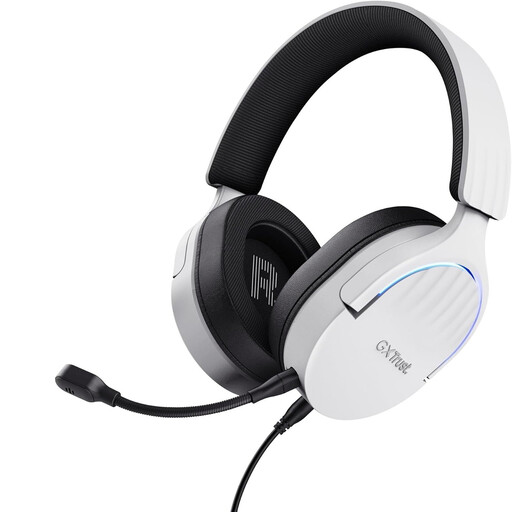
The Ayda 25088 is a USB headset worth comparing if simple controls and an adapter are important to you.
The IMPACT 100 is an on-ear work headset available in mono and stereo versions.
These wired USB headsets are options to compare for online calls. Check the connection, controls and compatibility with your computer for each model.
 No image available
An option to compare if your computer has USB-A and you’re looking for a headset with a microphone and stereo sound.
The product description lists a detachable noise-cancelling microphone, mute control on the earcup, stereo sound and over-ear cushions.
 No image available
An option if you want to compare a wired USB-A stereo headset with integrated microphones.
The product description lists two integrated microphones, two earcups, mute and volume controls, and memory foam ear cushions.
 No image available
A wired USB headset to compare if you’re looking for a microphone and stereo sound for calls.
The product description lists an adjustable noise-cancelling microphone, a mute and volume control, and a mute indicator.
 No image available
An option to compare if you’re looking for a wired USB headset for calls.
The product description lists stereo sound, an adjustable noise-cancelling microphone and plug-and-play USB connectivity.
 No image available
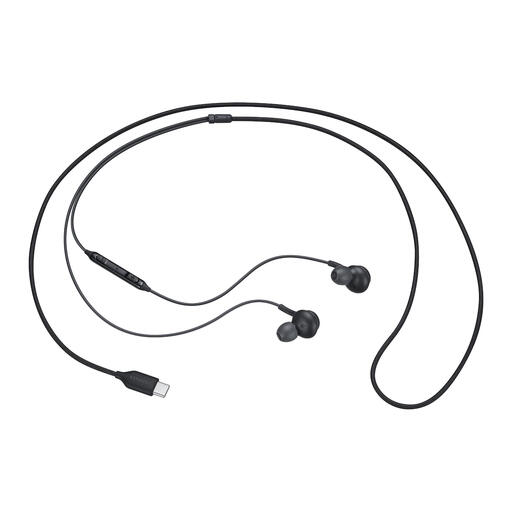
An option to compare if your device has USB-C and you’re looking for a wired in-ear headset.
The product description lists a built-in microphone, microphone mute and in-line controls.
Select the headset as your speaker and microphone in your video-calling app and, if you use Teams, make a test call. You can also play back a recording using the microphone test in Windows. Check the mute setting and test with the usual household noise in the background.
No. It affects the speech you transmit, not necessarily what you hear yourself. The Microsoft Teams desktop app has noise-cancellation settings. Test this feature before the interview, and don’t assume it will completely filter out other voices.
No. Check the port and the exact version. The Jabra Evolve2 30 SE is available in different USB and audio versions; Trust says the Ayda 25088 comes with a USB-C-to-A adapter. Also check that your video-calling app lets you select the headset for both input and output.
For online purchases from a business, you’ll often have 14 days to change your mind; exactly when this applies depends on the purchase. According to the Dutch government, the Netherlands has no fixed statutory guarantee period of two years. If a product is faulty, contact the seller.