If you’re the only person speaking through your computer, choose a wired USB headset with a connector that fits your laptop. Before the interview, test both the microphone and speaker in your meeting app. If other people are in the room with you, first decide which device will pick up and play the room’s audio: a personal headset won’t automatically pick up other people’s voices clearly, and having several audio devices active at once can cause echo.
Who is this guide for?
Interview candidate speaking online alone
You’re taking the interview on a single laptop and want to be easy to hear, without having to search for audio settings during the call. Logitech describes the H390 as a USB headset, while Microsoft Support explains how to select the connected microphone and speaker in Teams.
Interview candidate with others in the room
You’re sitting at a table with one or more other people while someone joins remotely. Microsoft Support recommends not having multiple microphones and speakers active in the same room at once, to prevent echo.
User who switches between laptops
You want to connect the headset to different computers, so you’ll need to check which USB ports are available and the exact version of the headset. Logitech, Jabra and EPOS offer product ranges with different connections or versions.
What should you look for?
Personal USB headset
Choose this if: you’re the only person taking part in the call through your computer.
Bear in mind: the headset is designed for the person wearing it; the cable limits how far you can move, and it won’t automatically pick up the voices of others at the table clearly.
Shared room audio
Choose this if: several people in the same room need to speak to someone remotely, and the room has a suitable microphone and speaker.
Bear in mind: Microsoft Support recommends keeping just one microphone and speaker active in the room to prevent echo.
| What to consider |
What to look for |
Who is this important for? |
| How clearly your voice comes across |
Check the microphone and mute control, and test the headset in the meeting app you use. |
If I’m speaking through my headset alone, I want my voice to come across clearly. Around 36% of consumers prioritise how clearly their own voice can be heard. |
| Whether everyone can be heard |
Check who will be speaking in the room and whether there’s a suitable room microphone and speaker. In Teams, keep one device active for room audio. |
If others at the table need to take part too, I want to know whether the right microphone will pick up their voices. Around 29% of consumers prioritise everyone in the room being able to participate. |
| Connection and controls |
Compare your laptop port with the USB plug on the exact version you’re considering, and check whether an adapter is included. Test the controls in advance. |
When I use my headset with different laptops, I don’t want to discover during a call that the plug doesn’t fit. Around 21% of consumers prioritise connectivity and ease of use. |
| Fit and comfort |
Choose between mono and stereo, and check the adjustability and ear cushion material of the version you’re considering. |
If I want to be able to hear someone next to me during the call, I look for a version that leaves one ear free. It also lets in more background noise. Around 14% of consumers give fit and comfort the highest priority. |
Common buying mistakes
-
Buying a personal headset when several people at the table need to speak
A headset microphone is designed for the person wearing it and won’t automatically pick up everyone else’s voice clearly. Having several devices active in the same room can also cause echo.
Before you buy, decide who will be taking part in the call and which device will handle the room’s audio. Microsoft Support recommends keeping just one microphone and speaker active when using room audio.
If the room doesn’t have a suitable microphone and speaker, you may still need to arrange an appropriate audio setup.
-
Looking only for ‘USB’
USB-A and USB-C are different types of connector, so a headset with the wrong connection might not plug straight into your laptop.
Compare your laptop’s port with the exact product version and check whether a suitable adapter is included.
Depending on the connection, you may need a suitable adapter or a different version.
-
Assuming noise cancellation means the setup has been tested for calls
A manufacturer’s microphone specification doesn’t confirm that your meeting app is using that microphone.
Select the headset as the microphone and speaker in your meeting app, then run a test before the call.
Brands to consider
Logitech
The H390 is a range of wired USB headsets for one computer user. Logitech lists USB-A and USB-C versions as separate options.
- For the H390, Logitech lists a flexible microphone, in-line controls and, for the USB-A version, a 1.9 m cable.
- Check the connector type of the model you choose. The manufacturer’s specifications are not an independent assessment of call quality.
Jabra
The Evolve 20 range includes mono and stereo versions for computer calls.
- Jabra lists USB connectivity and an in-line control unit for calls and muting.
- The range includes different connections and versions, so check the full model details before ordering.
Poly
The Blackwire 3200 series consists of wired USB headsets for work calls, with mono and stereo versions.
- HP lists features for the series including an adjustable headband and several connection options.
- Not every connection or feature is available on every model in the series, so check the version you’re choosing.
EPOS
The IMPACT 100 range is designed for wired work calls and may be worth considering if you need both USB-C and USB-A.
- For the range, EPOS lists a USB-C-to-USB-A adapter, in-line controls and a directional microphone.
- Weight and certification specifications vary between versions, so check the exact model.
Yealink
The UH34 and UH34 Lite ranges include wired USB headsets in mono and dual versions.
- Yealink lists plug-and-play setup, an in-line control unit and replaceable ear cushions.
- The product sheet lists different ear cushion materials for the UH34 and UH34 Lite, so check which version you’re choosing.
Products for personal USB audio
This product selection focuses on personal, wired USB audio for one speaker. For each model, check that the headset type and connection are right for your laptop.
 No image available
JBL Tune 305C - Blue
Wired USB-C earphones with a built-in microphone, for listening and calls.
The in-line remote has three buttons for functions including volume and EQ settings. Requires a compatible USB-C port.
Joybuy
 No image available
Logitech PC 960
A wired USB headset for internet calls, with in-line controls.
The product information lists volume control, mute and an adjustable microphone boom described as noise-cancelling.
Joybuy
 No image available
Logitech H340 USB headset, black
A wired USB headset for computer calls.
The microphone is adjustable and described as noise-cancelling. The product information also mentions a lightweight, adjustable headband and ear cushions.
Joybuy
 No image available
Trust Ayda wired headset
A wired headset for video calls and online meetings.
The product information lists USB-A with a USB-C adapter cable, volume control and a fold-up microphone described as noise-cancelling.
Joybuy
 No image available
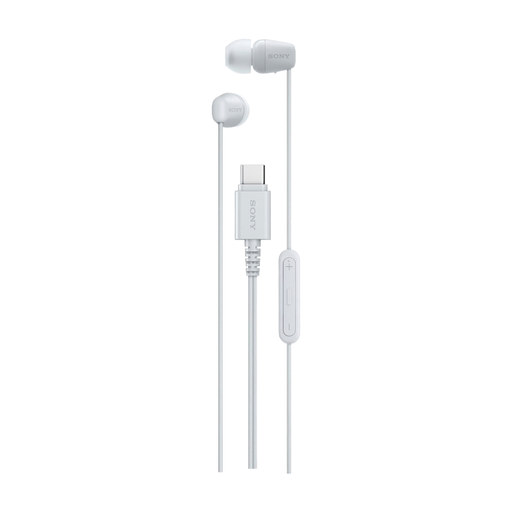
Sony IER-EX15C USB-C in-ear headset, white
Wired USB-C in-ear headset with a built-in microphone for calls.
The in-line remote supports functions including volume and calls. Requires a compatible USB-C port.
Joybuy
Frequently asked questions
How can I check that my headset is working just before the call?
In Teams, select the connected headset separately as your speaker and microphone, then use the test call option. This lets you check that the meeting app is using the audio devices you want.
Can everyone at the table join in through my personal headset?
Don’t assume so: a personal headset is designed for the person wearing it. If several people in the room will be speaking, check whether suitable shared room audio is available. Microsoft Support recommends keeping only one microphone and speaker active in the same room at a time to prevent echo.
Do I need to install software for a USB headset?
That depends on the model and the features you want. Logitech describes the H390 as plug-and-play. Also check that the headset is selected as the microphone and speaker in your meeting app. Plug-and-play doesn’t automatically mean that every button will work the same way in every app.
What can I do if my headset develops a fault too soon during normal use?
According to ACM ConsuWijzer, the seller is responsible for the legal guarantee if a product doesn’t meet the standards you were entitled to expect. Any manufacturer’s guarantee doesn’t replace this legal right.


