What should you look for?
First decide whether only your voice needs to be heard online; then compare the fit, microphone controls and connection.
| What to consider |
What to look for |
Who should prioritise this? |
| How clearly the chair can be heard |
Check whether the microphone is adjustable and whether you can mute it in your meeting app. Test the recording from the spot where you’ll be chairing the meeting. |
If I’m the only person speaking online, I want my voice to come through clearly; around 33% of consumers prioritise the chair’s voice being easy to understand. |
| Making other club members audible online |
A personal headset is for the person wearing it. Decide which microphone will pick up the other speakers, and test the room audio. |
If other members are also speaking around the table, I don’t want my voice to be the only one heard online; around 27% of consumers prioritise making several speakers audible. |
| Fit and awareness of the room |
Compare mono and stereo, and try the fit for yourself. According to HP Poly, mono leaves one ear uncovered. |
During a long meeting, I want to weigh up keeping one ear free against using both ears to hear online participants; around 20% of consumers say fit and awareness of the room are their main concerns. |
| Connection and controls |
Check whether the exact version uses USB-A or USB-C, and make sure it’s compatible with your computer. Also check that the mute controls work with your meeting app. |
If I want to get started without connection or set-up problems, I check the port and controls in advance; around 20% of consumers prioritise this. |
USB headsets on Joybuy
The options below are personal wired headsets for use with a computer. Check the connection for each version. If several club members need to speak online, you’ll also need suitable room audio.
 Image unavailable
Jabra Evolve2 30 SE USB headset
A personal stereo headset for computer use when you need a USB-A connection.
The description lists two integrated microphones, an adjustable headband, memory foam ear cushions, and controls for volume, mute and calls.
View on Joybuy
 Image unavailable
Logitech PC 960 USB headset
A wired stereo headset for a meeting chair who wants to control the microphone and mute during a computer meeting.
The description lists an adjustable microphone boom, in-line mute and volume controls, an adjustable headband and ear cushions.
View on Joybuy
 Image unavailable
Logitech H340 wired USB headset
A personal stereo headset for computer calls.
The description lists an adjustable microphone, a USB connection and an adjustable headband.
View on Joybuy
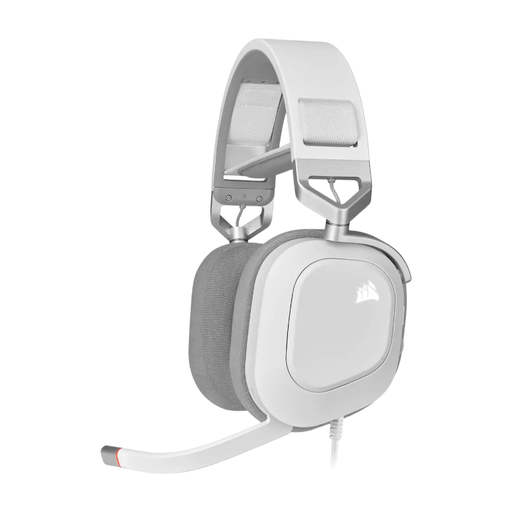 Image unavailable
CORSAIR HS80 RGB wired USB gaming headset, white, Dolby Audio 7.1 Surround Sound
A personal wired USB stereo headset with a microphone for computer use.
The description lists an omnidirectional microphone that flips up to mute, and controls on the headset.
View on Joybuy
 Image unavailable
Jabra Evolve 30 II MS Stereo headset
A personal stereo headset for computer meetings, with the included USB controller.
The headset has a 3.5 mm connection; the included LINK MS controller provides the USB connection.
View on Joybuy
Frequently asked questions
Will a USB headset improve the picture when there’s a bright window behind me?
No. A headset handles audio, not camera lighting. Logitech advises against pointing the camera at an outside window or another strong light source, so check the picture separately.
How can I check that my headset is being used before the meeting?
Select the connected microphone and speaker in your meeting app, then make a test call. Microsoft explains these checks for Teams; in other apps, use the equivalent audio settings.
What if other club members also need to be heard online?
Test the microphone that picks up the other speakers, as well as how online audio is played back in the room. Microsoft describes microphones and speakers for hybrid meeting rooms as components to be selected separately.
What warranty and cooling-off period apply to an online purchase in the Netherlands?
When you buy as a consumer, the product must meet reasonable expectations; if there’s a problem, contact the seller. According to the Dutch government, distance purchases from a business usually come with a 14-day cooling-off period. Check the terms and exceptions that apply to your purchase.
Should I check for a CE marking on a USB headset?
Check the conformity information for the exact version. The Netherlands Enterprise Agency explains that CE requirements depend on the type of product and the applicable EU rules; this alone doesn’t establish the status of a specific item.


