
Facilitator with online participants
You do most of the speaking and want to be able to mute your microphone and check in advance that the online group can hear you.


If you’ll mainly be speaking online, a USB headset with a microphone positioned close to your mouth is a practical choice. Choose mono if you still want to hear people in the room, or stereo if listening to online participants is the priority. If other people in the room also need to be heard clearly online, assess the room’s microphone coverage separately; a personal headset isn’t designed for that by default.
You do most of the speaking and want to be able to mute your microphone and check in advance that the online group can hear you.
You want to be able to hear people in the room and work out whether remote participants also need to hear them.
You’ll be moving around during the meeting, so cable length or whether a wireless USB adapter is included may matter.
Choose this if: you’ll mainly be speaking online but also want to respond to people in the room.
Trade-off: one ear stays free, but the cable limits how far you can move from the computer. The microphone isn’t automatically suitable for picking up people elsewhere in the room.
Choose this if: you’ll be sitting in one place and want to hear online voices through both earcups.
Trade-off: conversations in the room may be less easy to hear directly; also check that the cable gives you enough freedom to move.
Choose this if: you need to move away from the computer while speaking and the adapter is compatible with it.
Trade-off: check the exact model and included adapter, and remember that it will need charging. A wireless headset won’t automatically improve how well other speakers in the room are picked up.
Choose this if: remote participants also need to hear people in different parts of the room.
Trade-off: the microphone placement and coverage need to suit the speaking areas, so test the whole setup.
| What to consider | What should you check? | Who is this important for? |
|---|---|---|
| Making sure people can hear you clearly | Check the position of the microphone boom, the mute control and whether you can test the microphone in the meeting app you’ll be using. | As the facilitator, I want online participants to hear me clearly and to be able to mute quickly. Around 36% of consumers put making their own voice heard first. |
| Making sure other people in the room can be heard too | Decide who needs to be heard online and from which parts of the room; if necessary, assess a room microphone setup. | If club members need to speak from different parts of the room, coverage matters more than just my headset microphone. Around 29% of consumers prioritise making a group’s voices heard. |
| Being able to hear people in the room | Compare mono and stereo, and check that the wearing style suits the way you facilitate. | If I need to respond directly to comments from the class during online conversations, I want to keep hearing the sounds around me. This is the top priority for around 21% of consumers. |
| Connection and freedom to move | Check whether the exact model has USB-A or USB-C, the cable length or whether a wireless adapter is included. | If I move around during the meeting, the connection needs to work with my computer and give me enough freedom to move. Around 14% of consumers put connection, freedom of movement or wearing style at the top of their list. |
A microphone boom positioned close to the wearer doesn’t mean that voices from elsewhere in the room will come through clearly online.
Decide in advance which speaking areas need to be heard online, then test the full setup in those areas.
Microphone noise reduction and blocking background noise for the wearer are different features.
Check what a specification refers to, and weigh up mono and stereo if you need to keep hearing the room.
Models within a headset series can differ in wearing style, USB connection and included accessories.
Before buying, check the full model, connection and box contents to make sure they suit your computer.
The H390 is an example of a wired USB headset for a facilitator who stays at the computer.
The Evolve 20 series includes wired mono and stereo models; the Evolve2 65 is a separate wireless series.
The Blackwire 3200 series includes wired USB headsets in mono and stereo.
The wired UH34 and UH34 Lite series include mono and dual models for voice calls.
This selection focuses on personal headsets with a USB connection or USB adapter for a facilitator; they aren’t a replacement for a microphone setup that needs to pick up voices from several parts of the room.
 No image available
A good fit for a facilitator who wants a USB-A connection and easy-to-reach call controls.
The description lists stereo sound, two integrated microphones and volume and mute controls. It also mentions a USB-C adapter as a connection option; check the model and what’s included.
Stereo may make it less easy to hear people in the room directly; the USB connection limits how far you can move.
 No image available
A good fit for a facilitator looking for a wired headset with a microphone boom and in-line controls.
The description lists stereo sound, an adjustable microphone boom and mute controls. The cable is 2.4 m long.
The stereo model may make it less easy to hear people in the room directly; the cable limits how far you can move.
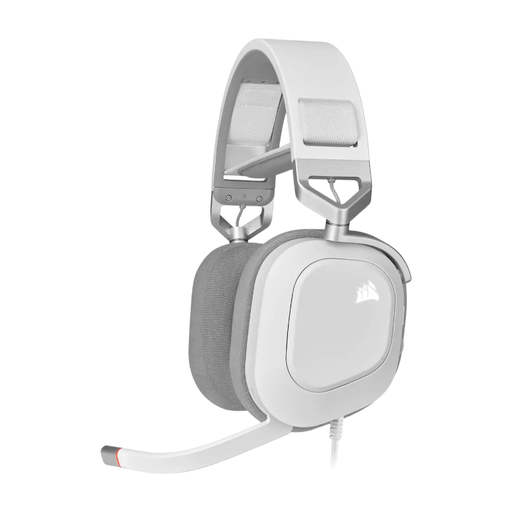 No image available
A good fit for a facilitator looking for a wired USB stereo headset with on-headset controls.
The description lists a microphone that flips up to mute. The product name mentions Dolby Audio 7.1 Surround Sound.
The wired stereo model limits how far you can move and may make it less easy to hear people in the room directly.
 No image available
A good fit for a facilitator who wants to move around while keeping one ear free to hear people in the room.
The description lists a wireless Bluetooth connection, a USB-A adapter and a three-microphone system.
This model needs to be charged. Check that the adapter is compatible with the model you choose and is included.
 No image available
A good fit for a facilitator looking for a wired stereo headset and wanting to match the connection to their computer.
The description lists USB-A with a USB-C adapter cable, on-ear controls and a microphone that flips up to mute. The cable is 180 cm long.
The cable limits how far you can move; check that the included connection option is compatible with your computer.
Don’t assume it will. A headset microphone is designed for the wearer; if people in several parts of the room need to be heard, assess microphone placement and coverage for those areas separately.
Select the right speaker and microphone in the meeting app you’ll be using, make a test recording or use the audio test, and check the mute function. Zoom describes these steps for Zoom; if you’re using another app, check its own settings.
Compare your computer’s port with the connection on the exact headset model or, if you’re using a wireless headset, with the USB adapter included. The Jabra series mentioned come in different versions; the Logitech H390 model described has USB-A.
Report the fault to the retailer. According to the Dutch government, there is no fixed statutory guarantee period in the Netherlands; what you can expect in terms of a product’s lifespan depends, among other things, on the product, its price and the information provided. A manufacturer’s guarantee doesn’t replace those rights.
You can’t determine that based on the location alone. The Dutch Data Protection Authority sets out specific conditions for video calls and recordings in educational institutions; whether those rules apply here depends, among other things, on the organiser, the people present and the purpose of the recording.