Who is this choice relevant to?

Traveller with one USB trimmer

This traveller wants to charge their own trimmer and needs to check which adapter and cable are approved in the instructions for that model. Philips gives model-specific charging instructions for certain OneBlade models.

Group sharing a charging area

This group wants to connect other USB devices as well as a trimmer, so suitable ports and checking the power output when charging several devices at once are important. Hama and Belkin describe charging stations with various USB-A and USB-C configurations.

Traveller with limited dry space

This traveller needs to find an accessible spot where the adapter and cable will stay dry and the charger can dissipate heat. Brandweer Nederland advises placing chargers in an open space and not using damaged cables.

What should you look for?

Compact USB charger

When: If you mainly want to charge one trimmer and can confirm that the adapter is suitable according to the instructions for that model.

Trade-off: A compact charger has fewer connections and doesn’t provide a dedicated charging area for several devices.

Multi-port charging station

When: If several devices will use the same dry charging area and the ports are suitable for the cables you have.

Trade-off: More ports may mean a larger station or an extra cable; check the power output when charging several devices at once.

What to consider What should you check? Who is this important for?
Trimmer compatibility Check the exact model, the recommended adapter and the cable; don’t assume that charging details for another model will apply. If I’m only taking my own trimmer, I want to know that the recommended cable and adapter are suitable. Around 40% of consumers prioritise compatibility with their own trimmer.
Ports for charging several devices at once Count the devices you’ll charge at the same time, then compare the USB-A and USB-C connections and the power available per port when used together. If we’re sharing one charging area, I want to be able to connect my trimmer and other devices at the same time. Around 30% of consumers prioritise having suitable ports for shared charging.
Dry charging area Follow the moisture guidance for your trimmer and charger. Choose a clear spot away from splashes where heat can escape. With limited dry space, I want to find a spot where cables and the adapter can be kept away from water. Around 20% of consumers prioritise a dry charging area and heat dissipation.
Size and set-up Compare the plug type and size; for a desktop model, also check the stated power cable length. If I want to travel light, I don’t want to take a larger station than I need. Around 10% of consumers prioritise a compact design that’s easy to set up.

Common pitfalls

  • Assuming any USB adapter will work

    The connection alone doesn’t tell you which adapter and cable are suitable for your trimmer. Philips warns that using the wrong type of adapter can damage certain OneBlade models.

    Look up the charging instructions for your exact trimmer model before choosing an adapter.

  • Looking only at the highest wattage

    A port’s stated power output may vary when several devices are connected at once. Hama, for example, notes this for a USB-C port on one of its charging stations.

    Check how the power is shared between ports and the specifications for the number of devices you want to connect at the same time.

  • Not keeping the charging area dry and clear

    A water-resistant trimmer doesn’t mean the adapter or charging station can get wet. For certain OneBlade models, Philips says to keep the USB cable, adapter and any charging station dry.

    Choose a spot away from splashes and don’t cover the charger while it’s charging.

Brands to consider

Hama

Hama describes charging stations with either USB-A ports or a combination of USB-A and USB-C ports.

  • For model 00223201, Hama lists six USB-A ports and 34 W total power.
  • For model 00201978, Hama lists three USB-C and two USB-A ports. According to Hama, one USB-C port can deliver up to 65 W, even when other devices are connected.
  • The specifications don’t confirm whether an unspecified trimmer can be charged with either of these stations.

Belkin

Belkin describes a desk-focused BoostCharge Pro charger with USB-A and USB-C ports.

  • For the P-WCH010, Belkin lists four ports, a 2-metre power cable and up to 108 W total power.
  • These model specifications don’t show that the charger is suitable for a trimmer whose model is unknown.

UGREEN

UGREEN describes a compact three-port charger as an alternative to a larger charging station.

  • For the variant described, UGREEN lists three ports and 65 W.
  • For your devices, check which port and power output are available when charging several devices at once. The specifications listed don’t confirm whether your trimmer will work with it.

Joybuy products for charging

These products are options to compare for charging a USB trimmer, from compact USB chargers to charging stations for several devices. Before buying, check that the adapter is suitable according to your trimmer’s instructions and that the mains-powered product carries the required CE marking.

USB travel charger with USB-A and USB-C ports

USB travel charger with 2 USB-C ports and 1 USB-A port

Worth considering if you’re looking for a compact charger for USB-A and USB-C cables. Check that the connection and output match your trimmer’s requirements.

Joybuy

Fairphone Dual USB-C + USB Fast Charger 65W Black

Fairphone Dual USB-C + USB Fast Charger 65W Black

Worth considering if you’re looking for a compact charger with several USB ports. Check your trimmer’s instructions and which cables you’ll need to take with you.

The product description lists up to 65 W, two USB-C ports, one USB-A port and a Europlug Type C. Compatible charging cables are not included. Do not use in a damp environment or with damaged cables.

Joybuy

10-port USB charging station

10-port USB charging station

Worth considering for a shared charging area if you’re connecting several devices. Check that the ports suit your cables.

The product title lists USB-A and USB-C, but doesn’t specify how many of each port type are included.

Joybuy
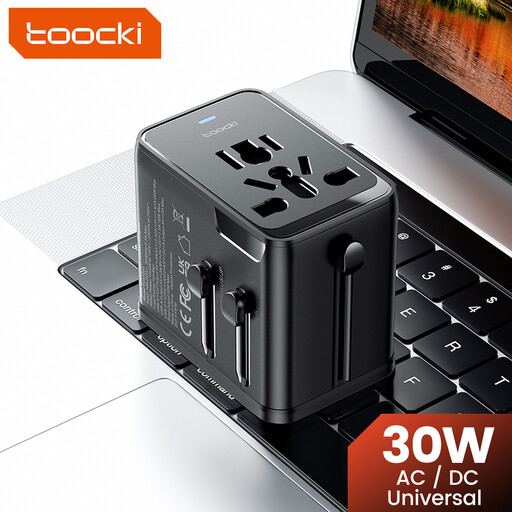
toocki Universal Travel Adapter 30W PD with USB-A and USB-C ports

toocki Universal Travel Adapter 30W PD

Worth considering if you’re looking for a travel adapter with several USB connections. Check that the plug is suitable for the available socket and your trimmer.

The product title lists 30 W, one USB-A port and two USB-C ports.

Joybuy
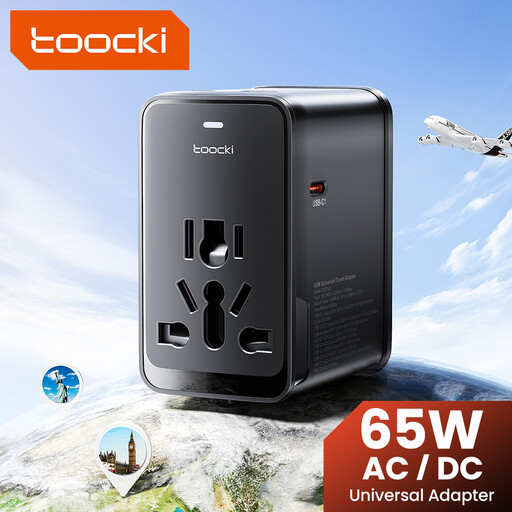
toocki Universal Travel Adapter 65W PD with USB-A and USB-C ports

toocki Universal Travel Adapter 65W PD

Worth considering if you want several USB connections on one travel adapter. Check that the plug suits the socket and your trimmer’s recommended connection.

The product title lists 65 W, one USB-A port and three USB-C ports.

Joybuy

Frequently asked questions

Can you use any USB charger with your trimmer?

No. Don’t assume a charger is suitable just because it has a USB connection. Check the instructions for your exact model and use the recommended adapter and cable. For certain OneBlade models, for example, Philips specifies 5 V and at least 1 A; this isn’t a general specification for all hair trimmers.

Where should you put a charging station in a holiday cottage?

Choose a dry spot where the charger is uncovered and can dissipate heat, and don’t use damaged cables. Brandweer Nederland advises placing chargers in an open space. Also check your device’s moisture guidance: for a specific OneBlade model, Philips says to keep the USB cable, adapter and any charging station dry.

Does a mains-powered USB charging station need CE marking in the Netherlands?

Electrical products that are required to carry CE marking must display it. The Netherlands Food and Consumer Product Safety Authority explains this requirement; CE marking doesn’t prove that a specific product has been independently tested.

What can you do if a charger breaks too soon during normal use?

In the Netherlands, you’re entitled to a legal guarantee as well as any manufacturer’s warranty if the product doesn’t meet what you could reasonably expect. According to ACM ConsuWijzer, if a product is faulty despite being used normally, the seller must offer an appropriate solution free of charge.

Does every new USB hair trimmer have to use USB-C?

Don’t assume so without checking. The government guidance consulted on mandatory USB-C connections lists specific product categories, but doesn’t confirm that this applies to every hair trimmer. Check the connection on your own model.
