What should you look for?
Start with the device you’ll use to restore your files and the versions you want to keep. Then decide whether confidentiality, connectivity or storage space matters most to you.
| What to consider |
What to look for when buying |
Who should pay particular attention? |
| Recovery without the cloud |
Decide which files and versions to keep, and regularly try opening a file from the copy. |
I want to be able to restore recent versions if a file or flash drive fails. Around 33% of consumers put reliable recovery without the cloud first. |
| Protection if the drive is lost |
Consider whether the files contain confidential information and how authorised users will unlock the flash drive. |
If I store customer or staff data on a flash drive, I want to take the risk of losing it into account. Around 27% of consumers prioritise protection in case of loss. |
| Connection and readability |
Check whether you need USB-A or USB-C, and test that the recovery device can open the files and encryption you’ve chosen. |
I want to make the copy on one device and open it on another. Around 20% of consumers therefore start with connection type and readability. |
| Space for older versions |
Add up the files and versions you want to keep, then compare the total with the available capacity. |
I want enough room for multiple spreadsheets and older versions. Around 20% of consumers prioritise having space for different versions. |
USB flash drives at Joybuy
These USB flash drives are suitable for local spreadsheet backups, with versions for USB-A, USB-C or both connection types, and options for standard storage or software-based file protection.
 Image unavailable
SanDisk Ultra Dual Drive Go 512GB
Ideal if you want to transfer files between devices with different USB connections.
512 GB; USB-C and a traditional USB connection.
A compatible connection doesn’t guarantee that encrypted files will be readable on both devices.
Joybuy
 Image unavailable
Kingston DataTraveler SE9 G3 64GB
An option for everyday local spreadsheet backups on a device with USB-A.
64 GB; USB-A; USB 3.2 Gen 1; metal design.
Maximum stated speeds are 220 MB/s read and 100 MB/s write.
Joybuy
 Image unavailable
Samsung MUF-256BE 256 GB USB Type-A
Suitable for local spreadsheet backups on a PC or laptop with USB-A.
256 GB; USB Type-A; USB 3.2 Gen 1 (3.1 Gen 1).
Joybuy
 Image unavailable
Samsung MUF-512DA 512 GB USB Type-C
An option for a local backup on a device with USB-C.
512 GB; USB Type-C; USB 3.2 Gen 1 (3.1 Gen 1).
Maximum stated read speed is 400 MB/s.
Joybuy
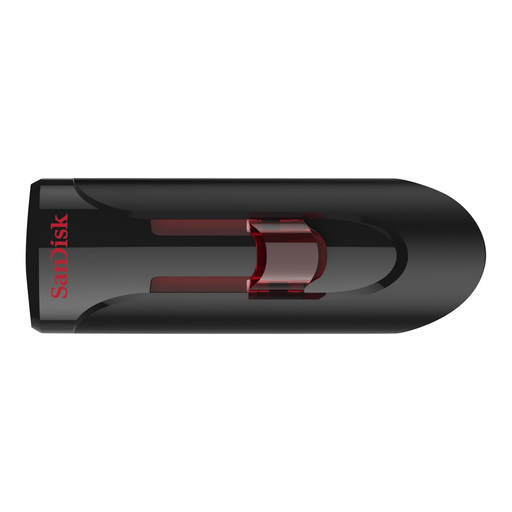 Image unavailable
SanDisk Ultra 64GB USB 3.0 Flash Drive
Suitable for local document backups on a computer with USB-A if you’re looking for software-based file protection.
64 GB; USB-A; USB 3.0; SanDisk SecureAccess with 128-bit AES file encryption.
For use on a Mac, the product description says you need to download SanDisk SecureAccess software.
Joybuy
Frequently asked questions
Should one USB flash drive be the only copy of a spreadsheet backup?
No. Keep your working file and separate backups. For important business data, the NCSC recommends keeping at least three versions: the original and two backups. If you don’t use the cloud, you can keep these copies on separate storage media.
Is encryption essential for every spreadsheet on a USB flash drive?
It isn’t a blanket product requirement for every spreadsheet. For organisations that process personal data, the Dutch Data Protection Authority stresses the need for appropriate security, based on the processing involved and the risks. A lost flash drive containing unencrypted personal data could be a data breach.
Can I set up BitLocker To Go on Windows Home?
No. Microsoft says BitLocker Drive Encryption isn’t available in Windows Home. Check in advance which encryption methods are available on your work device and whether your recovery device can read the flash drive.
Can an older Mac always open a USB flash drive encrypted on a Mac?
No. Apple warns that the encryption method described converts the drive to APFS. Older Macs without APFS support won’t be able to read the data. Test the device you’ll use to restore your files in advance.
Must the loss of a flash drive containing personal data always be reported to the Dutch Data Protection Authority?
No. It depends on the risk to the people affected. The Dutch Data Protection Authority says a data breach must be reported unless it’s unlikely to pose a risk to their rights and freedoms. If a report is required, it must be made within 72 hours of becoming aware of the breach.


