
Students with USB-A and USB-C devices
If you copy study notes locally between devices with different USB ports, you’ll benefit from a connector that fits both.


Choose a USB flash drive that fits the ports on the devices you’re copying your study notes between: USB-A for devices with USB-A, or a model with both USB-A and USB-C if you use both. Copy the files rather than moving the only version, check that the copies open, and keep a separate backup as well. Encryption may be worth considering for sensitive files; a quoted read speed doesn’t automatically tell you the write speed.
If you copy study notes locally between devices with different USB ports, you’ll benefit from a connector that fits both.
An extra copy of your coursework can help you avoid relying solely on cloud storage. Keep the original somewhere else too.
If you carry documents containing personal data, you should also consider what might happen if you lose the flash drive.
Start by checking the ports on your devices, then decide how you’ll keep an extra copy. If you have confidential files, consider how to protect them if the drive is lost.
| Consideration | What to look for | Who is this important for? |
|---|---|---|
| Connector | Check the ports on both the source and destination devices. For a phone or tablet, also check whether it supports external USB storage. | I want to connect my devices directly, without finding that a suitable port is missing. Around 29% of consumers give port compatibility top priority. |
| Local transfer | Check that both devices recognise the flash drive and that you can open the files on each one. | I want to transfer files without cloud storage or Wi-Fi, and connect the flash drive myself. Around 29% of consumers put local transfers first. |
| Backup | Keep the original somewhere else, open the copied files to check them, and safely eject the flash drive. | I want to keep an extra copy without making the flash drive my only place to store files. Around 24% of consumers prioritise keeping a backup. |
| Confidentiality | Consider which data you’re carrying and check how encryption, unlocking and account recovery work with the solution you choose. | If I’m carrying sensitive files, I want to consider who could access them if the drive is lost. Around 12% of consumers put confidentiality first. |
| Storage and write time | Check how much space your files take up. Read speed doesn’t tell you how long it will take to write files to the drive. | I want enough space and pay attention to write time when I regularly copy larger files. Around 6% of consumers give capacity or write time top priority. |
The connector needs to fit the devices you’ll actually use for the transfer.
Make a note of the ports on the source and destination devices before choosing a USB-A, USB-C or dual-connector model.
If the connector isn’t suitable, you may need a separate adapter or a different flash drive.
If the flash drive is lost or damaged, you won’t have a backup unless you’ve saved your files somewhere else.
Copy the files rather than just moving them, and keep a second, separate local copy as well.
When copying files to the flash drive, write speed matters; it may differ from the quoted read speed.
Only compare speed claims when it’s clear what they refer to and which version they apply to. For ordinary notes, don’t choose based solely on a maximum read speed.
The Dutch Data Protection Authority gives losing a flash drive containing unencrypted personal data as an example of a potential data breach.
Consider which files you’re carrying and use encryption where appropriate. Also check your educational institution’s policies.
The Ultra Dual Drive Go range is designed for local transfers between USB-C and USB-A devices.
DataTraveler Exodia M is a USB-A range; IronKey Keypad 200 comes in separate secure USB-A and USB-C versions.
The Dual USB Drive USB-C/USB-A is an option for transferring files locally between devices with these connectors.
The FIT Plus MUF-128AB/APC is a 128 GB USB-A option for devices with that port.
This selection includes USB flash drives for copying and storing study files locally, mainly for devices with USB-A and also for transfers between USB-A and USB-C.
 No image available
Suitable for copying files between devices with USB-A.
Capacity: 64 GB.
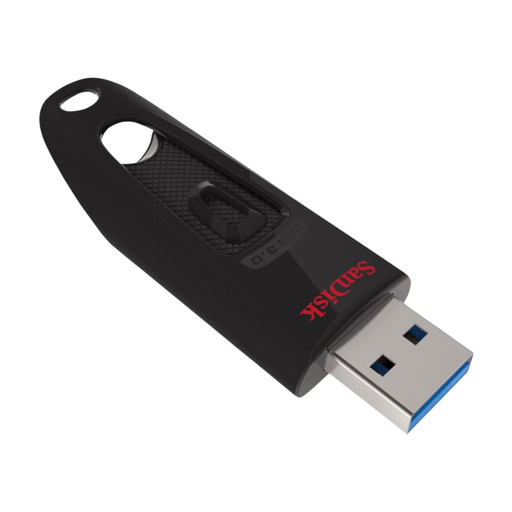 No image available
Suitable for copying documents between devices with USB-A.
Capacity: 128 GB. Specification: USB 3.0.
 No image available
Suitable for copying files on devices with USB-A.
Capacity: 64 GB. Specification: USB 3.0.
 No image available
For copying files locally between devices with USB-C and USB-A.
Capacity: 512 GB. Specification: USB 3.1/USB-C.
 No image available
An option for storing and transferring files locally.
Capacity: 512 GB. Specification: USB 3.2 Gen 1.
Yes, as long as both devices support external storage: a flash drive with USB-C and USB-A can transfer files locally. Check separately whether your phone or tablet supports USB storage.
Microsoft recommends safely removing USB storage in Windows to help prevent data loss. Also check that the copied files open before deleting the original.
No. Keep a separate copy too if you don’t want to rely on a single flash drive. A USB flash drive can be lost or damaged; for example, you could keep a second copy on another local storage device.
In the Netherlands, you’re entitled to a statutory guarantee: a product must meet what you can reasonably expect from it. The seller is your point of contact if there’s a problem; any manufacturer’s warranty is in addition to this.
There’s no general requirement to buy an encrypted flash drive for copying your own notes. According to the Dutch Data Protection Authority, processing carried out purely for personal or household use falls outside the GDPR; educational institutions do have privacy obligations when processing personal data. Check with your institution which rules apply to a particular school file.