What should you look for when buying?
First, check the folder size and see whether it contains any individual files larger than 4 GB. Then compare the write speed and connection, and decide what security and recovery options you need for confidential files.
| What to consider |
What should you check? |
Who should pay particular attention? |
| Space for project folders |
Check the current folder size and expected growth; confirm the capacity of the exact model and how much space is available after formatting. |
If my project folders grow, I want the whole copy to fit on the drive. Around 26% of consumers prioritise having enough space. |
| Writing large folders |
Compare the stated write speed for the exact model and check your computer’s USB port. |
If you regularly update large folders, you’ll want to consider write time rather than looking at read speed alone. Around 21% of consumers prioritise write speed. |
| Retention and recovery |
Plan where you’ll keep another copy and, after copying, check that important files can be opened. |
If research notes would be difficult to recreate, I don’t want to rely on a single copy. Around 21% of consumers prioritise recoverability. |
| Connection and file system |
Check whether your devices have USB-A or USB-C ports and which file system the drive uses, especially if you have a file larger than 4 GB. |
If you want to access files on different devices, you’ll need to consider the ports and file system. Around 16% of consumers prioritise access from the devices they use. |
| Confidentiality |
Consider the contents, your organisation’s policies and how access to encrypted files can be recovered. |
If my notes contain personal data or other confidential information, I want to prevent unauthorised access without overlooking how to regain access. Around 16% of consumers prioritise confidentiality. |
USB flash drives on Joybuy
These Joybuy products offer a range of capacities and connections for storing and transferring project folders. Compare the stated write speed if you often copy large files.
 No image available
Kingston DataTraveler Exodia DTX 256 GB
For project folders that fit within 256 GB, when you want to take the stated write speed into account.
USB 3.2 Gen 1; stated write speed of up to 625 MB/s.
Joybuy
 No image available
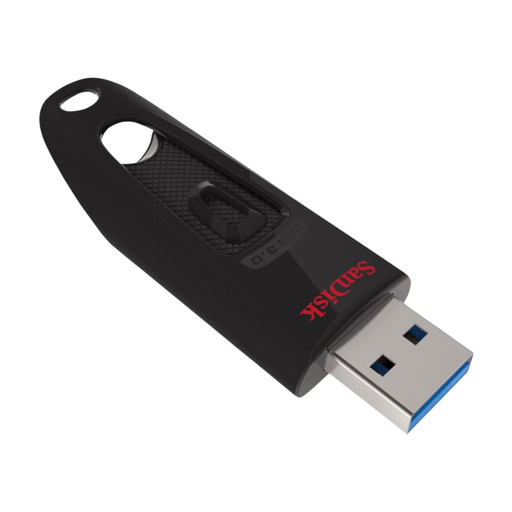
SanDisk Ultra 128 GB USB 3.0
An option for project folders that fit within 128 GB and use with devices that have USB-A.
Capacity: 128 GB; USB 3.0; USB-A connection.
Joybuy
 No image available
SanDisk Ultra Dual Drive Go 512 GB
For project folders that fit within 512 GB and use with devices that have different USB ports.
USB-C and USB-A connections; stated read speed of up to 150 MB/s.
Joybuy
 No image available
Kingston DataTraveler SE9 G3 512 GB
For larger project folders that fit within 512 GB; the stated speed is a read speed.
USB 3.2 Gen 1; stated read speed of up to 220 MB/s; metal casing.
Joybuy
 No image available
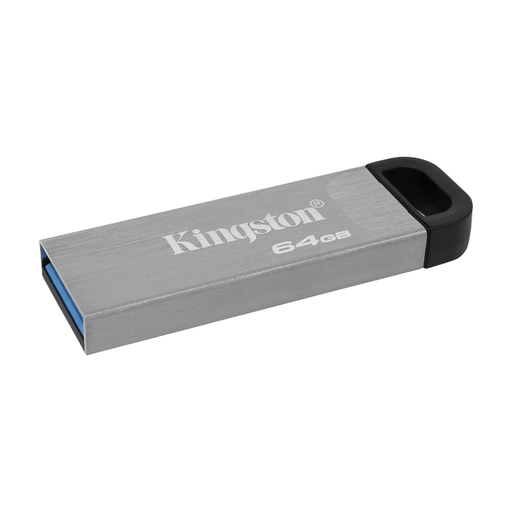
Kingston DataTraveler Kyson 64 GB
An option for folders that fit within 64 GB and use via USB-A.
Stated read speed of up to 200 MB/s and write speed of up to 60 MB/s.
Joybuy
Frequently asked questions
Will a project folder larger than 4 GB fit on a FAT32 drive?
It depends on the largest individual files: the FAT32 limit applies to each file, not to the folder as a whole. If a project contains a file larger than 4 GB, check whether the devices you use support exFAT, for example. Back up existing files elsewhere before reformatting the drive.
Can I keep my only research archive on a USB flash drive?
Don’t use a USB flash drive as your only copy. VeiligInternetten lists it as a possible place to keep a backup, while Netwerk Digitaal Erfgoed warns that physical storage media can be vulnerable and don’t last for ever. Keep another copy and regularly check that important files are readable.
What should I do if a USB flash drive fails prematurely?
If a product is faulty, contact the seller for a solution, but a replacement drive won’t by itself recover lost files. According to the Dutch government, there is no fixed statutory warranty period in the Netherlands; statutory warranty is separate from any manufacturer’s warranty. So keep copies of your research files somewhere else.
Is encryption compulsory for every USB flash drive containing research notes?
The Dutch Data Protection Authority says organisations should tailor security measures to the processing and the privacy risks involved. So consider what measures are appropriate for the content, how it will be used and your organisation’s policies; additional sector-specific requirements may also apply.
Must the loss of a drive containing personal data always be reported?
Not automatically: the Dutch Data Protection Authority describes this as a risk assessment. An organisation must report a data breach to the AP unless a risk to the people affected is unlikely; those people must be informed when a high risk is likely. Assess the circumstances, including the data on the drive and the security measures used.


