
Anyone switching between USB-A and USB-C
You copy presentations between devices with different ports. Check that the presentation device’s port is compatible with the flash drive too.


First, check the ports on the computer you use to copy your files and on the device you use for your presentation. A USB-A flash drive works with USB-A ports, while a drive with both USB-A and USB-C can be handy if you switch between the two. Choose the capacity to suit your files and versions, and if you copy files frequently, pay particular attention to the stated write speed. If your presentations contain sensitive information, consider an encrypted drive, but first check that its access procedure works on the computers you use in the studio.
You copy presentations between devices with different ports. Check that the presentation device’s port is compatible with the flash drive too.
Multiple versions or larger project files need plenty of free space. When choosing, consider the files you actually want to take with you.
In a shared workspace, it’s worth considering the risk of loss and unauthorised access, especially if your files contain personal data or other sensitive information.
First check the ports on the source computer and presentation device. Then work out how much storage you need, and consider transfer speed and protection for sensitive files.
| What to consider | What should you check? | Who is this important for? |
|---|---|---|
| Connection | Check the ports on both the source computer and the device you’ll use for your presentation. For each model, see whether it has USB-A, USB-C or both. | I want to move files between studio devices without connection problems. Around 33% of consumers give compatible ports top priority. |
| Storage and file system | Calculate how much space you’ll need for your presentation folder and versions. Also check that the file system and presentation device can handle the individual files. | I take several versions or larger media files with me and want to make sure they’ll fit on the drive. Around 27% of consumers prioritise having enough storage. |
| Transfer time | If the information is available, compare the read and write speeds for the exact model. Check the test conditions and the computer it was connected to. | I update presentations regularly and don’t want to rely on maximum read speed alone when copying files. Around 20% of consumers consider the time needed for repeated file transfers most important. |
| Protection | Consider whether your files are sensitive. If you’re looking at a secure flash drive, check that its access procedure works on the computers you use. | I want to carry sensitive files and help prevent unauthorised access if the drive is lost. Around 20% of consumers give confidentiality top priority. |
A stated maximum read speed doesn’t tell you how quickly files will be written to the flash drive. For the 128 GB Samsung BAR Plus MUF-128BE3/APC, Samsung states a sequential read speed of up to 400 MB/s under its own test conditions. This is not a stated write speed for copying your presentations.
When considering files and file systems, also check the devices you want to use with the flash drive. Microsoft states that FAT32 has a maximum file size of 4 GiB. Apple describes exFAT as a Windows-compatible format; also check that the specific presentation device can read it. Formatting erases existing data, so make a copy of any files you want to keep first.
A read speed doesn’t tell you how quickly an updated presentation will be written to the flash drive. Samsung notes that actual speed can also vary depending on the device and conditions of use.
When copying files to the drive, compare the stated write speed for the exact model, if that information is available.
An individual file may be too large for the selected file system. Microsoft states that FAT32 has a limit of 4 GiB per file.
Check the file size, file system and support on the device you’ll use for your presentation. Make a copy before formatting: formatting erases existing data.
The Dutch Data Protection Authority gives the loss of a USB flash drive containing unencrypted personal data as an example of a possible data breach.
Keep a separate copy and consider whether encryption is appropriate for sensitive content. Also check that you can access the secure drive on the computers you use.
An unfamiliar flash drive could pose a security risk to the device you connect it to.
Use a drive from a known source and follow the studio’s security rules.
DataTraveler Exodia is a USB-A range for everyday file transfers, while IronKey Locker+ 50 is a separate range of secure products.
Ultra Dual Drive Go is designed for sharing files between devices with USB-A and USB-C ports.
BAR Plus is a USB-A option, with a stated maximum read speed for a specific model sold in the Netherlands.
JetFlash 790 is a USB-A flash drive with a retractable connector for everyday file transfers.
The 32 GB Dual USB Drive USB-C / USB-A is a model with two types of connector.
These products are USB flash drives for carrying and copying presentation files. Most have USB-A, with a Dual Drive option also available. Before buying, check the connectors, capacity and any model details to make sure they suit your devices and files.
 No image available
An option to compare if you’re looking for a USB flash drive for everyday file transfers.
Capacity: 64 GB.
 No image available
A USB-A option to consider if you want to use your presentation files on a device with that type of port.
Capacity: 128 GB. The product name lists USB 3.2 (Gen 1), Type A and 2.0.
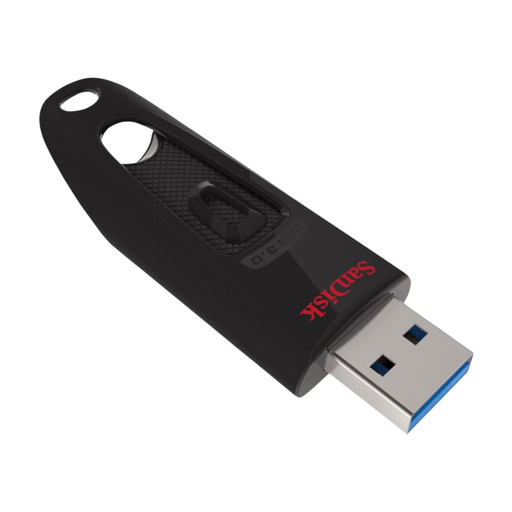 No image available
A model to compare if the stated capacity and USB specification suit the way you plan to use it.
Capacity: 128 GB. The product name lists USB 3.0.
 No image available
A USB-A option to consider for presentation files on devices with that type of port.
Capacity: 64 GB. The product name lists USB 3.0.
 No image available
An option to compare if you want to share files between devices with different ports. Check which connectors this model has and that they fit your devices.
Capacity: 512 GB. The product name lists USB 3.1 and USB-C.
exFAT is worth considering for sharing files between compatible Windows and Mac computers. Apple describes exFAT as Windows-compatible and recommends it in Disk Utility for volumes larger than 32 GB; Microsoft states that FAT32 has a maximum file size of 4 GiB. Check that your presentation device also supports exFAT, and make a copy first: formatting erases the flash drive.
In Windows, use ‘Safely Remove Hardware’ and wait for the message confirming that the flash drive can be removed. Microsoft recommends this to help prevent data loss. If possible, also open the copied file before giving your presentation.
If you buy as a consumer in the Netherlands, you also have statutory rights, according to ACM ConsuWijzer. If a product breaks during normal use sooner than you could reasonably expect, the seller must offer an appropriate solution. The length of a manufacturer’s warranty doesn’t automatically determine how long your statutory rights apply; business purchases need to be assessed separately.
No, not automatically. The Dutch Data Protection Authority lists the loss of a drive containing unencrypted personal data as a possible data breach. The organisation must assess the risk and report the breach unless it’s unlikely to pose a risk to the people affected; if a high risk is likely, those people must also be informed. The assessment depends on the data and the circumstances.