Choose a USB flash drive only after deciding whether you need to be able to restore the catalogue, the original photos or both. Adobe describes a Lightroom Classic catalogue as a database that keeps track of photos and information about them, not as a place where the image files themselves are necessarily stored. Match the capacity, connector and file system to the complete backup set and the studio computers. If you regularly transfer large files, the stated write speed matters more than read speed alone. Treat the drive as one copy within a wider plan: the National Cyber Security Centre advises keeping at least three versions of important business data.
Who is this guide for?
A studio with a growing photo archive
Wants to decide whether the backup should contain catalogue data only or the original images too, and how much usable space is needed. Adobe describes a Lightroom Classic catalogue as a database that records where photos are stored and information about them.
A studio with sensitive client images
Wants to manage who can access a portable copy and account for the risk of a drive going missing. The Dutch Data Protection Authority notes that identifiable people in images may be considered personal data.
A studio that transfers files frequently
Regularly copies large files or uses different computers, so it pays attention to write speed, connector type and file system. Stated speeds can depend on the host device, software and usage.
What should you look for in a USB flash drive for photo backups?
First decide what you need to be able to restore if something goes wrong, then choose the capacity, connector and access controls to suit.
| What to consider |
What to look for |
Best suited to |
| Space for the restore set |
Measure the size of the catalogue, originals and exports you want to copy. Compare this with the usable capacity. |
If I need both the catalogue and selected image files for a restore, the full set must fit; around 33% of consumers put having enough capacity first. |
| Access to the copy |
Consider who needs to be able to open the files and how passwords or restore access will be managed. The Dutch Data Protection Authority points out that identifiable people in photos may be considered personal data. |
For consumers storing client images on a portable drive, manageable access matters more than convenience alone; around 27% make access security their top priority. |
| Write speed |
Compare the stated write speed for the exact model and check the computer’s connector. A maximum speed does not guarantee the same performance with every computer or set of files. |
Anyone regularly writing large backups wants to avoid unnecessarily long copying sessions; around 20% of consumers prioritise the time these transfers take. |
| Using it with team computers |
Check the USB-A or USB-C ports and the file system on all the computers you plan to use. Apple describes exFAT as a Windows-compatible file system on Mac; test your chosen setup before filling the drive. |
If I need to open the same copy on different studio computers, I want to be sure the connector and file format will work first; around 20% of consumers name compatibility as their top priority. |
Common pitfalls when backing up to a USB drive
-
Copying only the catalogue and assuming the photos are safe
A catalogue may contain information about photos without including the original image files themselves. Exactly what needs to be copied depends on the application you use.
Make a list of the catalogue files, originals and exports you need to keep separately, and test that you can restore them.
-
Treating one USB flash drive as a complete backup strategy
A portable drive is one copy. The National Cyber Security Centre advises keeping at least three versions of important business data: the originals and two backups.
Decide what role the drive will play alongside your other copies and where each copy will be kept.
-
Mistaking maximum read speed for write speed
Manufacturers list read and write speeds separately. Stated speeds also depend on the computer, software and usage.
For backups, compare the stated write speed for the exact model and take the studio’s equipment into account.
Brands to consider
Kingston
The DataTraveler Max range includes separate USB-A and USB-C models for large transfers. Kingston describes the IronKey Vault Privacy 50 as a hardware-encrypted USB flash drive.
- Kingston lists read speeds of up to 1.000 MB/s and write speeds of up to 900 MB/s for the DataTraveler Max range. Speed depends on the host device, software and usage.
- Kingston says the IronKey range offers password management.
- These features apply to the ranges mentioned, not every Kingston drive. You still need a separate backup.
SanDisk
The Extreme PRO USB 3.2 Solid State Flash Drive is a USB-A option for transferring large files.
- SanDisk lists read speeds of up to 420 MB/s and write speeds of up to 380 MB/s for this range, and mentions SecureAccess software.
- These are manufacturer figures, not independent tests carried out in a studio. If you use security software, check which files and processes it actually protects.
Transcend
Transcend describes the JetFlash 920 as a USB-A drive for frequent writing and transferring large files.
- Transcend lists read speeds of up to 420 MB/s and write speeds of up to 400 MB/s. The manufacturer also states that the drive is pre-formatted as exFAT.
- Stated speeds are manufacturer figures; on their own, they say nothing about performance on your studio computers or whether you have an independent backup.
USB flash drives on Joybuy for an additional photo backup
These USB flash drives are intended for an additional copy of studio files. Check that the capacity is sufficient for the complete set and that the connector and file system work with the team’s computers.
 No image available
SanDisk Ultra Flair 64 GB USB 3.0
This drive may be suitable for an additional copy if the complete backup set fits within its capacity.
64 GB; USB 3.0.
Joybuy
 No image available
Kingston DataTraveler 512 GB 220 MB/s Metal USB 3.2 Gen 1 SE9 G3
The capacity may suit a larger backup set; measure what you actually need to be able to restore before you buy.
512 GB; USB 3.2 Gen 1; metal design.
Joybuy
 No image available
Samsung MUF-512DA 512 GB USB Type-C 3.2 Gen 1 (3.1 Gen 1), grey
This capacity may suit a larger additional copy, provided the files you select fit in the available space.
512 GB; USB Type-C; USB 3.2 Gen 1 (3.1 Gen 1).
Joybuy
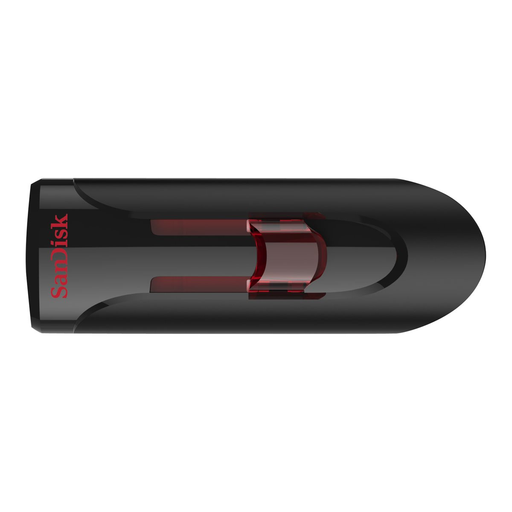 No image available
SanDisk 32 GB USB 3.0 flash drive
Check that the catalogue files you’ve chosen and any originals will fit within the capacity.
32 GB; USB 3.0.
Joybuy
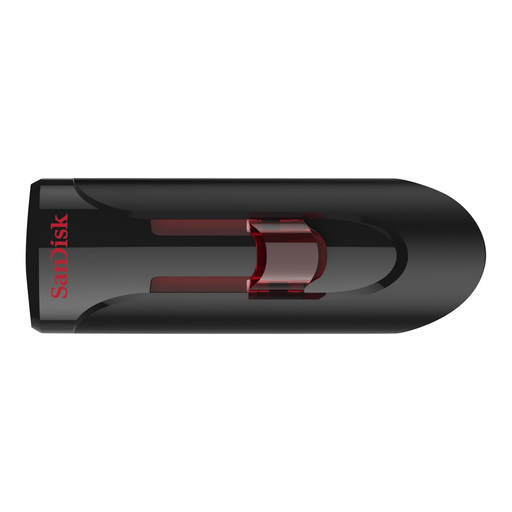 No image available
SanDisk Ultra 64 GB USB 3.0 flash drive
This may work as an additional copy if the complete set you want to keep fits within the capacity.
64 GB; USB 3.0.
Joybuy
Frequently asked questions
How can you check that a backup is usable?
After copying the files, open a few directly from the backup and try restoring them to a suitable test location too. The National Cyber Security Centre describes opening files as one way to check a backup.
Which file system works with Macs and Windows computers?
Apple describes exFAT as a Windows-compatible file system on Mac. Check that the computers and backup software you plan to use support it, and test opening a sample copy before filling the drive.
Is an encrypted USB flash drive compulsory for every Dutch photo studio?
The Dutch Data Protection Authority’s guidance does not, in itself, mean that every studio must use a particular product. Organisations that process personal data must decide on appropriate security measures based on their processing activities and the risks involved; the Authority lists encryption as one possible measure.
What should you do if a drive containing identifiable client photos goes missing?
The Dutch Data Protection Authority gives the loss of a drive containing unencrypted personal data as an example of a data breach. Assess the circumstances and potential consequences, then decide whether you need to notify the Authority or inform the people affected; not every loss automatically has to be reported.


