Choose according to how you capture your clips: for PS5 captures, PlayStation specifies a FAT or exFAT flash drive that isn’t set up as extended storage. For direct clip recording on Xbox, USB 3.0 and NTFS are required. A low-profile flash drive can be handy if you’re leaving it plugged in on a small desk. If you regularly move large clips, check the stated write speed rather than just the read speed. Nintendo describes different storage and transfer options for Switch and Switch 2, so a USB flash drive isn’t necessarily a direct capture destination.
Who is this guide for?
Clip creator with large files
You regularly transfer video clips to a PC and mainly want to know how quickly files are written to the flash drive. Xbox Support outlines the requirements for recording directly to external storage, while Transcend publishes maximum write speeds for the JetFlash 920.
Gamer with a crowded, small desk
You’d rather leave the flash drive in a USB-A port and avoid its casing or a neighbouring port getting in the way. Kingston and Samsung describe compact USB-A models designed to stay plugged in.
Gamer with multiple devices
You want to transfer recordings between devices with USB-A and USB-C, but first you’ll need to check how your console saves or transfers captures. Kingston describes a model with both connector types, while Nintendo and PlayStation outline different options for their consoles.
What should you look for when buying?
First decide whether you want to record clips directly on your console or archive them later via a PC. Then choose a suitable connector and file system. If the flash drive will stay on your desk, check its dimensions too.
| What to consider |
What should you check? |
Who is this most relevant for? |
| Writing large clips |
Compare the stated write speed for the exact model and take the USB port and source device into account. |
If I often copy large video files, I want to see more than just a read speed. Around 33% of consumers put write speed for large clips first. |
| Low profile |
Measure the available space around the USB-A port and compare it with the flash drive’s dimensions. |
On a small desk, I want a flash drive that can stay plugged in without sticking out unnecessarily. For around 27% of consumers, a compact design is the top priority. |
| Connector and recording method |
Check which connector you need and whether you’ll be copying, archiving or recording directly. Check the required file system too. |
If I switch between devices, I want both the connector and capture method to be right. Around 20% of consumers start with that combination. |
| Space and preservation |
Estimate the size of your archive and make a copy elsewhere before formatting or deleting files. |
For a growing collection of clips, I want enough usable space and an extra copy of my files. Around 20% of consumers prioritise storage and preservation. |
Common mistakes
-
Confusing read speed with write speed
A manufacturer’s maximum read speed doesn’t tell you how quickly clips will be saved to the flash drive. Kingston and Samsung list maximum read speeds for the models mentioned; Transcend gives separate read and write speeds for the JetFlash 920.
Compare the write speed for the exact model you’re considering, and take the port and device you’re copying from into account.
When copying large files, a lower write speed can mean longer waits.
-
Confusing game storage with capture storage
PS5 captures and extended game storage are different uses. Xbox also states that a drive formatted for Xbox games can’t be used as a destination for direct clip recording.
Decide what you’ll use the flash drive for before formatting it, and make another copy of any existing files first.
Formatting can erase existing files; you may need to set up the storage again for a different use.
-
Assuming a dual connector means a console will support it
USB-A and USB-C connectors let you plug the drive into compatible ports, but they don’t mean a console can record directly to it. Nintendo describes different storage and transfer options for Switch models.
First check the procedure for your Nintendo model. If it suits your setup, choose a flash drive for the PC end of the transfer.
Brands to compare
Kingston
The DataTraveler Micro is designed for a low-profile USB-A setup, while the microDuo 3C has both USB-A and USB-C connectors.
- Kingston states that the DataTraveler Micro measures 24,95 × 12,2 × 4,5 mm and offers read speeds of up to 200 MB/s.
- No write speed is listed here for the DataTraveler Micro mentioned. The microDuo 3C measures 29,94 × 16,60 × 8,44 mm, so it’s a different size. These specifications alone don’t confirm compatibility with a console.
Samsung
The FIT Plus is a compact USB-A range for anyone who wants to leave a flash drive plugged in.
- For the Dutch MUF-256AB/APC, Samsung lists a capacity of 256 GB and sequential read speeds of up to 400 MB/s, under its own test conditions.
- The read speed doesn’t tell you the write speed or confirm that it will work with every console. Samsung notes that actual speeds can vary by device and usage.
Transcend
The JetFlash 920 is designed for frequent transfers of larger files, while the JetFlash 930C combines USB-A and USB-C.
- For both the JetFlash 920 and JetFlash 930C, Transcend lists read speeds of up to 420 MB/s and write speeds of up to 400 MB/s. For the JetFlash 920, the manufacturer recommends formatting it as exFAT before use.
- These are manufacturer maximums, not a speed guarantee for your device. Based on the stated dimensions, the JetFlash 930C isn’t a low-profile flash drive.
USB flash drives for PC archiving
These models are suited to storing and transferring captures via a PC or laptop. If you’re using one with a console, always check the relevant storage method first.
 No image available
SanDisk Ultra Flair, 64 GB, USB 3.0
An option for archiving captures on a PC with USB-A.
64 GB; USB 3.0.
View at Joybuy
 No image available
Kingston DataTraveler Exodia, USB 3.2, SKU 10316595
An option to consider for PC archiving; check that the USB-A connector fits your computer.
USB 3.2 flash drive.
View at Joybuy
 No image available
Kingston DataTraveler Exodia, USB 3.2, SKU 10316623
An option for storing and transferring captures via a PC; check that the connector fits your computer.
USB 3.2 flash drive.
View at Joybuy
 No image available
Kingston DataTraveler 512 GB Metal USB 3.2 Gen 1 SE9 G3, 220 MB/s
An option for storing a larger capture archive; check that the USB-A connector is suitable for your computer.
512 GB; USB 3.2 Gen 1; stated speed: 220 MB/s read.
View at Joybuy
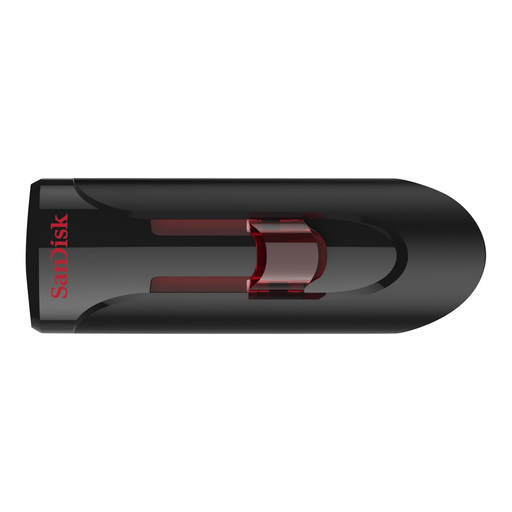 No image available
SanDisk Ultra, 64 GB, USB 3.0
An option for archiving captures on a PC; check that the USB 3.0 connector fits your computer.
64 GB; USB 3.0.
View at Joybuy
Frequently asked questions
Can you use the same USB flash drive for PS5 captures and extended game storage?
Not for both functions at the same time: PlayStation specifies a FAT or exFAT flash drive for captures that isn’t set up as extended USB storage. The separate requirements for extended game storage aren’t general minimum requirements for a capture drive.
What do you need to record clips directly on Xbox?
Xbox Support specifies an external USB 3.0 storage device formatted as NTFS for this method. Choose the recording location via Settings > Preferences > Capture & share, and save any existing files elsewhere before formatting. A drive formatted for Xbox games can’t be used as a recording drive.
Can you use a USB flash drive directly to capture footage on a Nintendo Switch or Switch 2?
Nintendo describes storage on the original Switch as either system memory or a microSD card. For captures from Switch 2 software, Nintendo specifies microSD Express and transfer to a PC using a data-capable USB cable connected directly to the console’s USB-C port; the dock ports don’t support this transfer. You may be able to use a USB flash drive on the PC end of this process.
What can you do if a USB flash drive breaks sooner than expected during normal use?
According to ACM ConsuWijzer, the seller must offer an appropriate free solution if a product breaks sooner than you could reasonably expect during normal use. This could be a repair, replacement or refund. This guidance doesn’t promise that files stored on the flash drive can be recovered.


