First, choose a connector that works with your devices and a design that won’t obstruct other ports on your small desk. Match the capacity to your files. If you regularly copy large projects, pay particular attention to write speed, not just read speed. Also keep a separate, recent copy and test that you can restore your files: a USB flash drive alone can’t guarantee recovery if it’s lost or fails.
Who is this buying guide for?
Creative with a small desk
You want to create an archive copy without a connected flash drive getting in the way of other ports or your workspace. So check which port is available and consider the physical design of the drive. Safe Internet describes back-ups as copies of files; Samsung’s FIT Plus is an example of a low-profile USB-A model.
Creative with large project files
You regularly copy large work files, so usable capacity, write speed and your computer’s connector are important. Kingston lists maximum speeds for the DataTraveler Max that depend on the host connection.
Creative who switches between devices
You want to use files on devices with USB-A and USB-C ports, and you also check that both devices support your chosen file system. Lexar and Verbatim describe models with both connector types.
What should you look for in a USB flash drive for your art archive?
First, choose a connector that works with your computer, then decide how much capacity and security you need. A back-up is only useful if you can restore your files, so the Digital Trust Center, part of the Ministry of Economic Affairs, recommends testing your recovery process.
USB-A
Suitable if: your computer has a spare USB-A port and you want the drive to protrude as little as possible. The Samsung FIT Plus is an example of a low-profile model.
Bear in mind: you can’t plug it directly into a device that only has USB-C.
USB-C
Suitable if: you have a compatible USB-C port and regularly copy large projects. Kingston lists the DataTraveler Max as a model with high stated read and write speeds.
Bear in mind: according to Kingston, performance depends on the host connection. Also check that the drive will fit alongside other plugs.
USB-A and USB-C
Suitable if: you want to move your art files directly between devices with different types of port. Lexar and Verbatim describe flash drives with both connectors.
Bear in mind: having two connectors doesn’t automatically mean both devices support the same file system.
| Concern |
What to look for when buying |
Who is this particularly relevant to? |
| Recoverability |
Keep a separate, recent copy and test that you can restore a file. |
I want to be able to recover my work if it’s lost or something goes wrong; around 28% of consumers make recoverability their top priority. |
| Space around the port |
Check whether USB-A or USB-C is compatible and whether the drive has enough room alongside other connections. |
I want to leave the drive plugged in on my small desk without blocking other ports; around 22% of consumers prioritise this compact connection. |
| Capacity |
Add up your projects and versions, and allow for less usable space than the stated capacity. |
I want room for current projects and future versions; around 22% of consumers choose capacity as their first consideration. |
| Write speed |
Compare the stated write speed for the exact model and check the port or hub. |
I often copy large files and want to know how long saving them will take; around 17% of consumers prioritise transfer time. |
| Confidentiality |
Check what security features the specific drive offers and how you’ll access it on your own devices. |
I store commissions or files that I wouldn’t want others to access if the drive were lost; around 11% of consumers give confidentiality top priority. |
Common buying mistakes
-
Relying on a flash drive as your only storage location
A storage device isn’t the same as a tested, recoverable back-up. If the drive is lost or fails, you could lose the only copy of your work.
Keep a separate, recent copy and regularly test that you can restore a file.
-
Mistaking read speed for transfer speed
Read and write speeds are different. Samsung says that writing to the FIT Plus is slower than reading from it; Kingston specifies the host port required for optimal DataTraveler Max performance.
Compare the write speed for the exact model and check that your computer and any hub are compatible.
-
Looking only at gigabytes or the shape of the connector
A compatible connection and enough free space don’t guarantee that a single large file will fit on the drive. The file system may be the deciding factor.
Check the connector and file system on both devices before deleting the existing copy.
Brands to consider as a reference
Samsung
The FIT Plus is a low-profile USB-A model for workspaces where a protruding drive could get in the way.
- Samsung Netherlands lists a maximum sequential read speed of 400 MB/s for the 128 GB FIT Plus.
- Samsung says that write speeds are slower and actual speeds vary. The USB-A connector won’t plug directly into a device that only has USB-C.
Kingston
The DataTraveler Max is designed for fast transfers via USB-C; the IronKey Locker+ 50 G2 is a separate range for secure storage.
- Kingston lists maximum read and write speeds of 1,000 MB/s and 900 MB/s respectively for the DataTraveler Max.
- Maximum speeds depend on the host connection; Kingston specifies USB 3.2 Gen 2 for optimal performance. The IronKey Locker+ 50 G2’s hardware encryption doesn’t automatically apply to the DataTraveler Max or Exodia.
Lexar
The JumpDrive Dual Drive D400 is designed for use between devices with USB-A and USB-C ports.
- Lexar lists a maximum read speed of 130 MB/s for the D400, depending on capacity.
- Lexar says that write speeds are slower. The optional DataShield software mentioned isn’t standard hardware encryption for this range.
Verbatim
The Dual QuickStick combines USB-A and USB-C.
- Verbatim lists maximum read and write speeds of 510 MB/s and 460 MB/s respectively for the 128 GB model.
- These are manufacturer specifications, not independent test results. According to Verbatim, the included Nero back-up software is for Windows only.
SanDisk
The Ultra Dual Drive Luxe is a USB flash drive with USB-A and USB-C connectors.
- SanDisk describes the two connectors as suitable for use with USB Type-A and USB Type-C devices.
- Check the capacity and exact model before relying on speed claims when making a purchase.
Joybuy products for your art archive
These Joybuy product picks are for digital art files you want to store on a USB-A device or transfer between USB-A and USB-C devices.
 No image available
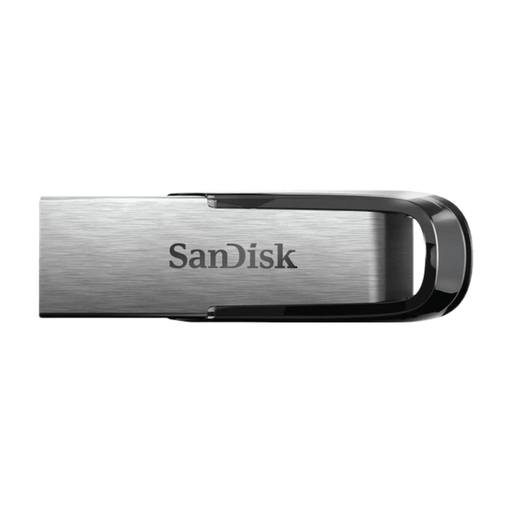
SanDisk Ultra Flair 512 GB USB 3.0
An option for archiving on a computer with USB-A, if 512 GB suits your files.
512 GB; USB-A; USB 3.0.
View at Joybuy
 No image available
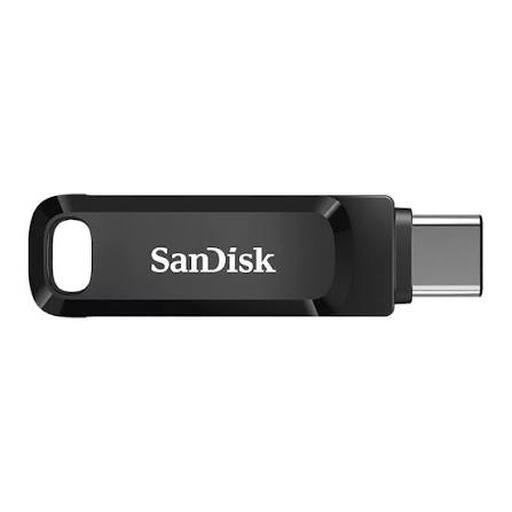
SanDisk Ultra Dual Drive Go 512 GB USB-A/USB-C
An option for moving files between devices with USB-A and USB-C.
512 GB; USB-A and USB-C; retractable design.
View at Joybuy
 No image available
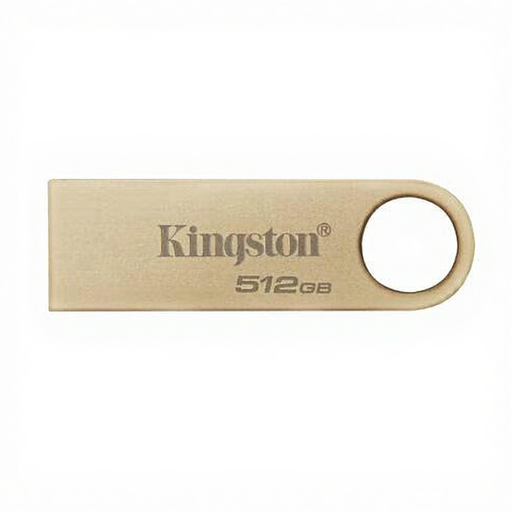
Kingston DataTraveler SE9 G3 512 GB USB 3.2 Gen 1
An option for large projects on a device with USB-A.
512 GB; USB-A; USB 3.2 Gen 1; product details list read speeds of up to 220 MB/s; metal casing and keyring loop.
View at Joybuy
 No image available
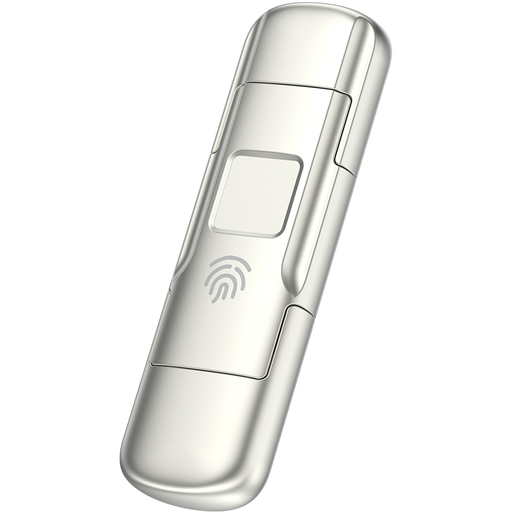
MOVESPEED YSUYC-256GSN 256 GB, silver
An option for files on devices with different port types, if you also want fingerprint access.
256 GB; USB-A and USB-C; USB 3.2 Gen 1; fingerprint access; metal casing.
View at Joybuy
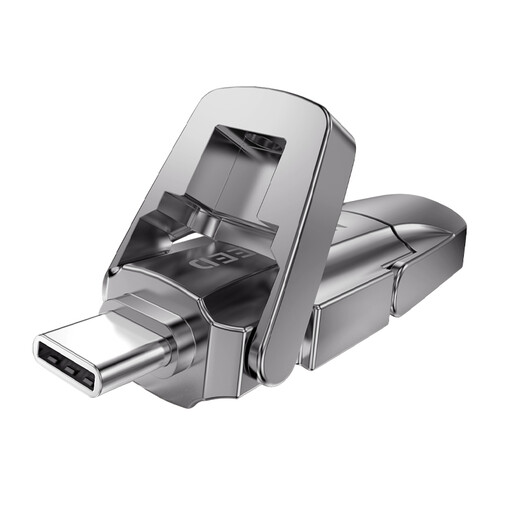 No image available
MOVESPEED YSUYVP10-512GSR 512 GB
An option for larger project files you want to use between devices with USB-A and USB-C.
512 GB; USB-A and USB-C; USB 3.2 Gen 1; metal casing with flip cover.
View at Joybuy
Frequently asked questions
Is one USB flash drive enough to archive your digital art?
Not if recovering your work after loss or a device failure matters to you. Keep a separate, recent copy and test whether the back-up works by restoring a file.
What should you check before connecting a flash drive and copying files?
Check that the connector fits the port, there’s room alongside other connections and the receiving device can read the drive. Open the files after copying, and don’t delete your only existing copy based solely on a transfer notification.
Why won’t a large project file fit when the drive shows free space?
The file system may impose a limit on the size of an individual file: Microsoft Learn lists a maximum file size of 4 GiB for FAT32, while exFAT supports much larger files. Before formatting, check that both devices support the file system and first keep a copy somewhere else.
What are your warranty rights for a USB flash drive in the Netherlands?
When you buy as a consumer, you’re entitled to a product that meets reasonable expectations. According to the Government of the Netherlands, there’s no fixed statutory warranty period; if a product is faulty, contact the seller. A manufacturer’s warranty is in addition to your statutory rights.
Does your digital art archive fall under the GDPR?
Not automatically: images in which people can be identified may contain personal data. The Dutch Data Protection Authority says that the obligations that apply depend on the content and how it’s used; using a USB flash drive doesn’t determine this by itself.


