
Design archive manager
Wants to be able to find design versions and avoid making the portable copy the only one. VeiligInternetten describes a USB flash drive as one possible place to keep a backup.


Use a USB flash drive as an extra portable copy or to transfer design files, not as the only place to store your group archive. Choose the capacity based on the files and versions you want to keep, check your devices’ connections and consider access protection if the files are confidential. Stated speeds depend on the computer and port you use.
Wants to be able to find design versions and avoid making the portable copy the only one. VeiligInternetten describes a USB flash drive as one possible place to keep a backup.
Uses computers with different USB connections and wants to transfer designs without needing unnecessary adapters.
Wants to restrict access if design files may contain personal data, and agree who can open the drive. The Dutch Data Protection Authority says organisations must decide on appropriate security measures when processing personal data.
First, measure the size of the archive and decide how you’ll maintain a separate copy. Then compare connections, any access protection and the speed that suits the group’s computers.
| What to consider | What to look for | Who is this most relevant to? |
|---|---|---|
| Being able to restore the archive | Keep a recent copy somewhere else and check that you can retrieve files from it. | I want to avoid losing the only copy of design versions if a drive is lost or damaged; an estimated 28% of consumers give keeping their archive the highest priority. |
| Space for design versions | Measure the files you want to keep and leave room for future versions. | I want to fit the current archive and new versions on the portable copy; an estimated 22% of consumers put having enough storage space first. |
| Connections on group devices | Check the USB ports and operating systems on the devices used to open files. | I want to use the same drive on devices with different ports without having to find an adapter each time; an estimated 22% of consumers give sharing between devices the highest priority. |
| Access to confidential files | Decide who needs access and check which systems a secure model supports. | I want to restrict access to sensitive designs while ensuring authorised group members aren’t locked out; an estimated 17% of consumers put confidentiality first. |
| Copying large files | Compare the stated read and write speeds and check which USB port the computer uses. | I often copy large files and want to know whether a fast drive will work with our equipment; an estimated 11% of consumers give copy time the highest priority. |
A drive can be lost or damaged, leaving you unable to access design versions.
Keep a separate, up-to-date copy as well, and regularly check that you can retrieve files from it.
Archiving means writing files to the drive. The stated read speed doesn’t tell you how long copying will take; your computer and port also make a difference.
Compare the stated write speed and check the connection on the computer the group uses to copy files.
A model with user and administrator passwords needs to be managed. Without an agreement, volunteers could lose access.
Agree who will manage access and how authorised group members will retain access.
According to the product specifications, the Ultra Dual Drive Luxe has USB-A and USB-C connectors. The Extreme PRO Dual Drive is another range for which SanDisk quotes maximum read and write speeds.
The DataTraveler Exodia is a USB-A range; the IronKey Locker+ 50 G2 is a separate USB-A range with hardware encryption.
The BAR Plus is a USB-A alternative with a metal casing and a range of capacities.
This selection includes USB flash drives with USB-A for devices with that connection, as well as models with both USB-A and USB-C for sharing files between different devices.
 No image available
Suitable for groups that want to share design files between devices with USB-A and USB-C connections.
The product information lists 512 GB, USB 3.1 and read speeds of up to 150 MB/s. Actual transfer speeds also depend on the computer and port you use.
 No image available
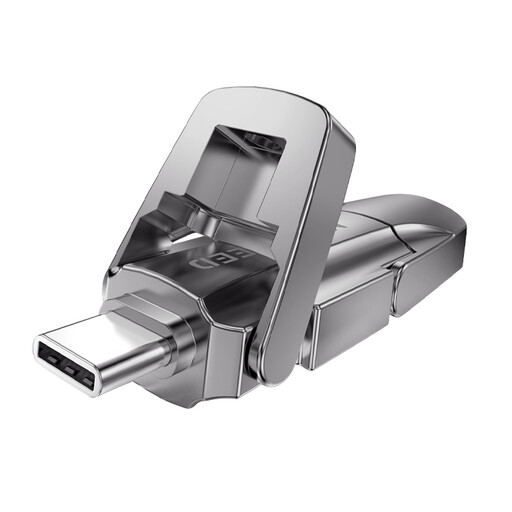
An option to compare if you want to use files on USB-A and USB-C devices.
The product title lists 256 GB, USB 3.2 Gen 1, a Type-C connection and a read speed of 1090 MB/s. This stated read speed doesn’t guarantee the same copy speed on every computer.
 No image available
Suitable if you’re looking for a USB flash drive with USB-A and USB-C connections for design files and versions.
The product title lists 512 GB, USB 3.2 Gen 1, a Type-C connection and a read speed of 1090 MB/s. The stated read speed doesn’t indicate how quickly files can be written on every computer.
 No image available
Suitable for transferring files to devices with a USB-A port; devices with USB-C only need a compatible connection.
The product information lists 64 GB and USB 3.2 Gen 1, with read speeds of up to 200 MB/s and write speeds of up to 60 MB/s.
 No image available
A USB-A option for group members transferring files to devices with a compatible USB-A port.
The product title lists 128 GB and USB 3.2 Gen 1 Type-A. It won’t connect directly to devices with USB-C only.
Measure the size of your existing design folder, decide which older versions you want to keep and leave room for new files. Check the available storage on the version you choose; Samsung says the actual storage on the BAR Plus may be less than its stated capacity.
Keep a recent copy somewhere else and regularly check that you can retrieve files from it. A USB flash drive can be used as a backup medium, but it can also be damaged; agree within the group who will update the copies. VeiligInternetten describes storing files on a USB flash drive as one possible backup option, not as a reason to keep only one copy.
For a consumer purchase, Dutch statutory consumer rights may apply: subject to the relevant conditions, the seller must resolve issues with a faulty product. ACM ConsuWijzer distinguishes between statutory rights and a manufacturer’s warranty; check who made the purchase and which terms apply to it.
No. The Dutch guidance cited does not impose a general requirement to store every design on a hardware-encrypted drive. If the group processes personal data, it must assess the risks and decide on appropriate security measures. The Dutch Data Protection Authority lists the loss of a drive containing unencrypted personal data as a possible data breach.
Not automatically. According to the Dutch Data Protection Authority, whether you need to report it depends on the risk to the people affected; if reporting is required, the usual deadline is 72 hours after becoming aware of the breach. Assess what was on the drive and the circumstances of its loss.