Who is this choice relevant to?

Creators who regularly copy large folders

If you often save large recording folders, you can compare the model’s write speed with your computer’s connection. Kingston Technology says the DataTraveler Max’s performance depends on factors including hardware, software and usage.

Creators with several large projects

If you want to take several project folders with you at once, compare their sizes with the available space on your chosen drive. Kingston Technology says formatting and other functions use some of the stated capacity.

Anyone transferring recordings between computers

If you use different computers, check in advance that the connector fits the available ports and that the file system works on those devices. Microsoft Learn explains FAT32’s file-size limit, while Apple Support describes how to format a drive for use with Windows computers.

What should you look for when storing large concert folders?

Key consideration What should you check? Who is this important to?
Write speed Compare the write speed specification for the exact model with your computer’s port. Kingston Technology specifies USB 3.2 Gen 2 for optimum DataTraveler Max performance; maximum manufacturer speeds don’t predict how quickly an entire folder will copy. If I regularly save large recording folders, I mainly want to know how long it will take on my own computer. Around 36% of consumers say copy time is their main concern when buying.
Space for projects Compare the size of your largest folder and the number of projects you want to take with you at once against the available space on the model. Kingston Technology says that not all of the stated capacity is available for files. If I want to take several complete projects with me, I’ll match the capacity to the folders I actually need. Around 29% of consumers prioritise storage space.
Connector and file system Check for USB-A or USB-C ports on all the computers you use, and consider the size of individual files. Microsoft Learn gives FAT32’s maximum file size as 4 GiB; Apple Support lists exFAT as an option for use with Windows and Mac. If I want to open and copy recordings between different computers, both the connector and the format need to work with those devices. Around 21% of consumers prioritise compatibility.
Protection if the drive is lost If the folder contains personal data, check which encryption methods work on your computers and keep important recordings in another storage location too. The Dutch Data Protection Authority lists the loss of a USB drive containing unencrypted personal data as a possible data breach. If my drive contains sensitive data or recordings I don’t want to lose, I need to consider access if it goes missing and keep an extra copy. Around 14% of consumers make data protection their top priority.

Common mistakes when choosing and using a USB flash drive

  • Confusing read speed with write speed

    Read speed doesn’t tell you how quickly files are written to the drive. Samsung specifies a read speed of up to 400 MB/s for the FIT Plus and says that writing is slower.

    Check the write speed specification for the exact model. If available, look for a real-world test that reflects a long transfer.

  • Looking only at the total folder size

    Even if there’s enough free space, an individual file may be too large for the file system you’ve chosen. Microsoft Learn gives FAT32’s maximum file size as 4 GiB.

    Check the largest individual file and choose a file system that works with the computers you use. Apple Support warns that formatting erases the files on the drive, so first make a copy of anything you want to keep.

  • Assuming the stated capacity is all available

    The available space may be less than the nominal capacity. Kingston Technology says formatting and other functions use some of the stated storage space.

    Compare the size of your projects with the available space, and allow for the folders you want to take with you at the same time.

Brands worth considering

Kingston

The DataTraveler Max range includes USB-C and USB-A models, with capacities of 256 GB, 512 GB and 1 TB.

  • Kingston specifies maximum speeds of up to 1,000 MB/s read and 900 MB/s write for the range, depending on hardware, software and usage.
  • Kingston specifies USB 3.2 Gen 2 as the interface required for optimum performance. These maximums don’t measure the transfer speed of a complete project.

Transcend

According to the product data sheet, the JetFlash 920 is a USB-A range available in 128 GB, 256 GB and 512 GB models.

  • Transcend specifies maximum speeds of up to 420 MB/s read and 400 MB/s write.
  • These manufacturer figures don’t indicate how quickly an entire concert folder will be saved.

Samsung

The FIT Plus is a compact USB-A range; the Dutch product information describes, among other options, a 512 GB model.

  • For the 512GB model, Samsung specifies a sequential read speed of up to 400 MB/s.
  • Samsung says that writing is slower than reading. So don’t use the read speed as an indication of how quickly you can copy files to the drive.

Lexar

The JumpDrive P30 is a USB-A product range; Lexar’s global product page lists models of up to 1 TB.

  • Lexar specifies maximum read and write speeds of up to 450 MB/s.
  • Maximum manufacturer speeds don’t indicate how quickly a complete project will transfer.

SanDisk

The Extreme PRO USB 3.2 Solid State Flash Drive is a USB-A range that SanDisk positions as suitable for transferring large files.

  • SanDisk’s product information mentions features including a metal casing and several capacity options, including 128 GB.
  • Check the details for the exact model; no real-world test is specified for long transfers of concert project folders.

USB flash drives at Joybuy

These USB flash drives are options to compare for storing and transferring project files. Check the capacity, connector and stated read or write speed for each model.

Kingston DataTraveler Exodia DTX 256 GB USB flash drive

Kingston DataTraveler Exodia DTX 256 GB

Could be an option if your project files fit within the available 256 GB and you want to compare write speeds.

USB 3.2 Gen 1; stated write speed of up to 625 MB/s. This isn’t a guaranteed speed for transferring an entire folder.

View at Joybuy

SanDisk Ultra Flair 64 GB USB flash drive

SanDisk Ultra Flair 64 GB

Could suit you if you’re taking smaller project files with you and 64 GB is enough for your folders.

USB-A and USB 3.0; stated read speed of up to around 150 MB/s. This isn’t a write speed.

View at Joybuy

SanDisk Ultra Flair 256 GB USB flash drive

SanDisk Ultra Flair 256 GB

Could be a good choice if your project folders need more space than a 64 GB model offers.

USB 3.0 and 256 GB; stated read speed of up to 150 MB/s. This isn’t a write speed.

View at Joybuy

Kingston DataTraveler SE9 G3 512 GB USB flash drive

Kingston DataTraveler SE9 G3 512 GB

Could work for several project folders if the available 512 GB meets your storage needs.

USB 3.2 Gen 1, metal design; stated read speed of up to 220 MB/s. This isn’t a write speed.

View at Joybuy
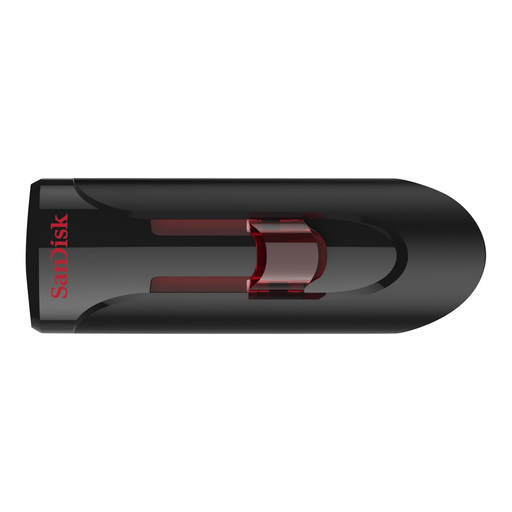
SanDisk Ultra 64 GB USB flash drive

SanDisk Ultra 64 GB

Could be an option for taking files with you if your project folders fit within 64 GB.

USB 3.0; stated read speed of up to 80 MB/s. This isn’t a write speed.

View at Joybuy

Frequently asked questions

Is exFAT suitable for large audio files?

If a file is larger than 4 GiB, FAT32 isn’t suitable for it because of the maximum file size. Apple Support describes exFAT as an option for drives you use with Windows and Mac. Also check that the devices you connect the drive to support the file system.

Can I format a USB flash drive I’ve already used without copying the files first?

No. First, make a copy of any files you want to keep. Apple Support says formatting erases the files on the drive; afterwards, check that the chosen format works on the computers you use.

Does a five-year manufacturer’s warranty mean a USB flash drive has a five-year statutory warranty in the Netherlands?

No. According to the Dutch Government, there is no fixed statutory warranty period in the Netherlands; if a product is faulty, the retailer must provide a solution. Any manufacturer’s warranty is in addition to this and is subject to its own terms and conditions.

Can I share recordings of other people’s music from the drive?

The private copying exception doesn’t allow you to distribute or make recordings available to the public. The Dutch Government describes a private copy as being for personal use; you need the creator’s permission for other uses of copyrighted music. This doesn’t determine whether recording at a specific concert was permitted under the conditions that applied there.

Does every USB flash drive containing concert recordings need to be encrypted?

Not necessarily. If it contains personal data, security is important: the Dutch Data Protection Authority lists the loss of a USB drive containing unencrypted personal data as a possible data breach. Check which encryption methods work on the computers you use with the drive.
