Start by checking the ports on your computer and the client’s device, then make sure the drive has enough space for the entire folder. For lots of files or large files, the stated write speed matters more than read speed alone. If the handouts contain personal data, consider what level of security is needed and test in advance that the recipient can open the files.
Who is this guide for?
Workshop facilitator working to a firm handover deadline
The workshop facilitator wants to copy the final folder in full and on time, open files from the drive and keep the original safe. The Digital Trust Center recommends testing backups regularly.
Handover between different computers
Check that the ports and file system are suitable for both the computer holding the handouts and the client’s device. A model with USB-A and USB-C may be useful if both devices support USB storage.
Handover of confidential handouts
Consider whether the files contain personal data, what security measures are appropriate and whether the recipient will be able to access them. The Dutch Data Protection Authority points out that losing a drive containing unencrypted personal data may constitute a data breach.
What should you look for when choosing?
Start with the folder size and the ports on both devices. Also consider confidentiality and the stated write speed if they matter for your handover.
| What to consider |
What should you check? |
Who is this important for? |
| Complete, verifiable transfer |
Check the size of the final folder and the available storage space. Open files from the drive before the meeting. |
If I’m handing over the handouts just before a client meeting, I want to be sure the complete set is on the drive and readable; around 36% of consumers prioritise completeness and checking. |
| Connection and readability |
Check the ports and systems on both devices, and whether the receiving device can read USB storage and the file system. |
When the source and the client’s device have different ports, I want to avoid the drive not fitting or files not opening; around 29% of consumers prioritise connection and readability. |
| Confidential content |
Consider whether the folder contains personal data, and check the unlock process and system requirements of a secure drive in advance. |
If my handouts contain confidential client information, I want to choose appropriate protection without overlooking the recipient’s access; around 21% of consumers prioritise confidentiality. |
| Copying time |
Compare the stated write speed for the exact model and test the entire folder well before the handover. |
When I’m dealing with lots of files or large files just before a meeting, I want to know in advance how long writing them to the drive will take; around 14% of consumers prioritise copying time. |
Common pitfalls
-
Confusing read speed with copying speed
Reading files from a drive and writing files to it are different operations. For the BAR Plus model tested, Samsung Netherlands states a maximum sequential read speed. That figure alone doesn’t tell you how quickly your folder will be written.
Look up the write speed for the exact model and test copying the actual folder.
-
Assuming a matching plug is all you need
A physical connection doesn’t guarantee that the receiving device can read USB storage or the file system being used.
Check both devices and ask the recipient to open a sample file before the meeting.
-
Keeping the drive as your only copy
If something goes wrong with the only copy, you may have to put the final set together again. The Digital Trust Center recommends keeping backups in different locations and testing them regularly.
Keep the original separately and check the copied files before the meeting.
Brands to consider
SanDisk
The Ultra Dual Drive Luxe is a product range worth comparing for transfers between USB-C and USB-A.
- For the 128 GB model tested, SanDisk specifies both types of connection.
- Check that the client’s device supports USB storage; the connections alone don’t tell you how long copying will take.
Kingston
The DataTraveler Exodia offers USB-A for documents, while the IronKey Locker+ 50 G2 is a separate range for secure transfers.
- Kingston lists USB-A and USB 3.2 Gen 1 for the Exodia. For the IronKey Locker+ 50 G2, Kingston specifies hardware encryption.
- The security features mentioned don’t apply to the Exodia. For the IronKey, check that the supported Windows or macOS version and unlock process are suitable for the recipient’s device.
Transcend
The JetFlash 930C combines USB-A and USB-C, making it worth comparing when write speed matters too.
- Transcend states maximum speeds of 420 MB/s for reading and 400 MB/s for writing for this model. These are manufacturer figures, not guaranteed copying times.
- According to the product specifications, mobile devices must support USB OTG. Test the actual transfer using the devices and files you’ll be working with.
Samsung
The BAR Plus MUF-128BE3/APC is a USB-A alternative with a metal casing.
- For the 128 GB model tested, Samsung Netherlands states a maximum sequential read speed of 400 MB/s under test conditions.
- This model doesn’t offer USB-C directly. The stated read speed isn’t a write speed, and actual speeds may vary depending on the device and conditions of use.
Verbatim
The MyDual 128 GB offers both USB-A and USB-C for sharing files between devices.
- Verbatim states a maximum read speed of 100 MB/s for this model.
- That read speed doesn’t tell you the write speed. According to Verbatim, the Nero software included is compatible with Windows only.
USB flash drives at Joybuy
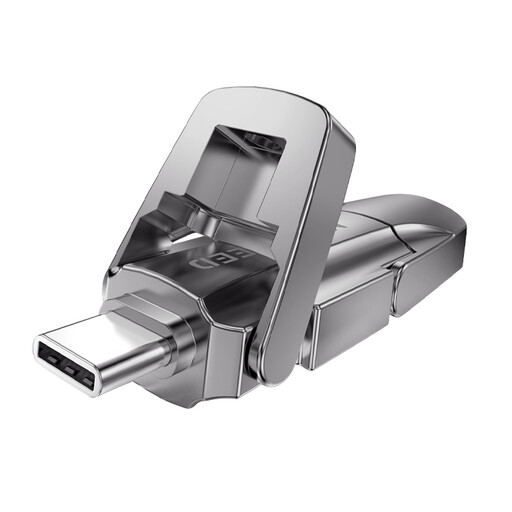
For handouts transferred between devices with USB-A and USB-C, the models below have both types of connection. There’s also a Kingston model with USB-A for use when both devices have that connection.
 No image available
MOVESPEED YSUYVP10-256GSR, 256 GB
Suitable for transferring files between devices with USB-A and USB-C ports, provided both devices support USB storage.
The product name lists 256 GB, USB-A and Type-C, with read speeds of up to 1090 MB/s.
Joybuy
 No image available
MOVESPEED YSUYC-256GSN, 256 GB, silver
Connects to devices with USB-A or Type-C. If confidential handouts need protection, also check that the recipient can unlock the drive.
The product name lists fingerprint encryption, read speeds of 550 MB/s and write speeds of 500 MB/s.
Joybuy
 No image available
MOVESPEED YSUYVP10-512GSR, 512 GB
Suitable for transferring files between devices with USB-A and USB-C ports, provided both devices support USB storage.
The product name lists 512 GB, USB-A and Type-C, with read speeds of up to 1090 MB/s.
Joybuy
 No image available
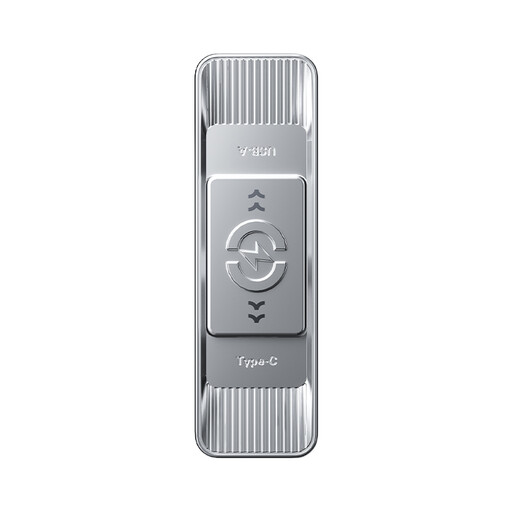
MOVESPEED YSUSP05-512GSR, 512 GB, silver
Worth comparing if you need both USB-A and Type-C and want to take the stated write speed into account.
The product name lists 512 GB and USB-A plus Type-C. The product description states read speeds of up to 570 MB/s and write speeds of up to 520 MB/s; these are stated figures, not guaranteed copying times.
Joybuy
 No image available
Kingston DataTraveler Exodia DTX, 256 GB
Suitable for a handover when both the computer and the client’s device support USB-A.
The product name lists USB 3.2 Gen 1, USB Type-A and a maximum write speed of 625 MB/s. Before use, check that the folder will fit in the available space.
Joybuy
Frequently asked questions
How do I prepare the drive for transfers between a Windows PC and a Mac?
First, check which systems the source and recipient use. Apple Support explains how to format a drive for use with Windows and Mac. Formatting erases existing files, so save them elsewhere first. Then test whether the recipient can open a sample file.
Can I remove the drive from the computer as soon as the files have copied?
Wait until copying is complete, open files from the drive to check them, then eject it. Microsoft recommends safely removing USB storage in Windows to help prevent data loss.
What if the drive fails prematurely?
For consumer purchases in the Netherlands, statutory rights apply alongside any manufacturer’s warranty. If a product breaks sooner than could reasonably be expected under normal use, the seller must resolve the issue; ACM ConsuWijzer doesn’t specify a fixed period that applies to every USB flash drive. For business purchases, check the contract terms separately.
Does a drive containing client data always need hardware encryption under the GDPR?
The general guidance from the Dutch Data Protection Authority doesn’t prescribe a specific type of USB flash drive. Organisations that process personal data must protect it properly and assess the risks; losing a drive containing unencrypted personal data may constitute a data breach. The appropriate measure depends on the processing involved and any sector-specific rules.
Must the loss of a drive containing personal data always be reported to the Dutch Data Protection Authority?
Not automatically. According to the Dutch Data Protection Authority, an organisation must report a data breach unless a risk to the rights and freedoms of the people affected is unlikely. Those affected must be informed when there is likely to be a high risk to them. Assess the specific content, security measures and circumstances.


