To transfer an editable animation project, your USB flash drive needs enough space for the complete project folder and must be compatible with your client’s computer. Check the file system too, and compare the stated write speed for large files rather than looking at read speed alone. If the files contain confidential information, choose access protection that matches the risk and keep a separate, verified copy as well.
Who should consider this choice?
Creators handing over an editable project
You’re supplying project files and the media used, as well as the render. Gather all the necessary files and check that the project opens again from the copy you’ve handed over. Adobe explains that an After Effects project refers to source files, and that you can gather project files using Collect Files.
Creators using a different computer from their client
You may need to transfer files between different USB ports or operating systems. Check the connector and file system on both computers before choosing a flash drive.
Creators handling confidential client files
If loss or unauthorised access could have consequences, choose security measures that match the contents and the risk. The Dutch Data Protection Authority emphasises that security measures must be appropriate for the processing involved.
What should you look for?
USB-A and USB-C
Choose this if: you and your client use different USB ports and the flash drive needs to plug directly into both computers.
Bear in mind: having two connectors doesn’t guarantee a high write speed or tell you whether the project is complete.
Designed for write speed
Choose this if: you regularly transfer large project folders or renders and your computer supports the required interface.
Bear in mind: the manufacturer’s maximum stated speed isn’t the measured speed for your files or computer.
Hardware-encrypted
Choose this if: your risk assessment calls for extra access protection and your client can unlock the flash drive on their system.
Bear in mind: check the connector and unlocking process. Encryption doesn’t replace a separate copy.
Basic USB-A flash drive
Choose this if: both computers have USB-A, the complete transfer will fit and speed isn’t a deciding factor.
Bear in mind: don’t infer write speed from the USB version alone; check the specifications for the exact model.
| What to consider |
What should you check? |
Who is this important for? |
| Complete project and capacity |
First gather all project files and media, then measure the transfer folder and check the available space. Adobe describes Collect Files as a way to gather project files. |
When I deliver an editable project, I want the project folder to be complete and open correctly. Around 33% of consumers prioritise project completeness and capacity. |
| Connector and file system |
Ask which port and operating system your client uses. Microsoft states that FAT32 has a 4 GiB per-file limit; Apple describes exFAT as compatible with Windows. |
If the flash drive needs to work on another computer, I want to be able to connect it and open files without unexpected file-system limitations. Around 27% of consumers prioritise connectivity and readability. |
| Write speed |
Compare the stated write speed for the exact model and check the computer’s USB interface. Kingston and Lexar list read and write speeds separately in their product information. |
When I regularly transfer large folders, I mainly want to know how quickly the flash drive can receive files. Around 20% of consumers prioritise transfer time. |
| Confidentiality and recovery |
Assess the contents and the risk, check that the recipient can unlock a secure flash drive, and keep a separate, tested copy. The Dutch Data Protection Authority refers to appropriate security; the Digital Trust Center recommends backups and recovery tests. |
If client files are confidential, I want to limit unauthorised access and be able to recover the transfer if the flash drive fails. Around 20% of consumers prioritise confidentiality. |
Common transfer pitfalls
-
Copying only the project file or render
An After Effects project may refer to source files. Without them, your client may not be able to open the editable project.
Agree on what you’ll deliver, gather the project dependencies and open the copy from the flash drive to check it. Adobe describes the Collect Files feature for this purpose.
Finding missing media again or sending it separately takes extra time.
-
Confusing read speed with write speed
A maximum read speed doesn’t tell you how quickly the flash drive can receive files. Lexar states that write speed on the JumpDrive Dual Drive D400 is slower than its stated read speed.
Check the write speed for the exact model and the computer’s port; treat maximum figures as manufacturer claims.
A lower write speed can make transferring large project folders take longer.
-
Checking space or the file system only on the day of the transfer
According to Microsoft, FAT32 has a 4 GiB per-file limit. What’s more, the stated storage capacity isn’t necessarily all available for your files.
Measure the complete folder, check the available space and test large files in advance using your chosen file system.
-
Keeping the secure flash drive as your only copy
Access protection and recoverability are two different things. Encryption won’t stop files being lost or the flash drive failing.
Keep a separate copy and check that you can restore it. The Digital Trust Center recommends keeping backups in different locations and testing recovery.
Brands to consider
SanDisk
The Ultra Dual Drive Luxe is designed for transfers between USB-A and USB-C devices. The Extreme PRO Dual Drive range is worth considering if stated speed ratings matter to you too.
- For the Extreme PRO Dual Drive, SanDisk lists maximum read and write speeds of up to 1000 and 900 MB/s respectively.
- These are manufacturer claims for the product range, not measured performance for every capacity or computer. Check the exact model.
Kingston
DataTraveler Exodia is a USB-A range for straightforward storage, while DataTraveler Max is designed for fast transfers. IronKey Locker+ 50 G2 is worth considering when hardware-based access protection is appropriate.
- Kingston specifies USB-C and write speeds of up to 900 MB/s for DataTraveler Max. For IronKey Locker+ 50 G2, Kingston lists hardware encryption.
- Specifications vary across the ranges: IronKey Locker+ 50 G2 uses USB-A and is available in capacities up to 256 GB. Check the connector, capacity and usage requirements for each model.
Samsung
BAR Plus is a USB-A alternative if your client doesn’t need a USB-C connection.
- For the BAR Plus 256 GB Gray, model MUF-256BE4/APC, Samsung lists sequential read speeds of up to 400 MB/s.
- That read speed isn’t a stated write speed, so don’t use it to judge the flash drive if fast transfers are important.
Lexar
JumpDrive Dual Drive D400 is a USB-A and USB-C range for transferring files between devices with different connectors.
- Lexar lists read speeds of up to 130 MB/s for its 64–256 GB models.
- Lexar states that write speeds are slower. The manufacturer also describes DataShield software; decide whether it’s suitable for the confidentiality needs of your client files.
USB flash drives at Joybuy
This selection includes USB flash drives with 256 or 512 GB in their product names, including USB-C and dual-connector models. Compare the model listed with your project folder, the ports on both computers and any security requirements.
 No image available
SanDisk Ultra Dual Drive Go, 512 GB
The listed USB-A and USB-C connectors may be a good fit if you and your client use different ports.
- Capacity: 512 GB
- USB-A and USB-C connectors
- USB 3.1
View at Joybuy
 No image available
Samsung MUF-512DA, 512 GB, USB Type-C, grey
This model may be suitable if both computers support USB-C for the transfer.
- Capacity: 512 GB
- USB Type-C
- USB 3.2 Gen 1 (3.1 Gen 1)
- Colour: grey
View at Joybuy
 No image available
MOVESPEED YSUYC-256GSN, 256 GB
This model may be suitable if your project files need extra access protection. Check in advance how your client can unlock the flash drive.
- Capacity: 256 GB
- USB 3.2 Gen 1 and Type-C, dual interface
- Fingerprint protection is listed in the product name
- Speeds listed in the product name: 550 MB/s read and 500 MB/s write
View at Joybuy
 No image available
MOVESPEED YSUYVP10-512GSR, 512 GB
The dual interface may be useful if the computers have different USB ports; don’t judge transfer time on read speed alone.
- Capacity: 512 GB
- USB 3.2 Gen 1 and Type-C, dual interface
- Read speed listed in the product name: 1090 MB/s
View at Joybuy
 No image available
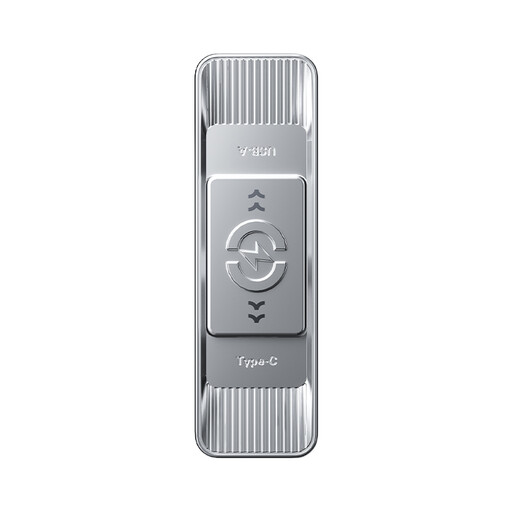
MOVESPEED YSUSP05-512GSR, 512 GB
The dual interface may be suitable when transferring between USB-A and USB-C devices.
- Capacity: 512 GB
- USB 3.2 Gen 1 and Type-C, dual interface
- Read speed listed in the product name: 570 MB/s
View at Joybuy
Frequently asked questions
Is the animation project file alone enough for my client?
Not always. Adobe explains that an After Effects project refers to source files. For an editable handover, you can use Collect Files, then test whether the gathered copy opens. Also agree with your client on which files they expect.
How do you choose the capacity for an animation project?
Measure the complete folder you’re handing over, including project files and the media used, then check the available space on the exact flash drive. Adobe explains that source files may form part of an After Effects project, so don’t base your choice on the project file size alone.
Which file system is suitable for large files on Mac and Windows?
According to Microsoft, FAT32 has a maximum file size of 4 GiB. Apple describes exFAT as compatible with Windows; check that the receiving computer supports the file system and make a copy first, as formatting erases existing files.
How can you avoid unnecessary waiting when copying files?
Compare the stated write speed for the exact model and check that the computer you’re using supports the interface. Stated read speed isn’t a substitute for write speed, and manufacturers’ maximum figures aren’t measured speeds for your files.
Is an encrypted USB flash drive required for every client handover?
No, it isn’t a blanket requirement for every transfer. For organisations processing personal data, the GDPR requires appropriate, risk-based security, as explained by the Dutch Data Protection Authority. Encryption is one possible measure, not automatically the prescribed choice for every project.
Does a secure flash drive automatically count as a backup?
No. Access protection helps prevent unauthorised access, but it can’t recover lost or damaged files. Keep a separate copy and test that you can restore it; the Digital Trust Center recommends keeping backups in different locations and testing recovery.


