
Student with a laptop that has no Ethernet port
You want a wired connection to your local server and are mainly looking for an adaptor with a plug that fits your laptop.


Choose an adaptor with a USB plug that fits a suitable port on your laptop. If the server connection supports gigabit, a gigabit adaptor is the right choice. A 2.5-gigabit adaptor is only worthwhile if the server port and the other network components you use support that speed too. The stated link speed is not a measured or guaranteed file transfer rate.
You want a wired connection to your local server and are mainly looking for an adaptor with a plug that fits your laptop.
You want to check whether the server and the rest of your network setup also support a 2.5-gigabit connection.
You may need charging or other connections as well as Ethernet, so you’re comparing a standalone adaptor with a hub.
First, check your laptop’s USB port and system support. Then compare the speed of the entire connection and only after that consider whether you need extra ports or charging options.
| What to consider | What should you check? | Who should pay particular attention? |
|---|---|---|
| USB connection and system | Check whether you need USB-A or USB-C, your exact system version and any driver requirements. | I want to make sure the adaptor fits my laptop and works with my system. Around 36% of consumers considering this choice prioritise connection type and compatibility. |
| Connection speed | Compare the adaptor with the server port and any switch; check the cable you’re using too. | If I’m transferring large files, I want to know whether my server and the rest of the connection can handle 2.5 gigabit. Around 29% of consumers focus mainly on throughput. |
| Setting up the server connection | Decide whether you’ll connect directly or over a network, then check the IP and relevant firewall settings. | I want my laptop to be able to reach the local server using the chosen cabling and settings. Around 21% of consumers prioritise setting up and accessing the server. |
| Ports and charging | Check whether you want to charge your laptop or connect other devices at the same time, and look up the RJ45 speed of the exact model. | I need charging options or connections for peripherals as well as Ethernet. Around 14% of consumers consider these extra features most important. |
The adaptor’s stated speed doesn’t tell you the speed of the entire connection to the server.
Check the server port, any switch and the cable before comparing gigabit with 2.5 gigabit. TP-Link recommends a Cat5e cable or higher for peak performance with the UE302C.
A faster adaptor is only useful if the other network components are suitable too; you may need additional equipment.
The presence of an RJ45 port doesn’t, by itself, tell you what link speed it supports.
Check the RJ45 specification for the exact hub model separately from the speed of its USB ports.
ACM ConsuWijzer distinguishes between your statutory guarantee rights and a guarantee offered by a retailer or manufacturer.
Keep your proof of purchase and contact the retailer if the product is faulty.
TP-Link offers USB-C-to-gigabit, USB-A-to-gigabit and USB-C-to-2.5-gigabit models.
Belkin offers USB-C gigabit adaptors with charging pass-through, as well as a separate 2.5-gigabit model.
For its US1GC30B USB-C gigabit adaptor, StarTech.com lists features and system support by model.
UGREEN describes a USB-C-to-gigabit-RJ45 adaptor.
These products are designed for laptops with USB-C and a wired Ethernet connection. The selection includes standalone adaptors as well as hubs and docking stations with extra connections.
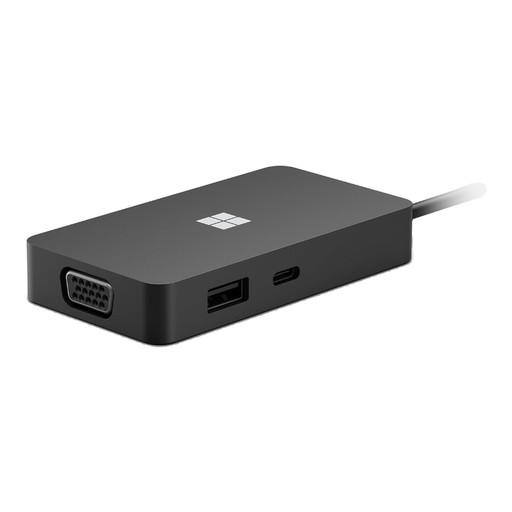 Image unavailable
An option if you want to add Ethernet via USB-C and need other connections too.
The product description lists Gigabit Ethernet, USB-A, HDMI, VGA and USB-C.
 Image unavailable
Suitable for a laptop with a compatible USB-C port when a gigabit connection is all you need.
The product description lists a gigabit Ethernet port of up to 1000 Mbps and support for Windows, macOS, ChromeOS and Linux.
 Image unavailable
An option for a laptop with USB-C if you’re looking for a wired gigabit connection.
The product description lists support for up to gigabit Ethernet and plug-and-play functionality.
 Image unavailable
Suitable for a laptop with USB-C when you need a wired gigabit connection.
The product specifications list USB Type-C and a 1 Gbps RJ45 Ethernet port.
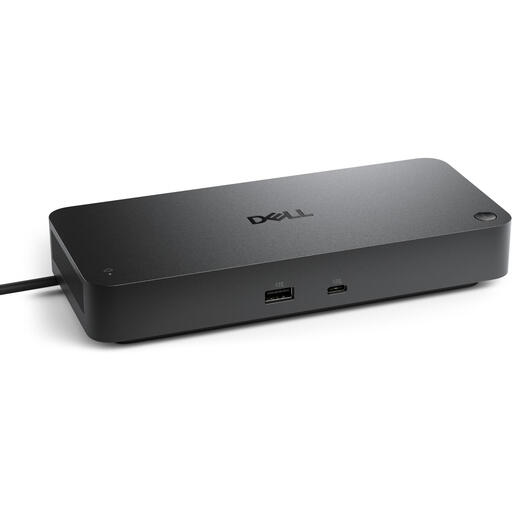 Image unavailable
This docking station is an option if your laptop has USB-C and you need extra connections as well as Ethernet.
The product specifications list a 2.5 Gbps RJ45 port and a USB-C host interface. The description also mentions a power adaptor.
Choose the plug that fits a suitable free port on your laptop. TP-Link’s UE300 uses USB-A and its UE300C uses USB-C; also check compatibility with your system version.
Use an Ethernet cable to connect the adaptor to the intended server port or network. Then check your laptop’s Ethernet and TCP/IP settings. If the connection doesn’t work, also check any relevant firewall settings. The exact setup depends on your configuration.
No. TP-Link lists a port speed of up to 2.5 Gbit/s for the UE302C, but the server port and any switch must support that speed too. TP-Link recommends a Cat5e cable or higher for peak performance; the link speed doesn’t guarantee a particular file transfer rate.
If the product is faulty, you can contact the retailer about your statutory rights, as described by ACM ConsuWijzer. For online consumer purchases, Your Europe states that you generally have a 14-day cooling-off period, subject to applicable conditions and exceptions.
Check with the network administrator first, as the rules may vary between networks. Leiden University’s 2020 ICT and internet use policy does not automatically apply to other student accommodation.