What should you look for when choosing one?
First, check that the adapter is compatible with your laptop and that a wired connection is available. Then see whether your network can make use of a higher speed or additional charging options.
| What to consider |
What to check before buying |
Who is this important for? |
| Wired connection |
Check that there’s a usable Ethernet port and, if possible, test the same cable and port with another device. |
If I want to bypass unreliable Wi-Fi, I first need to know whether the wired connection works; around 36% of consumers in this buying group prioritise a stable connection. |
| USB port and charging |
Check whether your laptop has USB-A or USB-C and whether you also need that port for charging. |
If my laptop has few ports, I want to keep my connection and charging options available; around 29% of consumers prioritise this combination. |
| Local network speed |
Check what speed the specific network port supports and inspect the Ethernet cable. |
If I transfer large files within the studio, I want to know whether the local network can handle 2.5 GbE; around 21% of consumers prioritise this need. |
| Shared network |
Ask whether you’re allowed to use the connection, and check your laptop’s network profile and active connection. |
If I work on a shared network, I want to be able to choose the connection and settings carefully; around 14% of consumers make this their top priority. |
Joybuy products for a wired laptop connection
These product picks are designed for a wired laptop connection via USB-C or USB-A, with models for gigabit Ethernet and an option for 2.5 GbE. Check your laptop’s ports and the capabilities of the studio network before buying.
 No image available
TP-Link USB-C to RJ45 gigabit adapter
A good choice if your laptop has a spare USB-C port and you want to use a wired gigabit connection.
The product information lists Ethernet up to 1000 Mbps and plug-and-play for the operating systems specified; check support for your system.
View at Joybuy
 No image available
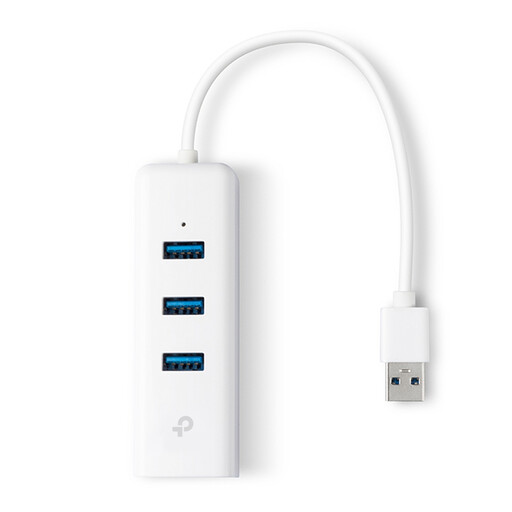
TP-Link UE330 USB-A dock, white
Suited to a workstation where you want a wired connection via USB-A, as well as the option to connect USB peripherals.
The product information lists Ethernet up to 1000 Mbps and three USB 3.0 ports.
View at Joybuy
 No image available
HP USB-C to RJ45 Adapter G2
An option if your laptop has a spare USB-C port and you want to connect it to a wired network.
The product information lists gigabit Ethernet and plug-and-play.
View at Joybuy
 No image available
Acer USB-C to gigabit LAN dongle
Suitable for connecting a USB-C device to an available wired Ethernet connection.
The product information lists one RJ45 port and Ethernet up to 1 Gbps.
View at Joybuy
 No image available
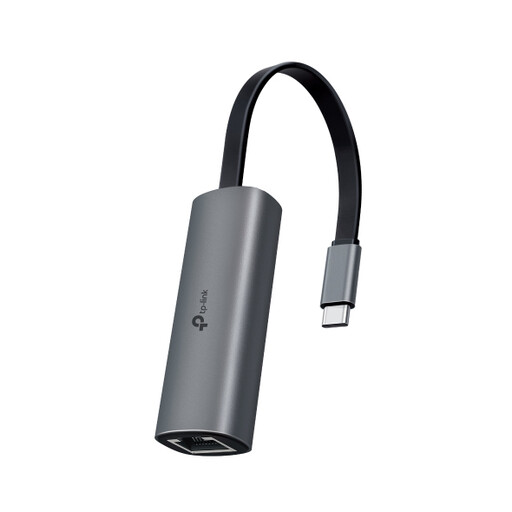
TP-Link UE302C USB-C to 2.5 GbE adapter
A good choice if your laptop has USB-C and the studio network port supports 2.5 GbE.
The product information lists Ethernet up to 2.5 Gbps. TP-Link recommends Cat5e cabling or higher for peak performance; the network connection must also support it.
View at Joybuy
Frequently asked questions
Will a USB Ethernet adapter work if the studio’s wired connection also goes down?
Not necessarily. The adapter adds an Ethernet connection, but if it fails, you should also check the cable, port, switch and connection further along the network. TP-Link recommends trying another cable or port, among other steps, when troubleshooting.
Do I need to install a driver?
It depends on the exact model, hardware version and operating system. TP-Link provides support for the UE300C by hardware version; UGREEN notes that manual installation is needed for certain older systems with the USB-C adapter described. Check support for your particular combination.
How can I check that my laptop is actually using the wired connection?
Check which network connection is active. On a Mac, when Wi-Fi and Ethernet are connected at the same time, you can view and change the order of network services. So don’t assume your laptop is using the cable just because it’s plugged in.
What are my rights if an adapter I bought online isn’t suitable or breaks too soon?
For an online purchase in the Netherlands, consumers generally have 14 days from delivery to change their mind. The statutory guarantee also applies: if a product doesn’t do what you could reasonably expect during normal use, the seller must offer an appropriate solution. Any manufacturer’s guarantee does not replace this statutory right.
Does a CE mark mean that every Ethernet adapter has been individually approved by the EU?
No. The European Commission explains that the manufacturer uses the CE mark to declare that a product complies with the applicable EU rules; there is no central EU body that routinely issues a certificate for this. EMC rules cover the electromagnetic compatibility of equipment.


