What should you look for when buying?
First check which port is available on your laptop and whether its operating system is supported. Then decide whether you need to keep charging through that port, and only then consider whether your network can handle more than gigabit speeds.
| What to consider |
What should you check? |
Who is this important for? |
| A simple USB-C connection |
Check that you have an available, supported USB-C port and that you do not also need it for charging. |
If I only want a wired connection and want to keep unnecessary connections off my desk, I look for a single-port adapter. Consumers with this primary need account for around 40% of relevant choices. |
| Charging through the same port |
Check whether your laptop can charge through that USB-C port, and whether the power supply and cable are suitable for the stated maximum passthrough power. |
If my laptop has few ports and I want to keep charging while I use it, I look for power passthrough. Consumers who want to keep charging account for around 30% of relevant choices. |
| Using an available USB-A port |
Check the port type and USB version; connecting via USB 2.0 does not mean you will get a gigabit connection. |
If I want to keep USB-C free and have a suitable USB-A port available, a USB-A adapter may be a good fit. Consumers who mainly focus on the connection type account for around 20% of relevant choices. |
| More than gigabit on your local network |
Check that the adapter, network ports at both ends and cable are suitable for the speed you want; TP-Link recommends Cat5e or higher for peak performance from the UE302C. |
If I want to transfer larger files over a local network, support across the entire network path is what matters. Consumers primarily looking for faster local network traffic account for around 10% of relevant choices. |
Joybuy product picks
This selection includes USB-C-to-gigabit adapters, a USB-A model with extra USB ports, and a USB-C adapter with 2.5-gigabit Ethernet.
 No image available
TP-Link USB Type-C to RJ45 Gigabit Ethernet Adapter
An option if you want to use a free USB-C port for a single wired gigabit connection.
The product information lists USB 3.0, gigabit Ethernet up to 1000 Mbps and a foldable design.
View at Joybuy
 No image available
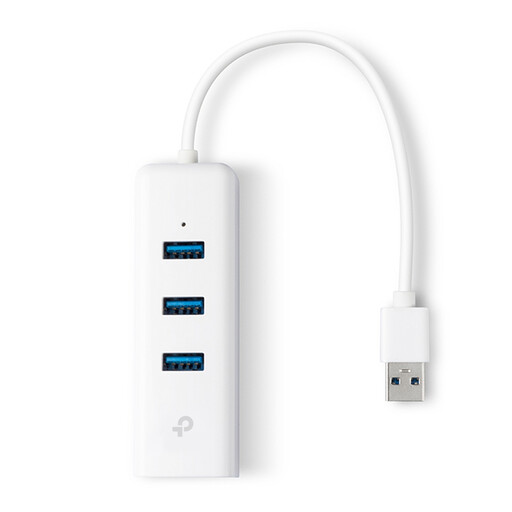
TP-Link UE330 USB-A Dock
A good fit if you want to use an available USB-A port and need extra USB connections as well as Ethernet.
The product information lists gigabit Ethernet up to 1000 Mbps and three USB 3.0 ports.
View at Joybuy
 No image available
HP USB-C to RJ45 Adapter G2
An option if you want to connect a laptop with a free USB-C port to a wired network.
The product information lists support for gigabit Ethernet.
View at Joybuy
 No image available
acer Type C to Giga LAN Dongle
A good fit for a set-up where you want to connect a USB-C device via gigabit Ethernet.
The product information lists USB-C and gigabit Ethernet.
View at Joybuy
 No image available
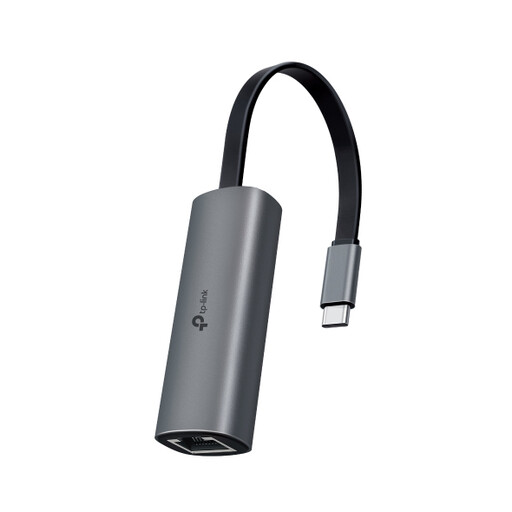
TP-Link UE302C USB-C to RJ45 Adapter
An option if you want to connect your USB-C laptop to a local network that can handle more than 1 Gb/s.
The product information lists USB-C and Ethernet up to 2.5 Gb/s. TP-Link recommends Cat5e or higher for peak performance; the adapter speed does not guarantee the speed of the entire network.
View at Joybuy
Frequently asked questions
How do I connect a USB Ethernet adapter, and what should I check if Ethernet isn't working?
Plug the right USB connector into your laptop, then connect the RJ45 port to a network cable and a suitable network port. Microsoft Support recommends checking the cable and connections first if you have connection problems; try another cable if needed, and use the network troubleshooter in Windows 11.
Does 2.5 Gb/s mean my internet speed will be 2.5 Gb/s?
No. 2.5 Gb/s is the stated capacity of the adapter port, not a measurement of your internet connection. TP-Link recommends Cat5e or higher for peak performance from the UE302C; check your other network equipment and connection too.
Do I always need to install a driver?
That depends on the exact model and operating system. TP-Link lists the UE300C as plug-and-play with systems including Windows 10 and macOS 10.9 or later, but says a driver is required for some of the older versions listed. Check support for your model and software version.
What returns and warranty rights apply to an online purchase in the Netherlands?
When you buy online from a business, you generally have 14 days to change your mind, although exceptions apply. The Dutch government explains this cooling-off period for distance purchases. Statutory rights are separate from any manufacturer's warranty; ACM ConsuWijzer points out that the retailer is your point of contact if a product does not meet what you could reasonably expect under normal use.
Is a CE mark compulsory on every USB Ethernet adapter?
Not automatically: according to the European Commission, CE marking is only compulsory for products covered by harmonised EU rules that require it. The general product category does not confirm whether a specific model complies; check the product documentation for that information.


