
Mini PC user without a suitable network port
You’re looking for a wired connection that fits a spare USB port and works with your operating system. TP-Link and HP provide connection and system information for specific models.


First, choose an adapter that fits a spare USB port and is supported by your mini PC’s operating system. Gigabit is a good choice for a gigabit network; 2.5 GbE is mainly worthwhile if the other parts of your connection, such as your router or switch, support it too. If you have limited desk space, check that the adapter and RJ45 cable won’t get in the way of other ports or your workspace.
You’re looking for a wired connection that fits a spare USB port and works with your operating system. TP-Link and HP provide connection and system information for specific models.
You want to transfer large files over an existing 2.5 GbE network, so you’ll need to check that the other network components support the higher speed too. Club 3D and StarTech.com describe 2.5 GbE models and the conditions they require.
You want to make sure the adapter and RJ45 cable don’t get in the way of other ports or your workspace. TP-Link and Belkin product information offers examples of different designs and features.
Start by checking your spare USB port and operating system support. Then decide whether gigabit or 2.5 GbE is right for your network, and finally check how much room you have for the adapter and cable.
| What to consider | What should you check? | Who is this important for? |
|---|---|---|
| Connection and operating system | Check that you have a spare USB-A or USB-C port, then look up support for the exact adapter and system version. | If I want to be sure the adapter will connect to my mini PC and be supported by my operating system, this comes first; around 31% of consumers feel the same way. |
| A standard wired connection | Compare the model’s RJ45 speed with your router or switch connection, and check which USB port it requires. | If I need a single wired gigabit connection, I don’t want to choose a higher network speed that my network can’t use; around 25% of consumers prioritise this need. |
| Faster local network | Check the USB connection, router or switch, cabling and operating system support for the exact model. | If I want to transfer large files over a faster local network, I want to know whether the entire connection is suitable; around 19% of consumers prioritise 2.5 GbE. |
| Room for the adapter and cable | Check the model’s design or cable length, and the space around the USB port and planned cable route. | If my desk is small, I want to avoid the adapter or cable blocking other ports; around 25% of consumers pay particular attention to their workspace layout. |
The adapter’s speed alone doesn’t determine the speed of the entire connection. Club 3D points out that other components, such as cables and your router, must support the speed you’re aiming for too.
Check the specifications of the adapter, cables and router or switch before choosing 2.5 GbE.
If your network components don’t support the speed you’re aiming for, you may need to upgrade your network.
Support and driver information varies by model and may depend on your system version.
Compare the exact model name and your operating system with the manufacturer’s support information.
An adapter with Ethernet and an extra feature, such as USB-C Power Delivery, won’t necessarily be more useful for a mini PC that doesn’t need that feature.
Check which features the model offers and whether your mini PC and workspace can make use of them.
The UE300 is an example of a USB-A to gigabit adapter; check the specifications of the exact model.
The CAC-1420 and CAC-1520 are separate USB-A and USB-C models for 2.5 GbE.
The US2GC30 is a USB-C to 2.5 GbE model with published technical and system information.
The HP USB-C to RJ45 Adapter G2 is a model for a wired USB-C connection.
According to Belkin, the INC019btBK combines a gigabit port with USB-C Power Delivery.
This selection focuses on USB-C adapters and hubs for adding Ethernet to a mini PC. For each model, check the connector type, network speed and support for your operating system.
 No image available
An option for a mini PC with a spare USB-C port if you want to add a gigabit Ethernet connection.
Check support for your operating system for the exact model.
 No image available
A USB-C to RJ45 option for adding a wired connection to a mini PC.
HP lists Windows 10 and Windows 11 as compatible operating systems for the Adapter G2; check that your system is one of them.
 No image available
A USB-C to LAN dongle to consider if you want to add a wired connection to your mini PC.
Check the model specifications and system support for your mini PC.
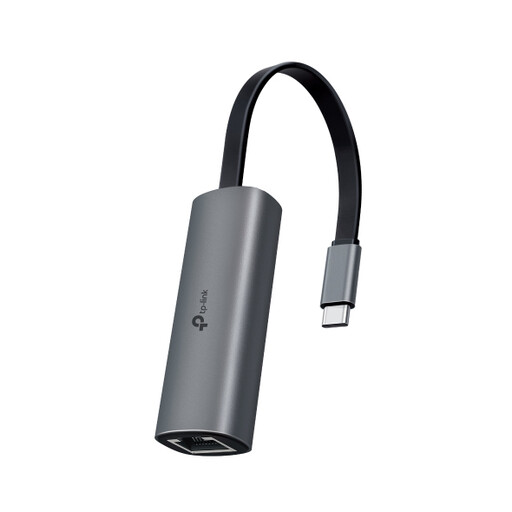 No image available
A model to compare if you’re looking for a USB-C to RJ45 connection.
Check the network speed and operating system support in the model specifications.
 No image available
A hub to consider if you’re looking for extra ports as well as Ethernet.
Check which ports and features the exact version offers, and whether they suit your mini PC and workspace.
Plug an adapter with the right connector into a spare USB port, then connect the RJ45 port to your router or switch. If no network connection appears, check the operating system and driver information for the exact model. For example, TP-Link publishes separate UE306 drivers for different systems.
Not just because of the adapter’s speed. Check the specifications of your existing cable and the speed of your router or switch; Club 3D states that these components must support the speed you’re aiming for too.
In the Netherlands, statutory guarantee applies if a product doesn’t do what you could reasonably expect under normal use; the seller must put a valid fault right. Online purchases also generally come with a statutory cooling-off period that ends 14 days after delivery. These are separate rights, as ACM ConsuWijzer explains.
The product rules that apply depend on the product. Dutch government information includes EMC and RoHS rules for electrical and electronic products, and explains that a CE mark is a declaration by the manufacturer, not an independent quality mark. This doesn’t establish whether an individual model complies.