
Home worker without a LAN port
You want to connect your mini PC using a network cable and need an adapter with a suitable USB connection and a gigabit link. TP-Link Netherlands describes models with USB-A and USB-C connections.


Choose a USB Ethernet adapter that fits an available USB-A or USB-C port and is supported by the manufacturer for your operating system and version. For a standard wired home-working setup, gigabit is a sensible choice. Consider 2.5GbE mainly for large file transfers on a network that supports this speed, with a suitable cable and network equipment. The stated speed does not guarantee actual throughput.
You want to connect your mini PC using a network cable and need an adapter with a suitable USB connection and a gigabit link. TP-Link Netherlands describes models with USB-A and USB-C connections.
You regularly move large files around your home network and want to know whether 2.5GbE is suitable for the rest of your network. For the UE302C, TP-Link Netherlands highlights the cable and other network requirements as factors to consider.
You want to check whether the exact model and your operating system version are supported, and whether you need to install a driver. Requirements vary by model, as shown in the product information from TP-Link Netherlands and UGREEN.
| What to consider | What to look for | Who should pay particular attention? |
|---|---|---|
| Suitable USB connection | Check that your mini PC has an available USB-A or USB-C port and that there is enough room around the connection. | If I want to connect my mini PC using a network cable, I first check which type of USB port is free and whether the plug will fit. Around 33% of consumers put port compatibility first. |
| Gigabit as a basic connection | Check the stated RJ45 speed and the connection to your router or switch; 1000 Mbit/s does not guarantee actual throughput. | For a standard home-working setup, I mainly want a wired connection, without extra speed that my network can’t use. Around 27% of consumers prioritise gigabit. |
| 2.5GbE for local transfers | Check the USB port, the network ports at both ends and the cable. For peak performance with the UE302C, TP-Link recommends Cat5e or higher. | When I move large files around my home network, I want to know whether my other equipment supports the higher speed. Around 20% of consumers prioritise local transfer speed. |
| Operating system and installation | Check the exact model and hardware version against the manufacturer’s documentation for your installed OS version. | If my mini PC uses a specific operating system, I want to know in advance whether the adapter will work with it and whether installation involves any extra steps. Around 20% of consumers prioritise OS and driver support. |
The TP-Link UE302C manual does not guarantee actual throughput. TP-Link specifies Cat5e or higher as a requirement for peak performance; the rest of the connection matters too.
Before choosing, check that the USB port, cable and other network equipment are suitable for the speed you’re aiming for.
A plug that fits doesn’t necessarily mean the adapter will work with your system or be recognised without installing a driver. For example, UGREEN states that model 25051 is not compatible with Linux; this limitation does not automatically apply to other UGREEN models.
Check the documentation for the exact model, hardware version and your OS. Also check whether a driver is required.
The Dutch government states that the Netherlands has no fixed statutory guarantee period. A manufacturer’s warranty is in addition to your rights if a product is faulty.
Keep your proof of purchase and contact the seller if your product is faulty.
TP-Link Netherlands describes USB-A and USB-C models with gigabit, as well as a USB-C model with 2.5GbE.
StarTech.com describes the C21GA-USB-ETHERNET as a gigabit model with USB-C and a USB-A dongle; the U2GA-USB-C-ETHERNET is a 2.5GbE model with USB-C and a USB-A adapter.
UGREEN describes a USB-C gigabit adapter and a USB-A adapter with 2.5GbE; these are different models with their own requirements.
This selection includes USB-C solutions for a wired network connection: USB-C-to-RJ45 adapters and a USB-C dock. Check the speed and OS support for the exact version and make sure it suits your network.
 No image available
Suitable for a mini PC with an available USB-C port that needs a wired gigabit connection.
USB Type-C to RJ45; Gigabit Ethernet.
 No image available
An option for a mini PC with an available USB-C port that needs an RJ45 network connection.
Check OS support for this version before ordering.
 No image available
Suitable for a home-working setup with an available USB-C port where a wired LAN connection is needed.
The product name specifies Type-C and Giga LAN; check OS support for your version.
 No image available
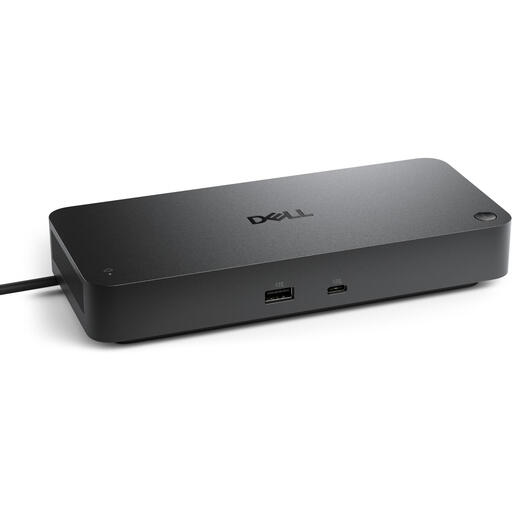
An option if you’re looking for a USB-C dock for your workspace as well as a wired network connection.
The product name specifies USB 3.2 Gen 2 (3.1 Gen 2) Type-C.
 No image available
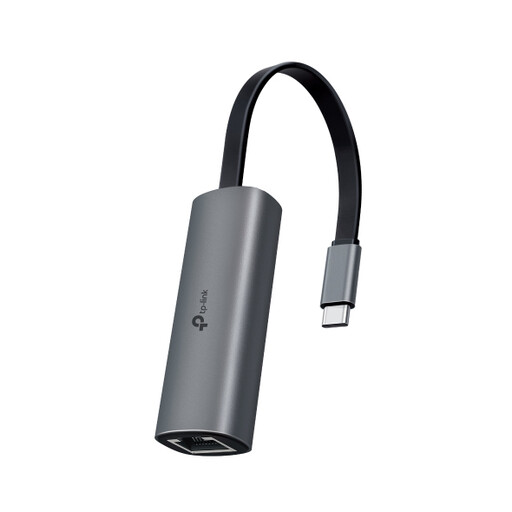
An option for large file transfers on a local network that supports 2.5GbE.
USB-C to RJ45 with 2.5GbE. TP-Link recommends Cat5e or higher for peak performance; actual throughput is not guaranteed.
Plug the suitable USB connector into your mini PC and connect the RJ45 port to your network. If you have connection problems, check the instructions for the exact model and your operating system; some model and OS combinations require a driver.
Not necessarily. TP-Link recommends Cat5e or higher for peak performance with the UE302C. Also check that the other network ports support the speed you’re aiming for; the manual states that actual throughput is not guaranteed.
No. Support depends on the exact model and OS version. For the UE300C, TP-Link lists driver requirements for certain older Windows and macOS versions. UGREEN states that model 25051 is not compatible with Linux. Check the manufacturer’s documentation for the version you’re considering.
For eligible distance sales, the Dutch government says you usually have 14 days to change your mind. Before buying, check the seller’s information and whether your transaction is covered by these rules.
The European Commission states that CE marking is only mandatory for products covered by EU rules that require it. In the UE302C manual, TP-Link declares conformity with the EU directives listed there; check the manufacturer’s documentation for the version you choose. This is not a general statement about every model on offer.