
Mini PC without a network port
Want to add an RJ45 connection using a suitable, available USB-A or USB-C port. For example, TP-Link Netherlands describes USB-A and USB-C adapters; the available port determines which connection will fit.


Choose an adapter that fits an available USB-A or USB-C port on your mini PC, and first check whether your room has a usable wired network connection. A gigabit adapter is a good choice if gigabit is enough; 2.5 gigabit is only useful if your cable and the rest of your network can support that speed too. Choose a USB-C hub only if you also need connections other than Ethernet.
Want to add an RJ45 connection using a suitable, available USB-A or USB-C port. For example, TP-Link Netherlands describes USB-A and USB-C adapters; the available port determines which connection will fit.
Want to check in advance whether the room has a usable wired connection and whether the network administrator requires registration. The University of Twente describes local facilities and registration for its own network; requirements may vary by location.
Considering 2.5 gigabit if the network connection can support it, or a hub if other connections are needed too. Manufacturers such as TP-Link and Belkin describe different speeds and port combinations for each model.
First check whether your room has wired internet. Then choose an adapter for the available USB port, and only after that compare the speed you need and any extra connections.
| What to consider | What should you check? | Which consumers is this for? |
|---|---|---|
| Connection and system | Check which USB-A or USB-C port is available and whether the adapter supports your mini PC’s operating system. | I want to make sure the adapter fits the available port and works with my system; around 36% of consumers put compatibility first. |
| Access to the room’s network | Check whether the room has an active network socket and what sign-in steps the administrator requires. | I want to know whether plugging in a cable will actually give me internet in my room and whether registration is required; around 29% of consumers start by checking network access. |
| Usable speed | Compare the adapter with your network connection, equipment and cable; TP-Link recommends Cat5e or higher for the UE302C to deliver peak performance. | If I want to make use of speeds above gigabit, the other parts of the connection need to support them too; around 21% of consumers put speed first. |
| Extra ports | Decide which connections you need in addition to Ethernet, and check whether your mini PC supports the hub functions you want. | I need connections such as USB-A or HDMI as well as a network connection, and want to combine them; around 14% of consumers put extra ports first. |
The adapter’s higher stated speed won’t necessarily be usable if the network connection, cable or other equipment limits the speed.
Check the entire connection before choosing 2.5 gigabit. TP-Link recommends Cat5e or higher for the UE302C to deliver peak performance.
A USB-A adapter won’t fit a USB-C port, or vice versa. Without a suitable available port, you won’t be able to connect the adapter as intended.
Check which USB port is free on your mini PC before choosing a model.
An RJ45 port on the adapter doesn’t mean the room has an active network connection or that you can access it without registering.
Ask your accommodation provider or network administrator about the connection and any sign-in requirements. The rules at one institution won’t necessarily apply to other rooms.
The UE300 and UE300C described are gigabit adapters; the UE302C is a USB-C model with a stated speed of up to 2.5 Gbit/s.
The CAC-1420 is described as a USB-A to 2.5-gigabit adapter for devices with a suitable USB-A port.
Belkin describes both a standalone USB-C to 2.5-gigabit adapter and the AVC008btSGY, a USB-C hub with gigabit Ethernet.
The 25051 described is a USB to 2.5-gigabit adapter, offered as an alternative to a gigabit adapter.
These product picks are designed to add a wired network connection to a mini PC via USB-C, from gigabit models to one with a stated speed of up to 2.5 gigabit.
 No image available
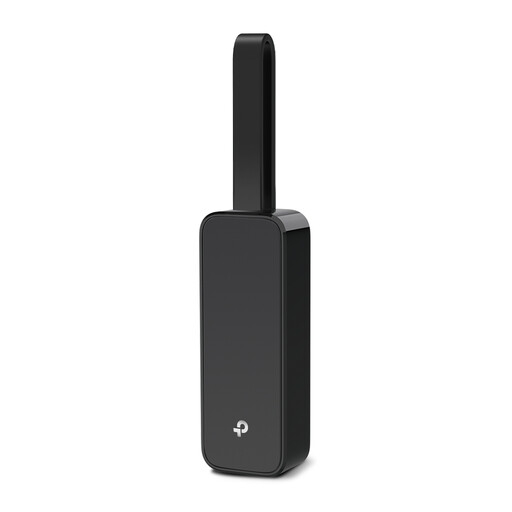
A good choice if your mini PC has a free USB-C port and you want to add a wired gigabit connection.
The product information lists speeds of up to 1000 Mbit/s and support for Windows, macOS, ChromeOS and Linux.
 No image available
An option if your mini PC has a compatible USB 3.0 port and you want to add Ethernet.
The product information lists USB 3.0 and a gigabit Ethernet port supporting speeds of up to 1000 Mbps. Listed system compatibility includes Nintendo Switch, Windows 10 and 8.1, and Linux.
 No image available
A good choice if your mini PC has a free USB-C port and you’re looking for a wired gigabit connection.
The product information lists Windows 10 or Windows 11 as the minimum system requirement.
 No image available
An option for a mini PC with a suitable USB-C port if you want to add an RJ45 gigabit connection.
The product information lists USB 3.2 Gen 1 Type-C and a 1 Gbps RJ45 Ethernet port.
 No image available
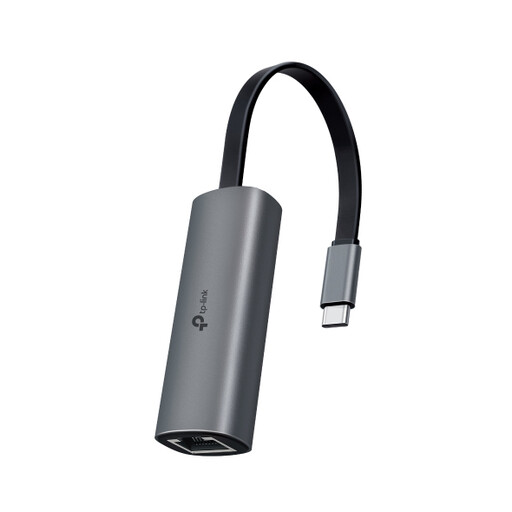
A good fit for a mini PC with USB-C if your network and cable support 2.5 gigabit.
The product information lists speeds of up to 2.5 Gbps. TP-Link recommends Cat5e or higher for peak performance.
Not always: you also need a working wired connection, and you may need to register the network adapter. The University of Twente describes MAC address registration for its wired network; check with your own network administrator to find out which rules apply.
TP-Link recommends Cat5e or higher for the UE302C to deliver peak performance. The rest of your network equipment must support the higher speed too; a suitable cable on its own isn’t enough.
According to ACM ConsuWijzer, when you buy online you generally have a statutory cooling-off period of up to 14 days after delivery. In addition, if a product breaks sooner than you could reasonably expect with normal use, the seller must offer an appropriate solution, such as a repair, replacement or refund.
No. The Netherlands Enterprise Agency describes CE as a conformity mark, not an independent quality mark or a guarantee of safety. It also doesn’t tell you whether the adapter fits your mini PC’s USB port or gives you access to the network in your room.