
Mini PC user without a LAN port
You mainly want to make sure an available USB port, the operating system and your studio’s wired connection all work together. So first check the connector and support for your system version.


First, choose an adapter that fits an available USB-A or USB-C port on your mini PC and is compatible with its operating system. Gigabit is usually suitable for a network that supports up to 1 GbE; 2.5 GbE is mainly useful for large local file transfers, provided the USB port, switch port and cabling are all suitable. In a shared workspace, check separately whether you need management features such as Wake-on-LAN, and whether they work with your PC and network.
You mainly want to make sure an available USB port, the operating system and your studio’s wired connection all work together. So first check the connector and support for your system version.
You transfer large files across a local network. 2.5 GbE can only help if the other connections are suitable too.
You want to move an adapter between different PCs or need specific network management features. Check that each PC and network environment meets the requirements.
First check the available USB port and system version, then compare the speed of the entire network connection and finally consider whether you need to share the adapter between PCs or use management features.
| What to consider | What should you check? | Who is this important for? |
|---|---|---|
| Connection and system compatibility | Check the available USB-A or USB-C port, the USB version and the exact operating system version for the complete adapter model. | I want to make sure the adapter works with my mini PC and system version first. Around 36% of consumers put compatibility first. |
| Local network speed | Compare the speed of the USB port, switch port, other network equipment and cable. TP-Link recommends Cat5e or higher for the UE302C to achieve peak performance. | For large local file transfers, I want to know whether the entire network connection can handle more than gigabit speeds. Around 29% of consumers prioritise achievable network speed. |
| Use across multiple workstations | Check the ports and system versions of every mini PC you plan to use the adapter with. According to StarTech.com, the StarTech U2GA-USB-C-ETHERNET comes with a USB-A converter. | If I move the adapter between different mini PCs, I want to make sure the connection works with both. Around 21% of consumers prioritise reusing an adapter across multiple workstations. |
| Network management | Check whether you need PXE, Wake-on-LAN or MAC Address Pass Through, and whether your PC and network environment support them. HP lists these features for the USB-C to RJ45 Adapter G2. | For a managed workstation, I want to be able to use a specific feature, not just buy an adapter that lists it. Around 14% of consumers put management features first. |
The adapter’s speed alone doesn’t tell you how fast the connection between your mini PC and other studio equipment will be. The USB port, switch port, other network equipment and cabling all play a part.
Before choosing 2.5 GbE, check the entire connection between your mini PC and the device you’ll be transferring files to or from.
A connector that fits doesn’t guarantee that the adapter works with every version of an operating system. Support can vary by model and system version.
Before buying, compare your exact system version with the product or support information for the complete model.
An adapter listing PXE, Wake-on-LAN or MAC Address Pass Through doesn’t prove that your mini PC and studio network support the feature.
Ask your network administrator which feature you need, then check that it works with the equipment at your workstation.
The UE300 offers a USB-A connection with speeds of up to gigabit, while the UE302C offers a USB-C connection with speeds of up to 2.5 GbE.
The U2GA-USB-C-ETHERNET is designed for workstations that may have either USB-C or USB-A ports.
The USB-C to RJ45 Adapter G2 is a gigabit option for a compatible Windows mini PC if you need the listed management features.
The INC012btBK is a USB-C adapter with an integrated cable and support for several specified connection speeds.
According to UGREEN, model 25051-amz provides a USB 3.0 to RJ45 connection with speeds of up to 2.5 Gbps.
This selection focuses on USB-to-RJ45 adapters for mini PCs, with gigabit options and a 2.5 GbE model for networks that support it.
 No image available
A good choice if you need an available USB-C port and a wired gigabit connection.
USB 3.0; Gigabit Ethernet up to 1000 Mbps; support listed for Windows 10/11, macOS, ChromeOS and Linux.
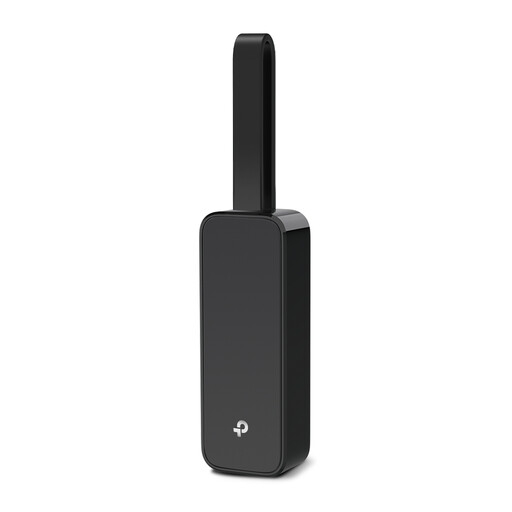 No image available
A good choice if you’re looking for a USB network adapter for a wired gigabit connection.
USB 3.0; Gigabit Ethernet up to 1000 Mbps; support listed for Windows 10/8.1 and Linux.
 No image available
A good choice if you need an available USB-C port and Gigabit Ethernet on a compatible Windows mini PC.
HP lists support for Windows 10/11 and speeds of up to gigabit. The listed PXE, Wake-on-LAN and MAC Address Pass Through features also require compatible PC and network support.
 No image available
A good choice if you need an available USB-C port and a wired gigabit connection.
USB-C; Ethernet-RJ45 up to 1 Gbps.
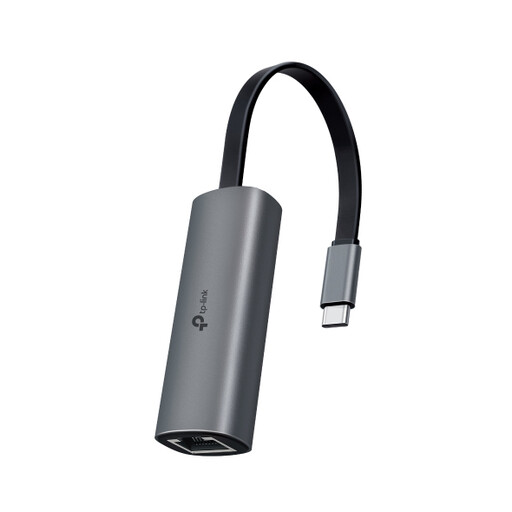 No image available
A good choice if your mini PC has a compatible USB-C port and the rest of your network also supports 2.5 GbE.
USB 3.0 Type-C; Ethernet up to 2.5 Gbps. TP-Link recommends Cat5e or higher for the stated peak performance.
Choose an adapter that fits an available port on your mini PC. The TP-Link UE300 is a USB-A model, while the UE302C uses USB-C; StarTech.com lists a USB-A converter for the U2GA-USB-C-ETHERNET. Also check that the model supports your system.
No, the adapter alone doesn’t determine the speed. Check the USB port, switch port and other network equipment too. For peak performance with the UE302C, TP-Link recommends Cat5e or higher.
Before buying, compare the exact system version with the product or support information for the adapter model. Once connected, check that the PC recognises the adapter and the connection speed you need; TP-Link’s plug-and-play information for the UE302C applies to the listed system versions.
For online consumer purchases, you generally have 14 days to change your mind, with exceptions outlined by the Dutch government. The Dutch government also states that there is no fixed statutory warranty period and that the seller must provide a solution if something goes wrong. Check whether you’re buying as a consumer or on behalf of a business, as consumer rights don’t automatically apply to business purchases.