What should you look for when choosing one?
First, check how internet access is provided in your room and which port your laptop has. DUWO outlines different internet arrangements at different accommodation sites; only then should you choose an adapter based on its connections, charging requirements and network capacity.
| What to consider |
What should you check? |
Who is this important for? |
| USB port and operating system |
Check the physical USB-A or USB-C port and support for your exact system version; some older systems may need a driver. |
If my laptop only has a particular type of USB port, I want an adapter that plugs straight into it. Around 27% of consumers put this connection and system support first. |
| Working room connection |
Ask which wall socket or router port to use, whether internet access is active and which Ethernet cable is needed. |
I want to use an available wired connection and need to know whether it actually works in my room. Around 27% of consumers prioritise having a working room connection. |
| Features you need |
Decide whether a single RJ45 connection is enough or whether you also need extra ports. |
If I only want to add Ethernet, I don’t need extra features that won’t support the way I use it. Around 20% of consumers prioritise a straightforward solution. |
| Charging via USB-C |
Check whether your laptop charges through that port and whether the charging support of the adapter and charger is compatible. |
I need my USB-C port for both Ethernet and charging, and want to be able to use both at once. Around 13% of consumers prioritise keeping the ability to charge. |
| Network speeds above 1 Gbit/s |
Check the capacity of the network port and the rest of the connection; TP-Link recommends Cat5e or higher for the UE302C to deliver peak performance. |
I want to make use of speeds above 1 Gbit/s, so I also need a suitable network. Around 13% of consumers prioritise multi-gigabit capacity. |
USB Ethernet products at Joybuy
This selection includes USB-C and USB-A options for a wired laptop connection, including models with additional ports.
 No image available
TP-Link USB Type-C to RJ45 Gigabit Ethernet adapter
A USB-C option for adding a wired network connection to your laptop.
The product name lists USB Type-C, RJ45 and Gigabit Ethernet.
View at Joybuy
 No image available
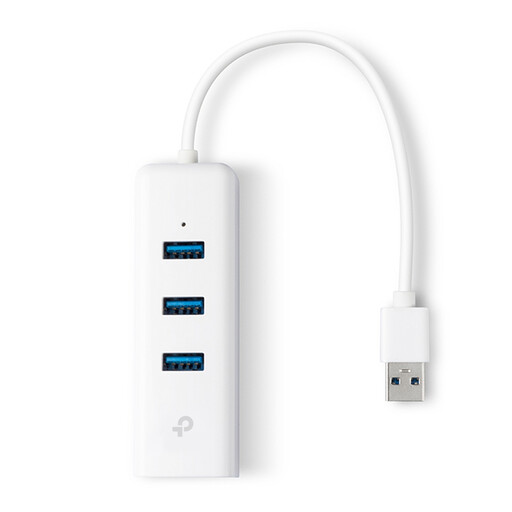
TP-Link UE330 USB Type-A dock
An option for anyone with a compatible USB-A port who wants a dock as well as a wired connection.
The product name lists USB 3.2 Gen 1 (3.1 Gen 1) Type-A and the colour White.
View at Joybuy
 No image available
acer USB Type-C to Giga LAN dongle
A USB-C option for adding a wired network connection to your laptop.
The product name lists USB Type-C and Giga LAN.
View at Joybuy
 No image available
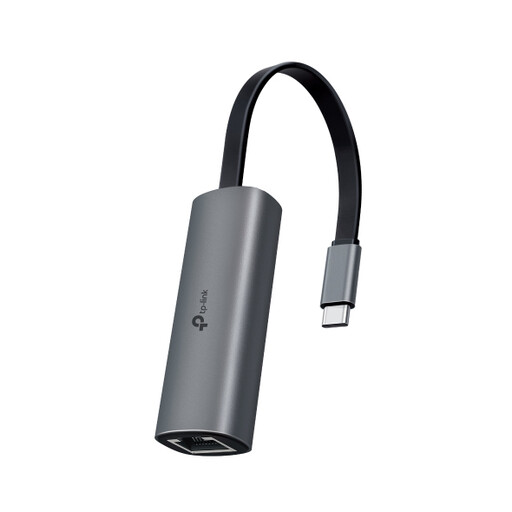
TP-Link UE302C USB-C to RJ45 adapter
For anyone connecting a USB-C laptop to a network that can support speeds above 1 Gbit/s.
TP-Link lists a maximum speed of 2.5 Gbit/s for the UE302C and recommends Cat5e or higher for peak performance. The adapter’s specifications do not guarantee the same speed on your room connection.
View at Joybuy
 No image available
Verbatim CMH-13 USB Type-C 10000 Mbit/s Silver
An option for anyone looking for a USB-C solution for Ethernet who also needs additional ports.
Before buying, check that the ports and charging support are suitable for your laptop and peripherals.
View at Joybuy
Frequently asked questions
How do I connect a laptop without an Ethernet port?
Use an adapter that fits an available USB port, then connect its RJ45 socket to the intended network or router port using an Ethernet cable. Follow your student accommodation’s instructions too; Apple Support explains how to use an Ethernet adapter with Macs that do not have an Ethernet port.
Why can’t I get online when the adapter is connected?
First check the cable and the intended network port, then follow the instructions for your accommodation. SSH explains how to check the cable, router and status lights at specific accommodation sites in Utrecht; this procedure does not automatically apply to other rooms.
Do I need to arrange my own internet subscription?
It varies by accommodation site. DUWO says internet is provided at some sites, while at others you need to arrange a connection yourself. Check the information for your address; an adapter does not provide an internet subscription.
Is a 2.5 Gbit/s adapter worthwhile for my room?
Only if the network and the rest of the connection can support that capacity. TP-Link lists a maximum speed of 2.5 Gbit/s for the UE302C and recommends Cat5e or higher for peak performance; that alone does not determine the speed of your internet connection.
Can I connect my own router to the room network?
Check with the network administrator or landlord for your accommodation, as the rules can vary between networks. SSH describes SSHnet as primarily intended for personal study and household devices; this is not general permission or a rule for every student accommodation site.


