
Home worker with unreliable Wi-Fi
Wants to connect their laptop to an existing wired home network. Check the cable and router port too: Microsoft Support and Apple Support describe them as parts of an Ethernet connection.


Choose an adapter with the right USB connection and operating system support for your laptop, and make sure you have a cable running to a working network socket. Gigabit Ethernet is the straightforward wired option; 2.5 Gbit/s is mainly relevant if the rest of your home network supports that speed. A USB-C adapter with Power Delivery could be a good fit if you also need to use the same laptop port for charging. The stated speeds are product specifications, not a guarantee of a faster internet connection.
Wants to connect their laptop to an existing wired home network. Check the cable and router port too: Microsoft Support and Apple Support describe them as parts of an Ethernet connection.
Needs to choose between USB-A, USB-C or an adapter with a charging function. The available laptop port and operating system support determine which option is suitable.
Transfers large files across the home network and wants to check whether a 2.5-gigabit adapter is compatible with their laptop, cable and other network equipment.
First, check that you can reach a working wired connection and see which laptop port is available. Then decide whether gigabit is enough, whether you want to make use of a faster local network, or whether you need to charge your laptop via USB-C at the same time.
| What to consider | What should you check? | Who is this important for? |
|---|---|---|
| Working wired connection | Check the cable route, Ethernet cable and router or switch port. | If I need a stable wired connection while working from home, there must be a working network socket within reach. Around 39% of consumers put this connection first. |
| USB port and operating system | Check that the laptop has a suitable USB-A or USB-C data port and that the exact model supports its operating system. | If I have few spare ports, I want to be sure the adapter works with my laptop and won’t unexpectedly occupy a port I need. Around 31% of consumers give laptop compatibility top priority. |
| Home network speed | Check the speed of your router, switch, NAS and cable. TP-Link recommends Cat5e or higher for peak performance from the UE302C. | A higher Ethernet capacity may be relevant for large file transfers over a suitably fast network. Around 15% of consumers prioritise this local speed. |
| Ethernet and charging at the same time | Check USB-C Power Delivery, your laptop and power supply; an adapter’s power rating won’t necessarily apply to every laptop. | If my laptop charges through its available USB-C port, I want to keep that charging option while using Ethernet. Around 15% of consumers prioritise this combination. |
A USB Ethernet adapter replaces Wi-Fi only when it’s connected by an Ethernet cable to a working socket on your home network. It won’t fix a problem with the internet connection itself.
Check the cable and router or switch port before choosing an adapter.
An adapter with a rated speed of 2.5 Gbit/s won’t automatically make other network ports, the cable route or your internet connection just as fast.
Choose 2.5 Gbit/s mainly if your other network equipment and cable support it.
A standalone Ethernet adapter doesn’t automatically offer USB-C Power Delivery. It may occupy the port your laptop uses for charging.
If you want to charge and use Ethernet at the same time, check the charging function and the compatibility of the adapter, laptop and power supply.
The models described include USB-A and USB-C adapters for gigabit Ethernet, as well as a USB-C model for 2.5-gigabit Ethernet.
The INC019btBK is designed for a USB-C workstation where you need Ethernet and pass-through charging.
The US2GC30 is a USB-C option for a network that supports 2.5-gigabit Ethernet.
The USB-C to gigabit adapter described is an option if you want to add a network port.
The selection includes USB-C to gigabit adapters and hubs or docks with Ethernet, including a model with a listed 2.5-gigabit port. Check that the connector and network speed are suitable for your laptop and home network.
 No image available
Suitable if you want to connect a USB-C device to a wired gigabit network.
USB 3.0; up to 1000 Mbit/s; product information lists support for Windows, macOS, ChromeOS and Linux. The description recommends certified cables and chargers and advises against use in wet conditions.
 No image available
An option if you want to connect a USB-C laptop to a wired gigabit network.
The product information lists gigabit Ethernet and a compact, portable design.
 No image available
A good fit for a laptop with USB-C if you want to use a wired gigabit connection.
The product description lists Windows 10 or Windows 11 as the minimum system requirement.
 No image available
A hub that combines Ethernet with other connections at a USB-C workstation.
The product information lists gigabit Ethernet, USB ports and USB-C Power Delivery pass-through of up to 100 W. The product description recommends using certified USB-C cables and power supplies, and not exceeding the stated maximum Power Delivery rating.
 No image available
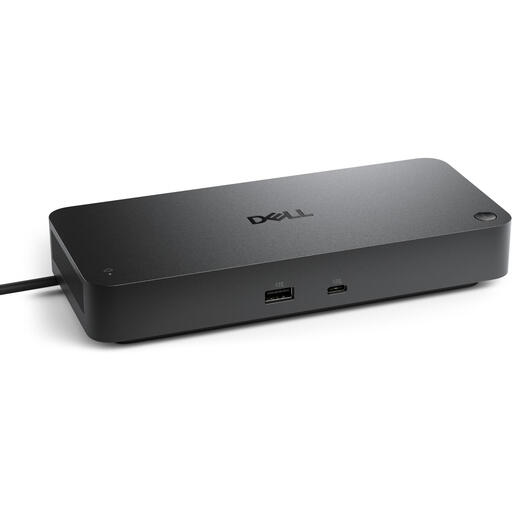
A dock for a USB-C workstation that combines Ethernet with multiple connections.
The specifications list a 2.5 Gbit/s Ethernet port and USB-C Power Delivery of up to 130 W.
Yes. You’ll also need an Ethernet cable and a working connection to your home network. If you’re having connection problems, Microsoft Support also recommends checking the cable and the router port you’re using.
First, check that the cable is securely connected and plugged into the right router port. If possible, try another cable, then check your laptop’s network settings. On Windows, you can use the network troubleshooter; on a Mac, check the Ethernet service under System Settings and Network.
It depends on the adapter and operating system. TP-Link describes the UE300C as plug and play for the systems listed. For the USB-C model reviewed, UGREEN says a downloadable driver is needed for Windows 7/XP/Linux, so check support for your exact combination.
For online consumer purchases, you usually have a statutory 14-day cooling-off period after delivery, subject to exceptions, according to the Authority for Consumers and Markets. You’re also covered by the legal guarantee if a product doesn’t perform as you could reasonably expect under normal use; the seller is responsible for this. This is separate from any voluntary manufacturer’s warranty.
The Dutch government says that electronic devices placed on the market in the EU must have a CE marking. The marking alone doesn’t confirm that an adapter will work with your laptop, cable or network.