What should you look out for?
First, check that the network connection in your garden office works. Then choose based on your laptop’s port, the speed of your existing network and any extra connections you need to use at the same time.
| What to consider |
What should you check? |
Who is this important for? |
| Working wired connection |
Check that there’s a working RJ45 socket in your garden office. An adapter doesn’t connect to your home network by itself. |
If I want to work over a wired connection in my garden office, there must already be a working network socket there; around 29% of consumers put the greatest emphasis on that direct connection. |
| Port and system compatibility |
Check that your laptop has a free USB-A or USB-C port and that the specific model is compatible with your operating system. Also check for any driver notes. |
I want to avoid choosing a connector or adapter that isn’t supported by my laptop; around 23% of consumers say compatibility is their main concern. |
| Speed for local files |
Compare the adapter’s speed with that of your laptop connection, router or switch, and cable. TP-Link specifies Cat5e or higher for the UE302C to deliver peak performance. |
If I move large files around my local network, I want to know whether the other components can handle 2.5 Gbps; around 18% of consumers are mainly interested in that higher local speed. |
| Extra USB ports |
Check how many ports you need and whether they need to be USB-A. A hub with extra ports isn’t automatically a charging adapter too. |
I want to connect USB peripherals as well as Ethernet, for example; around 18% of consumers say extra connections are the main reason for their choice. |
| Charging via USB-C |
Check whether your laptop can charge through the USB-C port in question, and whether the laptop and power supply are compatible with the charging function and the power required. |
If I need to use the same USB-C port for charging while using Ethernet, that function matters; around 12% of consumers cite pass-through charging as their main consideration. |
Joybuy products
These Joybuy products range from USB Ethernet adapters for gigabit connections to models with extra ports or 2.5-gigabit Ethernet.
 No image available
TP-Link USB Type-C to RJ45 Gigabit adapter
Suitable for a laptop with a compatible USB-C port if you need a wired gigabit connection.
The product information lists Windows 10, macOS 10.9 and later, ChromeOS and Linux as supported operating systems.
View at Joybuy
 No image available
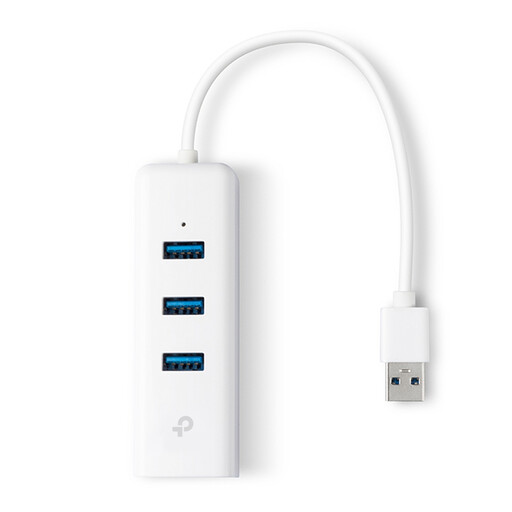
TP-Link UE330 USB-A hub with gigabit Ethernet
A good choice if your laptop has a free USB-A port and you want to connect USB peripherals as well as Ethernet.
The product description lists three extra USB 3.0 ports and gigabit Ethernet up to 1000 Mbps. The product warning says not to expose the hub to moisture or high humidity.
View at Joybuy
 No image available
HP USB-C to RJ45 Adapter G2
An option for a laptop with USB-C if you want to use a wired gigabit connection.
Windows 10 and Windows 11 are listed in the system requirements. The product warning says not to use the adapter in a damp environment.
View at Joybuy
 No image available
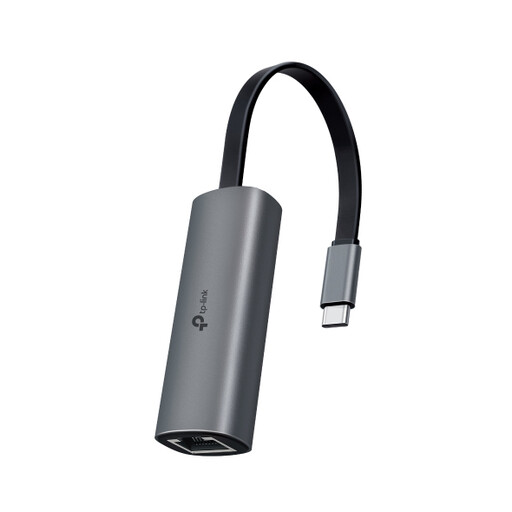
TP-Link UE302C USB-C 2.5-gigabit adapter
Suitable for a laptop with USB-C and a local network whose other components can support the higher speed.
The product information lists Ethernet speeds of up to 2.5 Gbps. TP-Link lists Cat5e or higher as a requirement for peak performance.
View at Joybuy
 No image available
Verbatim CMH-13 USB-C hub
A good choice if you want to combine Ethernet with extra USB connections and charging on a USB-C laptop.
The product description lists gigabit Ethernet and USB Power Delivery pass-through up to 100 W. According to the product warning, use certified USB-C cables and power adapters, don’t exceed the 100W rating and don’t expose the hub to moisture.
View at Joybuy
Frequently asked questions
Is a USB-C connection enough to choose the right adapter?
No. Also check that the specific model is supported by your operating system and, if the adapter supports pass-through charging, that your laptop and power supply are compatible with the charging function. The Dutch rules requiring USB-C charging connections on new laptops from April 2026 don’t, in themselves, say anything about an adapter’s Ethernet support.
How do I connect my laptop in the garden office?
Connect a compatible USB adapter to your laptop and plug the RJ45 port into a working network socket. Check the connections, any status light, and the model’s system or driver notes. If a connection between the house and garden office still needs to be installed, a laptop adapter won’t solve that; cable length also needs consideration over long copper cable runs.
What are my rights if I buy online or my adapter breaks too soon?
For a typical online consumer purchase, ACM ConsuWijzer says you have a statutory cooling-off period of up to 14 days after delivery. You’re also entitled to a statutory guarantee if the product doesn’t perform as you could reasonably expect under normal use; the retailer is responsible for putting this right. Before ordering, also check the applicable terms of sale and returns policy.


