What should you look for when choosing?
First check your laptop’s port and operating system support. Then compare the adapter’s network port speed with the rest of your home network.
| What to consider |
What should you check? |
Who is this important for? |
| USB port |
Check whether the adapter uses USB-A or USB-C and whether its connector fits your laptop’s port. |
I want to connect the adapter directly to an available port on my laptop; for around 31% of consumers, having the right USB port is their main concern when buying. |
| Network connection speed |
Compare the Ethernet ports on your adapter, server and any switch. Check which cable you need too; for peak performance with the UE302C, TP-Link specifies Cat5e or higher. |
If I’m moving large files to my server, I want to know whether the rest of my network supports 2.5GbE; around 31% of consumers prioritise the available transfer capacity. |
| Operating system and features |
Check support for the exact model and hardware version, as well as your operating system. Check features such as Wake-on-LAN separately if you need them. |
I want to know in advance whether the adapter will work with my laptop or support a network feature I need; around 23% of consumers prioritise this compatibility. |
| Access to the server |
After connecting, check the Ethernet connection and IP address. If you’re accessing shared files, also check that the server is reachable and that you have the right permissions. |
I want more than just an active cable connection: I also need access to shared files; for around 15% of consumers, being able to reach the server is their main concern when buying. |
USB Ethernet adapters at Joybuy
This selection includes USB-C to Ethernet adapters for laptops, with both gigabit options and a TP-Link model with 2.5GbE. Before choosing, check your laptop’s port, support for your operating system and the speed of the entire network connection.
 Image unavailable
TP-Link USB Type-C to RJ45 Gigabit Ethernet adapter
For a laptop with USB-C that needs to connect to a gigabit network via RJ45.
The product name specifies USB Type-C, RJ45 and Gigabit Ethernet.
View at Joybuy
 Image unavailable
HP USB-C to RJ45 Adapter G2
An option for a laptop with USB-C that needs a wired Ethernet connection.
Check the specifications and OS support for the version you choose.
View at Joybuy
 Image unavailable
Acer Type C to Giga LAN Dongle
For a laptop with USB-C that needs a wired connection to an Ethernet network via an adapter.
Check that the stated connection and network support are suitable for your laptop and home network.
View at Joybuy
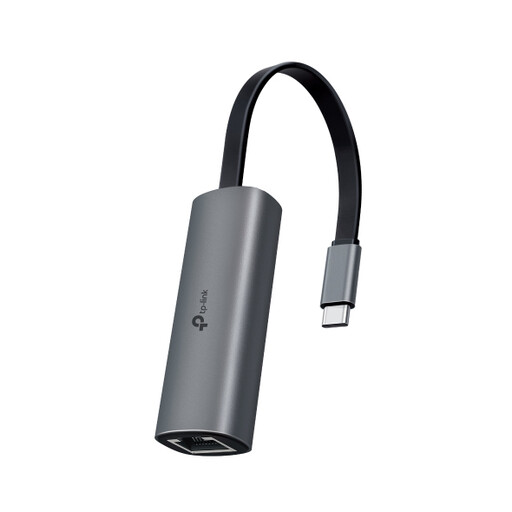 Image unavailable
TP-Link UE302C USB-C to 2.5GbE adapter
For a USB-C laptop and a network connection that supports 2.5GbE. Check the ports on your server and any switch too.
TP-Link Netherlands specifies up to 2.5 Gbps and Cat5e or higher for peak performance.
View at Joybuy
Frequently asked questions
Do I need 2.5GbE to access my home server?
No. A gigabit adapter may be enough for a gigabit connection. Choose 2.5GbE only if the relevant connection, including your server and any switch, supports that speed. A higher adapter specification doesn’t guarantee faster file transfers.
What should I check if my laptop can’t see the server after connecting?
First, check the Ethernet connection status and IP address. If you’re using Windows file sharing, then check that the server is reachable and that you can access the shared folder. An adapter doesn’t grant file permissions.
Do I need to install a driver for a USB Ethernet adapter?
It depends on the exact model, hardware version and operating system. TP-Link publishes different drivers for each UE306 version and OS; UGREEN specifies driver requirements for certain older systems for its USB-C gigabit model.
What are my rights if an adapter I bought online doesn’t fit or is faulty?
For online consumer purchases in the Netherlands, you generally have a 14-day cooling-off period from delivery, subject to exceptions. This is separate from your statutory rights if a product doesn’t meet what you could reasonably expect; according to ACM ConsuWijzer, there is no fixed period for the statutory guarantee in the Netherlands.
Which product rules apply to an adapter sold in the Netherlands?
EU RoHS rules restrict certain hazardous substances in electrical and electronic equipment, subject to applicable exceptions. According to Your Europe, CE marking is required when EU product rules stipulate it; a model name or stated speed alone doesn’t show that a specific version meets all applicable requirements.


