What should you consider when choosing?
First check whether there’s already a working network connection to the server. Then see which USB port is available on your laptop, and finally check what link speed the entire network path can support.
| What to consider |
What should you check? |
Who is this important for? |
| Laptop connection |
Check whether the adapter uses USB-C or USB-A and that the relevant port is available. Also check the RJ45 speed. |
I want to connect to my local server through the existing connection; for around 33% of consumers, a working basic connection is the top priority. |
| Transfer speed |
Check the ports on the server and any network equipment in between. For peak performance from the TP-Link UE302C, TP-Link specifies Cat5e or higher. |
If I transfer large files to and from the server, I want to know whether the entire path can handle 2.5 Gbit/s; faster transfers are the top priority for around 27% of consumers. |
| Laptop and operating system |
Check the exact adapter model against your operating system and find out whether a driver is needed. |
My laptop port and operating system determine which adapter I can use; compatibility is the top priority for around 20% of consumers. |
| Connection to the garden office |
Check whether there’s already a working RJ45 connection to the network you need. Assess any new outdoor cable run and its protection separately. |
If there’s no connection to the garden office yet, I need to arrange the cable run first; installation is the main priority for around 20% of consumers. |
USB Ethernet products on Joybuy
These products are designed to give your laptop a wired connection via USB-C, from gigabit adapters to a dock with a 2.5-Gbit/s network port. Check that your chosen product suits the available laptop port and the speed of the network path to your server.
 No image available
TP-Link UE300C USB-C to RJ45 gigabit adapter
For connecting a laptop with an available USB-C port to an existing gigabit network.
USB-C input; RJ45 network port up to 1000 Mbit/s.
Joybuy
 No image available
HP USB-C to RJ45 Adapter G2
An option for a laptop with USB-C if you want to use an existing gigabit connection.
USB-C; supports Gigabit Ethernet. HP lists Windows 10 and Windows 11 as compatible operating systems.
Joybuy
 No image available
Acer Type-C to Giga LAN Dongle
For a USB-C laptop that needs a wired connection to the server via an existing gigabit network.
USB 3.2 Gen 1 Type-C; RJ45 Ethernet up to 1 Gbps.
Joybuy
 No image available
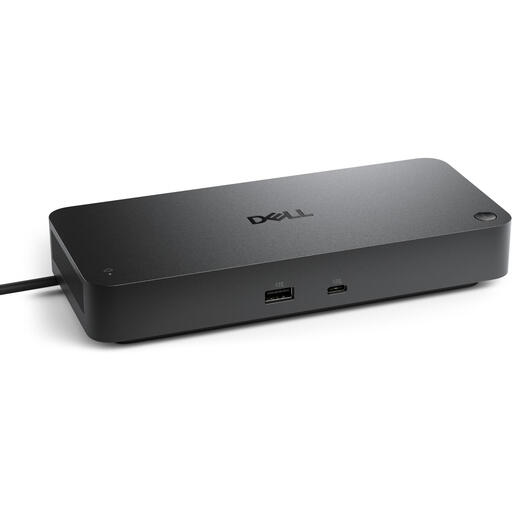
Dell Pro SD25 USB-C dock, USB 3.2 Gen 2 (3.1 Gen 2), Black
A dock for a laptop with USB-C, if a 2.5-Gbit/s network port suits the rest of the connection to your server.
USB-C host interface; 2.5 Gbit/s RJ45 Ethernet.
Joybuy
 No image available
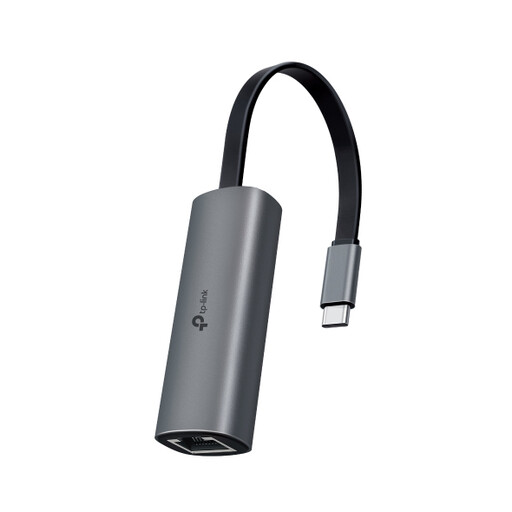
TP-Link UE302C USB-C to 2.5G Ethernet adapter
Suitable for a USB-C laptop and a server network whose relevant components support 2.5 Gbit/s.
USB 3.0 Type-C; RJ45 network connection up to 2.5 Gbit/s. TP-Link specifies Cat5e or higher for peak performance.
Joybuy
Frequently asked questions
Can I connect to the server in the garden office with just a USB Ethernet adapter?
Only if the RJ45 connection is already linked to a working network path to the server. The adapter adds a network port to your laptop, but it won’t create a connection between buildings.
Do I need to replace my Ethernet cable for 2.5 Gbit/s?
Not necessarily. TP-Link specifies Cat5e or higher for peak performance from the UE302C; Plugable also specifies Cat5e or better for its 2.5G model. Check the relevant network ports and the existing cable run too: a faster adapter alone doesn’t guarantee faster file transfers.
What should I check if the wired connection isn’t working?
Check that the USB connection is compatible, your operating system is supported and the RJ45 port is connected to a working network path. TP-Link notes that the UE300C may need a driver for certain older systems; refer to the instructions for your exact model and system.
Do I need to submit a KLIC notification in the Netherlands if I want to bury a cable to the garden office?
A digging notification is required for mechanical digging, even if the work is on your own land. According to the Land Registry, you must submit the notification at least 3 and no more than 20 working days before digging. The Land Registry says this notification isn’t required if you’re digging with a spade; submitting one voluntarily can help prevent damage to underground services. This applies to the digging work, not to buying an adapter.
What are my rights if an adapter I bought online doesn’t work properly?
When you buy as a consumer in the Netherlands, you’re entitled to a product that works as it should, and the seller is your point of contact if you need a solution. A manufacturer’s warranty is separate. According to the Dutch government, you’ll often have a 14-day cooling-off period when buying at a distance; check the terms that apply to your specific purchase.


