What should you look for?
First, check whether your garden office already has a working Ethernet connection and which USB port is available on your laptop. Then decide whether gigabit is enough, or whether a faster local network or charging through the same USB-C connection is also important.
| What to consider |
What to look for when buying |
Who is this important for? |
| Ethernet without a dock |
Check whether your garden office already has a connected Ethernet cable or network socket, and choose an adapter with RJ45. |
If I just want to use an existing network connection and don’t need a dock, I’m looking for a simple adapter that plugs straight in. Around 36% of consumers prioritise the simplicity of going without a dock. |
| USB port and operating system |
Check the USB port type, exact model version, and the manufacturer’s information on system and driver support. |
If I want to be sure the adapter will work with my laptop, I check the connector and operating system before buying. Around 29% of consumers prioritise compatibility. |
| 2.5 Gbit/s or gigabit |
Check the speed of the relevant network equipment and cable. TP-Link recommends Cat5e or higher for the UE302C to achieve peak performance. |
If I transfer files over a faster local network or NAS, I want to know whether the entire network path can handle the higher speed. Around 21% of consumers give higher local speeds top priority. |
| Charging as well as Ethernet |
Check whether the exact model has a USB-C PD port and whether your laptop and charger support the charging function you need. |
If my laptop needs to keep charging via USB-C while Ethernet is connected, I specifically look for PD passthrough. Around 14% of consumers prioritise charging and data at the same time. |
USB Ethernet adapters at Joybuy
These Joybuy products are standalone USB-C to Ethernet adapters for connecting to an existing network, with gigabit and 2.5-gigabit options.
 Image unavailable
TP-Link USB Type-C to RJ45 Gigabit Ethernet adapter
Suitable for a device with a USB-C port and an existing Ethernet connection.
USB-C to RJ45; stated connection speed of up to 1000 Mbps.
View at Joybuy
 Image unavailable
HP USB-C to RJ45 Adapter G2
A USB-C to RJ45 option for a laptop with an existing wired gigabit connection.
The product information lists Windows 10 and Windows 11 as minimum requirements. Do not use the adapter in a damp environment.
View at Joybuy
 Image unavailable
Acer Type C to Giga LAN Dongle
For a USB-C device connecting to an existing wired network.
The product information lists Gigabit Ethernet and plug-and-play use. Do not use the adapter in a damp environment.
View at Joybuy
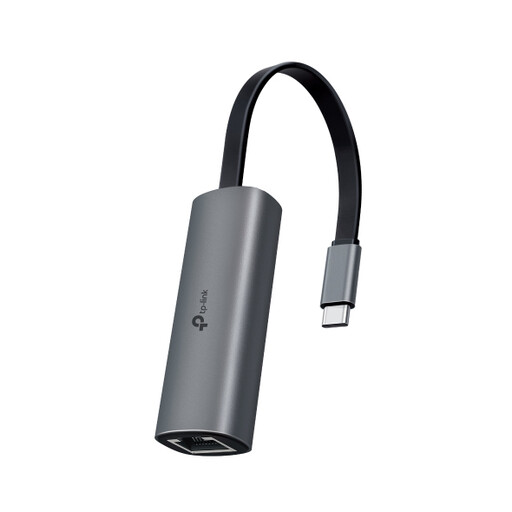 Image unavailable
TP-Link UE302C USB-C 2.5-gigabit adapter
A USB-C option for an existing wired connection, provided your other network equipment also supports the higher speed.
Stated Ethernet speed of up to 2.5 Gbit/s. TP-Link recommends Cat5e or higher for peak performance.
View at Joybuy
Frequently asked questions
Will a USB Ethernet adapter give my garden office an internet connection on its own?
No. An adapter adds a connection for an existing wired network to a compatible device. Check that the Ethernet cable or network socket in your garden office is actually connected to your network.
Do I need to buy new cabling for 2.5 Gbit/s?
Not necessarily. TP-Link recommends Cat5e or higher for the UE302C to achieve peak performance. Also check the cable and the ports on your connected equipment; Sitecom says that the notebook, cables and network equipment must support 2500 Mbps.
What can I do if the adapter doesn’t work straight away?
First, check the port type, Ethernet connection, and support for your system and exact model version. TP-Link says that some systems or versions may require a driver, and provides model-specific downloads.
What are my rights when buying online in the Netherlands?
Online consumer purchases generally come with a 14-day cancellation period after delivery, although exceptions apply. You also have statutory rights if a product is faulty. The Dutch Government states that the Netherlands has no fixed statutory warranty period; the seller must provide an appropriate solution if a product is faulty.
Do I need to submit a digging notification if I want to run a cable to my garden office?
If you plan to dig mechanically, the Dutch Government says you must notify the Kadaster at least 3 working days in advance. This applies to mechanical excavation; connecting an adapter to a cable that’s already there does not in itself involve digging.


