
Home worker with patchy video calls
Wants to replace unreliable Wi-Fi in the garden office and first checks whether there’s a suitable, working Ethernet cable connection available there.


First, make sure you have a working wired connection all the way to your garden office, then choose an adapter that suits your laptop’s USB port and operating system. Gigabit is a sensible choice if you mainly want a stable wired connection; 2.5 Gb/s is only worthwhile if the rest of your network supports that speed too. An adapter won’t fix a problem further along the connection, and an outdoor cable isn’t automatically suitable for every situation.
Wants to replace unreliable Wi-Fi in the garden office and first checks whether there’s a suitable, working Ethernet cable connection available there.
Already has a wired connection at their desk and chooses an adapter based on an available USB-A or USB-C port and compatibility with their operating system.
Is considering 2.5 Gb Ethernet for a specific networking need, or looking for a way to combine charging and a network connection. Check that your other equipment supports the features you want.
First, check that there’s a working wired connection all the way to your garden office. Then choose an adapter to suit your laptop’s port and operating system, and match the network speed or charging function to your equipment.
| What to consider | What should you check? | Who is this important for? |
|---|---|---|
| Wired connection to the garden office | Check that there’s a working RJ45 connection and how the cable route to your workspace has been installed. | If I mainly want to replace unreliable Wi-Fi, I first need a usable cable connection to my workspace. Around 36% of consumers make the cable route and its reliability their top buying priority. |
| USB port and system compatibility | Check that you have a free USB-A or USB-C port and that the exact model and hardware version work with your operating system. | If my laptop doesn’t have a network port, I want an adapter that fits an available connection and supports my system. Around 29% of consumers prioritise port and system compatibility. |
| Network speed you need | Check the speed of the network port at the other end and whether the cable route supports the connection you want. | If I transfer files locally, for example to a NAS, I want to know whether the rest of my network can handle 2.5 Gb/s. Around 21% of consumers prioritise higher network speeds. |
| Charging through the same USB-C port | Check that your laptop, adapter and charger support USB-C Power Delivery, and that the charging power is suitable for your laptop. | If my only suitable USB-C port is also needed for my charger, I want to know whether Ethernet and charging can work through one connection. Around 14% of consumers say simultaneous charging is their top priority. |
A USB Ethernet adapter connects your laptop to an existing RJ45 connection, but it won’t create a connection between your home and garden office.
Before choosing an adapter, check how you’ll get a working cable connection to your workspace.
Installing or adapting the network infrastructure may be a separate job.
A USB specification doesn’t tell you how fast the Ethernet connection is. UGREEN lists a maximum of 5 Gb/s for the USB interface and 10/100/1000 Mb/s for the Ethernet port on the relevant model.
Compare the stated RJ45 speed and the capabilities of your whole network, not just the USB speed.
A cable route outdoors or between buildings raises installation questions that can’t be answered by a USB adapter’s specifications. For outdoor installations, Ubiquiti recommends features including shielded cables and surge protection.
Get advice on which cable and protection are suitable for your route; don’t expect the adapter itself to provide these features.
Offers models for USB-A to Gigabit Ethernet, USB-C to Gigabit Ethernet and USB-C to 2.5 Gb Ethernet.
Offers, among other products, a USB-C 2.5 Gb adapter and a USB-C Gigabit adapter with a charging function.
The US2GC30 is a USB-C option for 2.5 Gb Ethernet.
Offers a USB-C Gigabit adapter as an option for a wired laptop connection.
This selection focuses on USB-C to RJ45 for wired laptop connections, from Gigabit adapters to a 2.5 Gb dock and hubs. Check that your laptop has a suitable USB-C port and that the cable connection in your garden office works.
 Image unavailable
An option if your laptop has USB-C and there’s already a working RJ45 connection in your garden office.
The listed Ethernet port supports 10/100/1000 Mb/s. The product information recommends using it in dry conditions.
 Image unavailable
An option for a Windows laptop with USB-C and a working wired network connection.
The product information lists Windows 10 and Windows 11, and recommends not using the adapter in a damp environment.
 Image unavailable
A USB-C to Gigabit LAN dongle for connecting a laptop to an existing wired network connection.
The product information recommends using it when Wi-Fi is unreliable or unavailable. The adapter itself doesn’t create a connection to your garden office.
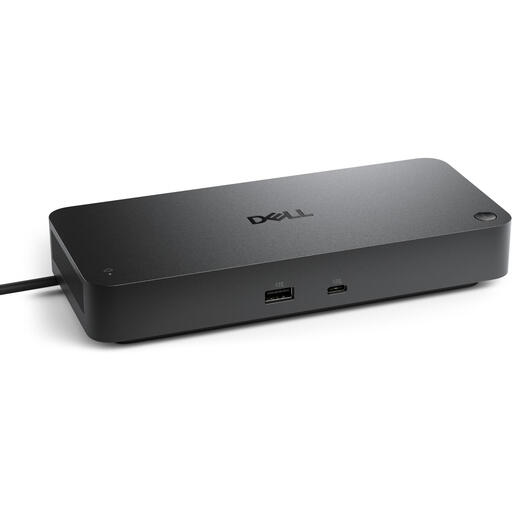 Image unavailable
A dock for connecting a laptop to Ethernet via USB-C, if you’re also looking for a docking station for your workspace.
The stated RJ45 port supports 2.5 Gb/s; your other network equipment must support that speed too. Keep the product away from moisture.
 Image unavailable
A hub for a USB-C workspace that needs multiple connections as well as a wired network connection.
The product information lists Gigabit Ethernet and USB-C Power Delivery up to 100 W. Avoid exposure to water, moisture and extreme temperatures.
No. A USB Ethernet adapter connects a USB port to an existing RJ45 connection; it doesn’t create a connection between your home and garden office. First, find out how you’ll get a working wired connection to your workspace.
It depends on the model, hardware version and operating system. TP-Link generally lists the UE300C as plug-and-play, but also provides downloads for specific systems and versions. Check compatibility with your laptop before relying on the wired connection.
Don’t assume a cable route outdoors or between buildings is the same as an ordinary indoor cable. For outdoor installations, Ubiquiti recommends features including shielded cables and surge protection; get advice on what’s suitable for your route. A USB adapter doesn’t provide this protection itself.
According to the Kadaster, a digging notification is required if you’re going to dig using machinery, even if the work is on your own property. A notification isn’t legally required for digging by hand, but you could still damage cables or pipes. This relates to the method of digging, not the adapter.
According to ACM ConsuWijzer, online purchases generally come with a 14-day cooling-off period starting from delivery, subject to legal exceptions. You’re also covered by statutory guarantees: if a product used normally doesn’t do what you could reasonably expect, contact the seller. Before buying, check who the seller is and which terms apply.