
Checking your lamp’s connection
You want to avoid choosing a charger with a port or output that won’t work with your existing USB desk lamp.


First, check your lamp’s manual for the connection, cable and power supply it requires. The word USB alone doesn’t tell you which output is suitable. If you only need to power the lamp, a suitable standalone charger may be enough. If you want to connect other devices too, check the number of ports, how power is shared when charging several devices at once, and where the charger will sit on your desk.
You want to avoid choosing a charger with a port or output that won’t work with your existing USB desk lamp.
You want to connect your lamp alongside, for example, a phone or laptop, so you’re comparing ports and the power available from each one.
You want connections within easy reach and fewer separate adapters. The charger’s position and the length of its mains cable matter too.
Start with the connection and power supply your lamp requires. The USB Implementers Forum describes USB power, while product specifications from UGREEN, Anker and Sitecom show why you should also check port types and how power is shared when charging several devices.
| What to consider | What should you check? | Who is this important for? |
|---|---|---|
| Connection and power supply | Compare your lamp’s plug, cable and input requirements with the output of the charging port you’ve chosen. | I want to check that the connection and power supply work with my lamp before choosing, so I don’t end up with a port I can’t use. Around 36% of consumers say compatibility is their biggest concern when buying. |
| Charging several devices at once | Count the ports you need and check how power is shared between the devices you plan to use at the same time. | If I want to charge my lamp alongside other devices, I check how much power remains available from each port. Around 29% of consumers say charging several devices at once is their top priority. |
| Position and cable reach | Check the length of the mains cable and whether the charger will fit in the space available on your desk. | I want the connections to be easy to reach without the charger getting in the way on my desk. Around 21% of consumers say position and cable reach are their biggest concerns when buying. |
| Capacity you need | Compare a suitable charger for your lamp alone with a multi-port charger if you need extra connections. | If my lamp is the only device that needs power, I don’t want to pay for ports I won’t use. Around 14% of consumers say avoiding unnecessary capacity is their biggest concern when buying. |
With some multi-port chargers, power is shared differently depending on which ports are in use. A high total wattage doesn’t tell you on its own how much power the port for your lamp will supply.
Check the specifications for the combination of ports you’ll actually use. For example, Sitecom lists different power distributions for different combinations of ports on the CH-1105.
A hub without its own power supply shares the power available from the computer’s port between connected devices. So, extra ports don’t automatically mean your lamp will get enough power.
Check whether the hub has its own power supply and what output the port for your lamp provides.
Your lamp’s connection may be different from the one on your chosen charging port. The word USB doesn’t tell you which plug or output you need.
Check your lamp’s manual and compare its connection and power requirements with the charger before choosing.
The Nexode Desktop GaN Charger 65W is an example of a mains-powered desk charger with several ports.
The 543 Charger (65W II), model A2046, is a four-port charger for use with mains power.
The CH-1105 is a desk charger for anyone who wants to connect devices with higher power requirements as well as a lamp.
The BoostCharge Pro WCH014btWH is a wall charger for anyone who doesn’t need a desk station with a mains cable.
These product options are for anyone who wants to connect a USB desk lamp and possibly other devices on or near their desk. Always check that the port and power supply meet your lamp’s requirements.
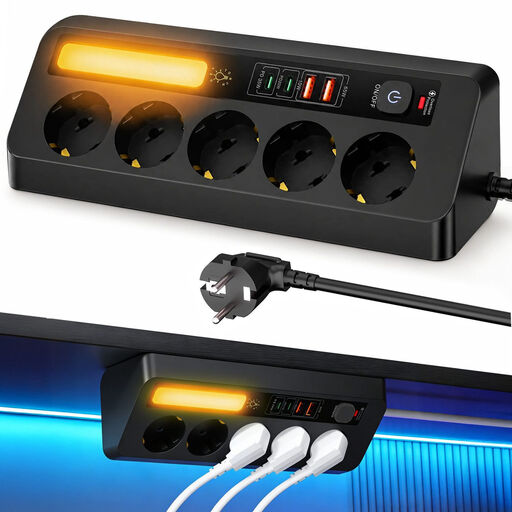 No image available
An option if you want to connect your lamp and other USB devices on one desk. Check which USB port works with your lamp.
Lists PD 35 W and a 2 m cable.
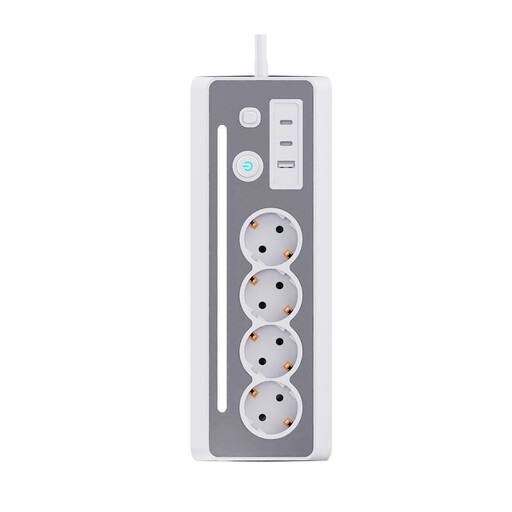 No image available
Suitable for a desk where you want to connect your lamp and other devices. Check your lamp’s connection and the ports you need.
The product name lists three Schuko sockets and three USB charging ports.
 No image available
An option if you want to connect your lamp alongside several USB devices. Check that the available port works with your lamp.
The product name lists USB-A and USB-C ports.
 No image available
Could be a good fit if you want connections within easy reach at the edge of your desk. Check beforehand that the clamp will fit your desk.
The product name lists USB-C and USB-A ports. This model attaches with a clamp.
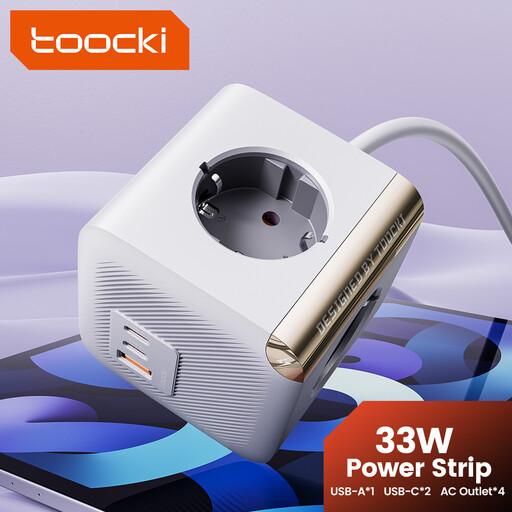 No image available
An option if your lamp is compatible with a USB-C port and you also need mains sockets.
The product name lists four AC sockets, two USB-C ports and PD 33 W.
Not without checking your lamp’s manual first. Compare the connection, cable and input requirements with the output of the port you’ve chosen.
No. A USB hub without its own power supply shares the power from the computer’s port between connected devices. Even with a powered hub, check how much power its port can supply to your lamp.
Leave space around the charger so heat can escape, and don’t use damaged cables or chargers. The fire service also advises against plugging extension leads into one another.
For a typical online consumer purchase, ACM ConsuWijzer says you have a statutory cooling-off period of up to 14 days after delivery. Exceptions may apply, so check the seller’s returns information.