What should you look for when buying?
First check whether your recorder can charge via USB. Then work out how many devices need to connect at the same time, and decide where the power supply and ports should sit on your desk.
| What to consider |
What should you check? |
Who is this important for? |
| USB function and connection |
Check the manual for your exact recorder model to see whether USB charges the battery or only supplies external power. Also check that the cable and port are compatible. |
If I want to charge my recorder’s battery via USB, I first need to know what the USB connection on my model actually does. Around 40% of consumers prioritise recorder compatibility. |
| Using ports at the same time |
Count the USB-A and USB-C cables you need to use at once, and check how power is distributed across the ports in use. |
If colleagues connect a recorder and other devices at the same time, I want enough suitable ports without assuming that the total wattage is available from each port. Around 30% of consumers prioritise connecting devices simultaneously. |
| Position and reach |
Check that the power cable reaches the mains socket and that the ports will remain accessible where you plan to place the unit. A computer-powered hub depends on the connected computer. |
If the mains socket isn’t next to the workspace, I want to be able to reach the connections without needing the computer as a power source. Around 20% of consumers put placement and accessibility first. |
| Safety and aftercare |
For a mains-powered model, check the relevant product information and CE marking. Also check who the seller is and keep your proof of purchase. |
If I buy a mains-powered station, I want to be able to assess the product information and know who to contact if the product is faulty. The NVWA describes CE marking as mandatory for electrical products; ACM ConsuWijzer explains the legal guarantee. Around 10% of consumers put safety and aftercare first. |
Joybuy products for connecting devices on a shared desk
These products offer USB connections for a shared desk. Before buying, check your recorder’s USB function and make sure the ports listed are suitable for your cables. For the specific mains-powered product, check the relevant safety information and CE marking. The marking alone doesn’t confirm compatibility with your recorder.
 No image available
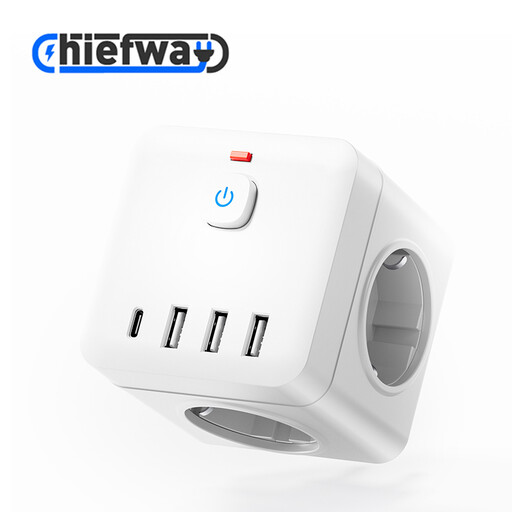
7-in-1 cube power strip with USB-A and USB-C, 4000W MAX, white
May suit a desk where you want a cube-style unit with several mains sockets and USB ports, provided your recorder’s manual confirms that it can charge via USB.
The product name lists an on/off switch, USB-A and Type-C ports, and a maximum of 4000W. The USB power distribution can’t be determined from this information.
View on Joybuy
 No image available
10-in-1 power strip with 4 mains sockets, USB-A and USB-C, 2500W MAX, 3 m
May suit a shared desk where several devices and different USB cables need to be connected, as long as the recorder itself can charge via USB.
The product name lists four mains sockets, three USB-A ports, two Type-C ports, a digital clock and a 3 m cable.
View on Joybuy
 No image available
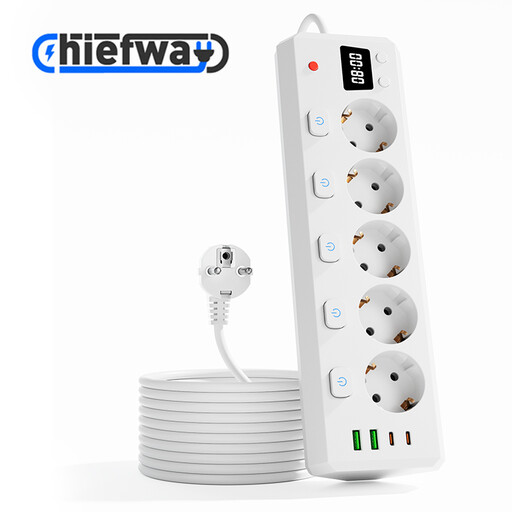
10-in-1 power strip with 5 mains sockets, USB-A and USB-C, 2500W MAX, 3 m
May be suitable if a shared desk needs several mains sockets and USB ports. Check separately whether the recorder charges via USB.
The product name lists five mains sockets with individual switches, two USB-A ports, two Type-C ports, a digital clock and a 3 m cable.
View on Joybuy
 No image available
7-in-1 cube power strip with USB-A and USB-C, 2500W MAX, 1.5 m
May suit a desk where you want a compact cube with several mains sockets, provided the recorder can charge via USB and the cable is long enough.
The product name lists three mains sockets with individual switches, three USB-A ports, one Type-C port and a 1.5 m cable.
View on Joybuy
 No image available
OnePlus 80W SUPERVOOC adapter with two ports, white
May suit you if a compact adapter with USB-A and USB-C is enough and the recorder’s manual confirms that it can charge via USB.
The product name lists an 80 W adapter with Type-A and Type-C ports. Compatibility and the power available from each port must suit the connected devices.
View on Joybuy
Frequently asked questions
Does every device with a USB connection charge its battery?
No, it depends on the device. Sony specifies USB charging for the ICD-UX570; the Zoom H1essential manual describes USB-C as an external power option. Check the manual for your exact recorder model.
Can I use a USB hub instead of a charging station?
Yes, if the power source and shared power output suit your needs. The Belkin F4U090btBLK is powered by the connected USB-C host device, so it isn’t the same as a standalone mains-powered charging station.
How do I decide where to put a charging station on a shared desk?
First, count how many USB-A and USB-C cables you need to use at once, then check that the power cable can reach the mains socket. Belkin lists a 2 m power cable for the P-WCH010; follow the manual for your recorder model when connecting it.
Is CE marking required for a mains-powered charging station sold in the Netherlands?
For the electrical products covered here, the NVWA states that CE marking is mandatory. Check the information for the specific product; CE marking doesn’t confirm that your recorder can charge via USB.
What can I do if a charging station turns out to be faulty during normal use?
For a consumer purchase in the Netherlands, you have a legal guarantee as well as any commercial warranty. ACM ConsuWijzer states that, depending on the circumstances, the seller must repair or replace a faulty product free of charge, or refund the purchase price.


