First, choose a charging station with an output that matches your camping lantern’s cable and charging input. The term ‘USB-rechargeable’ doesn’t tell you whether you need USB-A or USB-C. A compact adapter may be enough for a lantern and a few other devices, while a separate desk charging station can be more convenient if several people want to charge their devices at the same time. For a mains-powered model, also check that it’s suitable for 230 V and carries the required CE marking.
Who is this relevant to?
People with a camping lantern that has an unfamiliar connector
First, check the connector and charging input on the lantern or in its manual. For example, Goal Zero specifies a USB-C input for the Crush Light Chroma. This model specification doesn’t automatically apply to other camping lanterns.
People using a shared desk
If several people want to charge their devices at the same time, both the number of accessible ports and the plugs on their cables matter. The Belkin models described here show how the number and type of ports can vary between charging stations.
People managing a permanent charging area
When choosing a location, consider how easy it is to reach, whether there’s enough clear space around the charger and the condition of the cables. The Fire Service advises placing chargers in the open so heat can escape.
What should you look for when choosing?
First, check the lantern’s connector and charging input. Then count how many devices need to charge at the same time and make sure their cable plugs match the ports. For a mains-powered station, also check that it’s suitable for 230 V and has the required CE marking.
| What to consider |
What should you check? |
Who is this important for? |
| Connector and charging input |
Compare the lantern’s charging port and specified input with the charging station’s output and the cable plug. |
If I want to make sure my lantern is compatible first, I check both the connector and the charging input. Around 36% of consumers put compatibility first. |
| Ports for shared use |
Count the devices charging at the same time and check that the ports match users’ cables. |
If several people need to connect devices at the same time, I want enough accessible ports with the right types of connectors. Around 29% of consumers prioritise shared access. |
| Safe positioning |
For a mains-powered station, check that it has the required CE marking and is suitable for 230 V. Place the charger in the open and don’t use damaged cables. |
If I’m setting up a permanent charging area, I want space around the charger and cables in good condition. Around 21% of consumers focus on safe positioning and use. |
| Room for other devices |
Choose extra ports based on the devices likely to charge at the same time; don’t just look at the highest specified wattage. |
If I might want to charge other devices at the desk in future, I weigh up extra connections against my current needs. Around 14% of consumers prioritise this future flexibility. |
Common buying mistakes
-
Counting the ports and nothing else
A USB-A port won’t connect directly to a cable with only a USB-C plug at the charger end. So, having lots of ports won’t help if the plugs don’t fit.
Check the lantern’s cable and the other users’ cables before choosing a port layout.
-
Assuming the maximum wattage is available per port
The stated maximum doesn’t automatically tell you how much power is available when several devices are connected at once. The lantern’s charging input also matters.
Compare your lantern’s specified input with the charging output and the station’s information about simultaneous use.
-
Covering the charging area to hide the cables
A covered charger may not be able to release heat as effectively. The Fire Service advises placing chargers in the open and not using damaged cables.
Tidy the cables without covering the charger, and replace any damaged ones.
Brands to compare
Belkin
The product ranges described include a compact two-port charger and a USB charging station with multiple ports.
- According to the product specifications, the BoostCharge has one 30 W USB-C port and one 12 W USB-A port, while the RockStar has ten USB-A ports.
- The RockStar ports are USB-A only. These specifications don’t confirm whether a particular model is suitable for your lantern or meets the product requirements you need to check.
Trust
Trust describes the Maxo as a compact charger with two USB-C ports.
- The stated port layout may be suitable if both cables have USB-C plugs at the charger end.
- A lantern cable with a USB-A plug won’t connect directly to a USB-C port. Check the connector on your cable.
4smarts
A Joybuy product page describes the Office charging station as having USB-A and USB-C ports.
- According to the seller’s page, this model has six USB-A ports and one USB-C port.
- The port information alone doesn’t confirm whether the model is suitable for your lantern or meets the applicable product requirements.
Charging stations for a shared desk
These Joybuy products are desk power strips and USB charging stations with multiple connections for a shared desk. For every mains-powered model, check that it’s suitable for 230 V and has the required CE marking; the product specifications below don’t replace these checks.
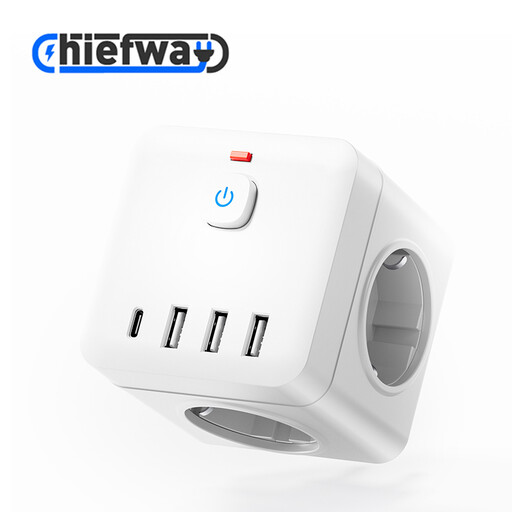 No image available
Desk power strip with 4 USB-C ports and 2 USB-A ports
The mix of USB ports may suit a desk where several devices with different cables need to be connected.
The product title lists four USB-C ports, two USB-A ports and an on/off switch.
View at Joybuy
 No image available
Power strip with 4 AC sockets and 5 USB ports
The combination of sockets and USB ports can be useful if you need both types of connection at your desk.
The description lists three USB-A ports, two Type-C ports, a digital clock and a 3 m cable. It warns against use in damp conditions and connecting power strips together.
View at Joybuy
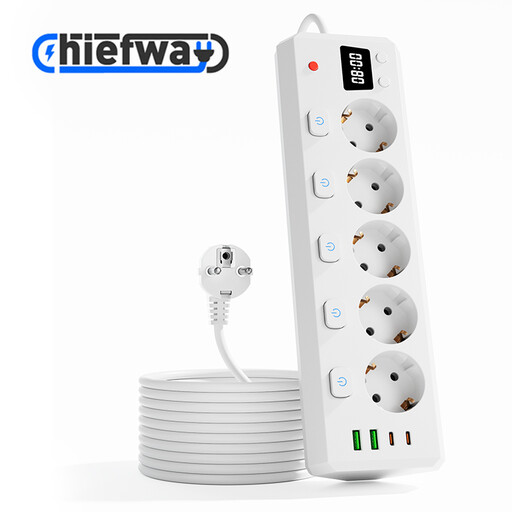 No image available
Power strip with 5 AC sockets and 4 USB ports
This model combines sockets and USB ports for a desk where different devices need to be connected.
The description lists two USB-A ports, two Type-C ports and a 3 m cable. It warns against use in damp conditions, connecting power strips together and exceeding the stated maximum power.
View at Joybuy
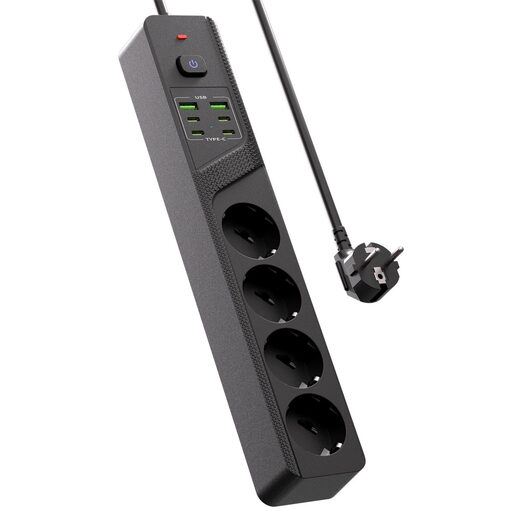 No image available
Desk power strip with 4 Schuko sockets and 6 USB ports
The combination of sockets and USB ports is useful if you want to use different types of connection at the same desk.
The product title lists four USB-C ports, two USB-A ports and an on/off switch.
View at Joybuy
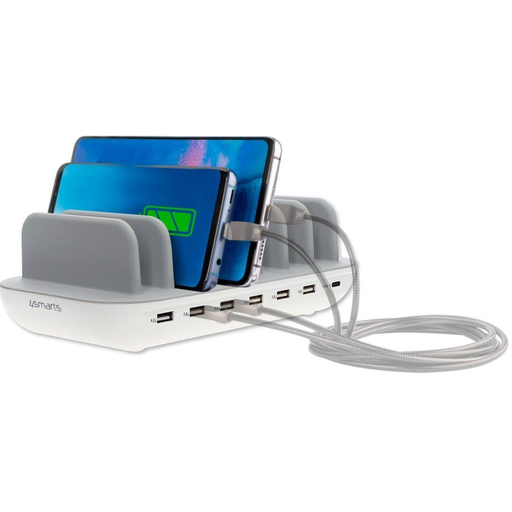 No image available
4smarts Office 60 W charging station
The port mix described may be useful if several people at the desk have USB-A and USB-C cables.
According to the seller’s description, the station has six USB-A ports, one USB-C port and a 1.5 m mains cable. The description says it can charge up to seven devices at once and warns against covering the station while it’s in use.
View at Joybuy
Frequently asked questions
Does a USB camping lantern need to be charged via USB-C?
You can’t tell from the term ‘USB camping lantern’ alone. Check the connector and manual for your model. For example, the USB-C connection mentioned for Goal Zero applies only to the Crush Light Chroma.
Where should I put a charging station on a shared desk?
Put the charger in a dry, uncovered spot where heat can escape. Don’t cover it or use damaged cables. This is safety advice from the Fire Service, not an assessment of a specific model.
Is a higher stated wattage always better for my camping lantern?
No. First, compare your lantern’s permitted charging input with the station’s charging output and information about simultaneous use. The input specified by Goal Zero applies only to the Crush Light Chroma.
Is CE marking required for a mains-powered USB charging station in the Netherlands?
Yes. The Netherlands Food and Consumer Product Safety Authority states that electrical products for which it’s required must carry a CE marking. Check the marking and related product information for the individual model; a product listing alone doesn’t confirm this.
What can I do if the charging station breaks too soon under normal use?
According to ACM ConsuWijzer, you have a statutory guarantee in addition to any manufacturer’s warranty. If the product doesn’t do what you could reasonably expect, the seller must offer an appropriate solution at no cost. The statutory guarantee doesn’t have a fixed number of years for every product.


