
Student with one USB lamp
Wants to check the power requirements of their lamp first and avoid buying a larger charging station unnecessarily. IKEA Netherlands describes the HÖSTULOTA USB lamp as one that works when connected to a USB-C power source.


First, check the lamp’s instructions to see whether it needs power while it’s on or charges a battery, and which USB connection and input it requires. Then choose a charger with only the ports you’ll actually use at the same time. Choose a USB extension lead if you also need standard sockets, and check the placement and product information.
Wants to check the power requirements of their lamp first and avoid buying a larger charging station unnecessarily. IKEA Netherlands describes the HÖSTULOTA USB lamp as one that works when connected to a USB-C power source.
Wants to connect the lamp and, for example, a phone to accessible ports on the desk. UGREEN and Belkin’s specifications show that port types and stated total power vary by model.
Needs sockets for standard mains plugs as well as USB ports. The Hama model reviewed combines USB ports with standard sockets.
Start with your lamp’s power requirements. Then count the USB devices and standard mains plugs you really want to connect at the same time.
| What to consider | What should you check? | Which consumers should pay particular attention? |
|---|---|---|
| Lamp connection and power supply | Check the USB type required and the power specifications for the exact lamp model. | I want to find out first whether my lamp needs power to stay lit or charges a battery. Around 29% of consumers put lamp compatibility first. |
| Several USB devices | Count your devices and check the port configuration and available power when they’re used at the same time. | If I want to connect my lamp and other USB devices at the same time, I look for suitable ports and the right power distribution. Around 23% of consumers prioritise this combination. |
| Standard sockets and reach | Count mains plugs separately from USB plugs, and compare the cable length with the distance to the wall socket. | As well as USB, I need space for standard mains plugs in the same place. This matters most to consumers who prioritise extra sockets: around 18%. |
| Safe use in a small room | Check the product information for the exact model and keep the charger unobstructed; don’t use damaged cables. | I want to be able to position and connect the charger and cables carefully. Around 18% of consumers name safe use as their first consideration. |
| No unnecessary connections | Choose based on your lamp’s input and the devices you actually use, not just the number of ports. | If I mainly want to connect one lamp, I don’t want features my setup doesn’t need. Around 12% of consumers prioritise a simple setup that meets their needs. |
A USB-C connection alone doesn’t tell you whether a lamp has a battery. IKEA Netherlands describes the HÖSTULOTA as a lamp that lights up when connected to a USB-C power source.
Check the exact lamp model and its power instructions before choosing a charging station or power bank.
Stated total power and port configurations vary between desk chargers. A total figure doesn’t tell you how much power each individual port provides.
Check the port configuration for the devices you want to connect at the same time.
A USB desk charger doesn’t automatically include sockets for standard mains plugs. The Hama model reviewed combines these with USB ports.
Count your USB connections and standard mains plugs separately before choosing a model.
In 2024, the Netherlands Food and Consumer Product Safety Authority issued a safety warning about the specific dark grey IKEA ÅSKSTORM 40W USB charger.
Check the full model name, the latest safety information, and the condition of the cable and charger.
The Nexode Desktop GaN charger reviewed is designed for a desk with several USB devices.
The model 00223192 reviewed combines USB connections with standard sockets.
The BoostCharge Pro WCH010 reviewed is a USB desk charger for several devices, potentially including a USB-C laptop.
This Joybuy selection includes extension leads with USB for a desk lamp and any other USB devices, as well as standard sockets on models that also accommodate mains plugs.
 Image unavailable
Suitable for a setup where you want to connect your USB lamp and mains plugs to one extension lead; check which USB type the lamp cable requires.
It has three USB-A ports, one USB-C port and three AC sockets. The product name states a maximum of 2500 W and a 1,5 m cable.
The product information warns against using it with high-power appliances such as heaters, and against connecting extension leads in series.
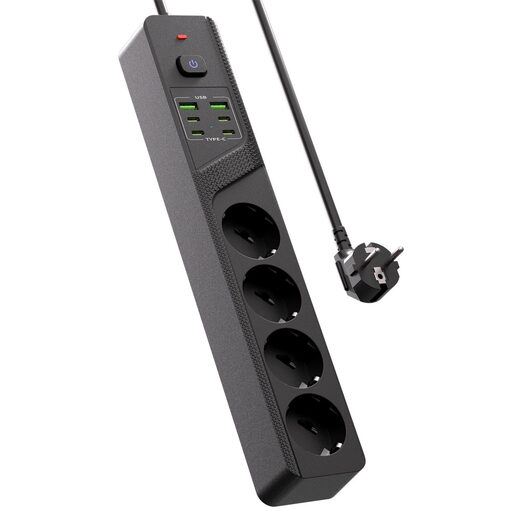 Image unavailable
An option if you want to connect several USB devices as well as standard mains plugs on your desk.
The description lists four USB-C ports, two USB-A ports, four Schuko sockets and an on/off switch. The stated dimensions are 32 × 5,7 × 3,8 cm.
 Image unavailable
Designed for a desk where you want to connect several USB devices as well as your lamp; check the charging configuration for your combination of devices.
The product information lists ten ports, including USB-A and USB-C. Available charging configurations and speeds depend on the port, the connected device and the total power available.
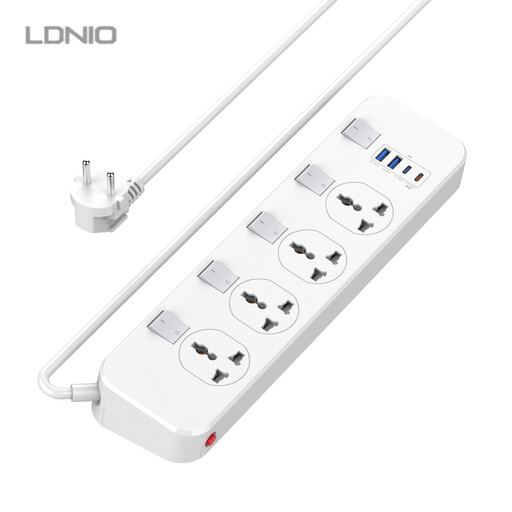 Image unavailable
Worth considering if you want to connect several standard plugs as well as USB devices; check that the stated plug type suits your setup.
The product name lists four universal sockets, two USB-A ports, one USB-C port with 20 W PD (5 V, 3 A) and a 6,5 ft cable. Individual switches and surge protection are also mentioned.
 Image unavailable
A desk-mounted connection point to consider if you want USB ports and standard sockets together on your desk; it attaches with a clamp.
The description lists two 20 W PD USB-C ports, one 18 W USB-A port, three Schuko sockets and a 1,4 m power cable. Check that the clamp fits your desktop.
No. A USB-C connection doesn’t automatically mean that a lamp has a battery. According to IKEA Netherlands, the IKEA HÖSTULOTA works when connected to a USB-C power source. Check your lamp’s instructions to find out whether it has a battery and which input it needs.
Place the charger in an open area where heat can escape, not under bedding, and don’t use damaged cables. The Fire Service gives this as safety advice; it doesn’t replace checking the instructions for the specific product.
The Fire Service advises plugging high-power appliances, such as electric heaters, directly into a socket wherever possible. Also check the maximum load and instructions for the specific extension lead.
According to the Netherlands Food and Consumer Product Safety Authority, CE marking is mandatory for electrical equipment covered by the Commodities Act Decree on Electrical Equipment. The mark alone doesn’t prove that an individual item has been independently tested; also check the information and any warnings for the exact model.
According to ACM ConsuWijzer, online consumer purchases generally come with a 14-day cooling-off period after delivery, subject to legal exceptions. You also have a statutory guarantee if a product doesn’t do what you could reasonably expect during normal use; in that case, the seller must offer an appropriate solution.