Choose a USB charger based on the charging requirements and connector for your exact microphone, transmitter, receiver or charging case. Then count the ports that genuinely need to be used at the same time at the shared desk, and check the power available from each port when they’re all in use. For example, DJI Support recommends 5 V/2 A for the original DJI Mic; this advice doesn’t automatically apply to other models.
Who is this guide for?
Anyone who doesn’t know their microphone model
First, check whether the transmitter, receiver or charging case is powered via USB-C, a USB-A cable or a model-specific cable, and find out which charging advice applies. For example, DJI Support recommends 5 V/2 A for the original DJI Mic; this isn’t a universal requirement for wireless microphones.
Colleagues who want to charge at the same time
If you share a charging point with other devices, check that the ports are suitable and find out how much power remains available from each port when several devices are connected. For example, Belkin and Anker publish details of the ports and power distribution on specific models.
Anyone setting up a shared desk
If you want to keep adapters together while making the charging ports easy to reach, consider a desktop charger if several devices are often charged at once. UGREEN recommends first deciding which devices will be connected simultaneously, then checking how the power is distributed.
What should you look for?
| What to consider |
What should you check? |
Who is this most important for? |
| Connector and charging profile |
Check the connector, cable and recommended power specification against the manual for your exact microphone model and the component you want to charge. |
If I want to charge an unfamiliar microphone or case, I first check that the cable and charging profile are suitable. Around 33% of consumers put compatibility first. |
| Simultaneous charging and port allocation |
Count the devices that really need to charge at the same time, then check the power available for that exact combination of USB-A and USB-C ports. |
If I want to connect my microphone alongside another device, I check both the available ports and how their power is shared when they’re used at the same time. Around 27% of consumers say this is their top buying priority. |
| Accessibility and desk space |
Check where the mains socket is, where the charger will sit and whether the cables will reach across the shared workspace. |
If I want a central, accessible charging point for colleagues, I consider where the charger will go and which cables are needed. Around 20% of consumers say desk layout is their main consideration. |
| Compliance and support if something goes wrong |
Check the CE marking and product specifications for the specific electrical product. The Netherlands Food and Consumer Product Safety Authority states that CE marking is mandatory for electrical products, including chargers. |
If clear product information and a seller I can contact are important to me, I also check compliance and after-sales support. The Netherlands Authority for Consumers and Markets points out that the seller is responsible for the statutory guarantee if a product is faulty. Around 20% of consumers put compliance and after-sales support first. |
Common buying mistakes
-
Assuming the maximum wattage is available from every port
The power output can change when you use several ports at once. For the Anker 543 Charger (65W II), model A2046, Anker specifies a maximum of 45 W from USB-C1 when that port is used on its own, and 30 W when USB-C2 is also in use.
Compare the figures for the exact ports you plan to use at the same time at your desk.
-
Assuming a USB-C connector means the charging profile is suitable
The connector alone doesn’t tell you which charging advice applies to your microphone or the different parts of your set. For example, DJI specifies 5 V/2 A for the original DJI Mic.
Follow the manual for your exact model and check that the cable is suitable for the microphone, receiver or case.
-
Choosing a desktop charger when you only charge one device
A desktop charger can bring several ports together in one place, but it also takes up desk space and needs a mains cable.
Count the devices you’ll actually charge at the same time before choosing a multi-port model.
Brands to compare
Anker
The Anker 543 Charger (65W II), model A2046, is a desktop charger for a desk where several devices are connected.
- Anker specifies two USB-C and two USB-A ports, with up to 65 W in total. When both USB-C ports are used together, Anker lists 30 W plus 20 W.
- Power distribution depends on which ports are used at the same time. The specifications don’t confirm that every wireless microphone will charge according to its own requirements.
Belkin
The BoostCharge WCB009vfWH is a two-port wall charger for a set-up with USB-C and USB-A cables.
- Belkin specifies up to 30 W via USB-C and 12 W via USB-A.
- This is a wall charger, not a desktop unit. Charging times quoted by Belkin for phones don’t automatically apply to a microphone.
UGREEN
The Nexode 35W, product reference 15539, is a compact wall charger with USB-C and USB-A.
- UGREEN Netherlands specifies up to 35 W via USB-C and up to 22,5 W via USB-A for the outputs listed individually.
- Don’t assume these individual maximums are available when both ports are in use. Check the figures for simultaneous charging instead.
USB charging options at Joybuy
This selection includes USB mains adapters and extension leads with USB ports for a shared charging point. Always check the connector and charging advice required by your microphone; for a mains-powered electrical product, also check the CE marking.
 No image available
10-in-1 extension lead, 4 sockets, 3 USB-A and 2 Type-C
An option for connecting several USB devices at a shared desk; check that the ports and cables are suitable for your microphone.
The product information lists a 3 m cable. Don’t connect extension leads in a chain, and keep the product away from moisture.
Joybuy
 No image available
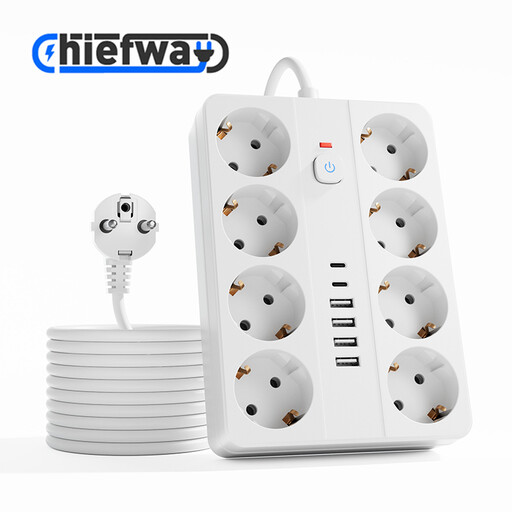
14-in-1 extension lead, 8 sockets, 4 USB-A and 2 Type-C
The multiple USB ports may be useful if several devices need to be connected to the shared charging point at once; microphone compatibility depends on its charging requirements and cable.
The product information lists a 3 m cable. Don’t connect extension leads in a chain, and keep the product away from moisture.
Joybuy
 No image available
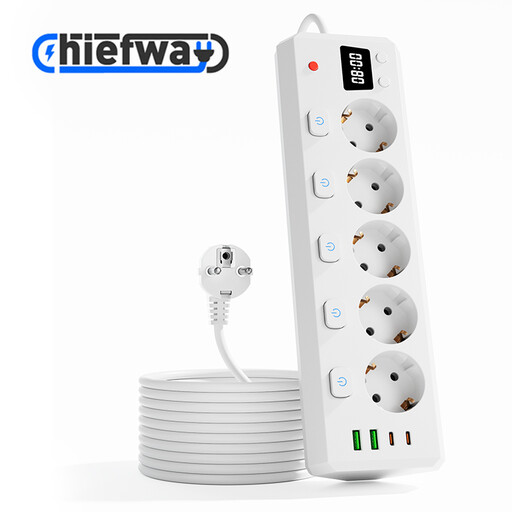
10-in-1 extension lead, 5 sockets, 2 USB-A and 2 Type-C
A charging point for several devices, with individual switches for the sockets. Before charging your microphone, check that the USB ports and cable meet its model requirements.
The product information lists a 3 m cable. Don’t connect extension leads in a chain, and keep the product away from moisture.
Joybuy
 No image available
7-in-1 cube-shaped extension lead, 3 USB-A and 1 USB-C
The cube shape may suit a compact charging point; check that the number of USB ports and the cable work for the devices you’ll charge at the same time.
The product information lists dimensions of 7,5 × 7,5 × 7,5 cm and a 1,5 m cable. Don’t connect extension leads in a chain, and keep the product away from moisture.
Joybuy
 No image available
OnePlus 80W Dual Ports SUPERVOOC Adapter, Type-A and Type-C
The adapter has USB-A and USB-C outputs and, according to the product information, is designed to charge up to two devices at once. Check your microphone’s charging advice and how power is distributed for your combination of devices.
The product information lists an output of 80 W; this alone doesn’t confirm that a specific microphone will charge faster.
Joybuy
Frequently asked questions
Can I use a charger with a higher maximum wattage?
Don’t choose a charger based only on its maximum wattage. Compare the recommended power specification and cable with the charger’s output. For example, DJI recommends 5 V/2 A for the original DJI Mic; this isn’t a general rule for other models or brands.
Do I need to connect the transmitter, receiver and charging case separately?
It depends on your microphone set. The RØDE Wireless ME manual shows USB-C connectors on the transmitter and receiver, while DJI also describes charging the original DJI Mic via a charging case. Follow the charging procedure for your exact set before deciding how many ports you need.
Is CE marking mandatory for a USB mains charger in the Netherlands?
Yes. The Netherlands Food and Consumer Product Safety Authority states that CE marking is mandatory for electrical products and lists chargers as electrical appliances. The marking doesn’t confirm that a particular microphone can charge using your chosen port and cable.
What if I’m unhappy with a charger bought online or it breaks too soon?
When you buy online as a consumer, you’ll often have a statutory 14-day cooling-off period after delivery, with some exceptions. If a product is faulty, the seller is responsible for the statutory guarantee; the Netherlands Authority for Consumers and Markets makes clear that any manufacturer’s warranty doesn’t replace this legal responsibility.


