
Users with different headphone cases
If you’re looking for a cable for your case, check whether it uses Lightning or USB-C. Apple Support describes both connector types, depending on the model.


First, check which connector your headphones or charging case uses, then choose a cable with the right connector at both ends. A USB-C port on the charger doesn’t mean the case also has USB-C. One port is enough if you’re only charging your headphones, while two compatible ports are handy if you need to charge a second device from the same socket at the same time. If you’re charging two devices, check the power output per port and make sure the mains charger has the required CE marking.
If you’re looking for a cable for your case, check whether it uses Lightning or USB-C. Apple Support describes both connector types, depending on the model.
If you want to charge your headphones and another device at the same time, check the number of ports, their connector types and how the power is distributed. Belkin and Anker provide model-specific information about their dual-port chargers.
When choosing a mains charger, check the required product marking and be aware of potential electrical safety risks. The Netherlands Food and Consumer Product Safety Authority lists fires and electric shocks as possible consequences of unsafe electrical equipment.
Start by checking the connectors on the case and cable. Then decide whether you’ll be charging one device or connecting two devices to the same socket at once.
| What to consider | What to look for | Who is this important for? |
|---|---|---|
| Connector and cable | Check the connector on the case and the type of plug at the charger end. | If you want to check that your headphones or case will connect to the cable, checking first helps you avoid a mismatch; around 33% of consumers say connector and cable compatibility is their main concern when buying. |
| Charging two devices at once | Check the number and type of ports, as well as the stated power output per port when used simultaneously. | If you want to charge your headphones and a second device from one socket at the same time, look for two suitable ports and check how the power is shared; around 27% of consumers say simultaneous charging is their top priority. |
| Mains charger safety | Check the CE marking on the charger being offered and look for any model-specific information. | If you use electrical equipment in a shared workspace, check the relevant marking and product information; around 27% of consumers put safety first. |
| Simplicity and included cable | Check how many ports you’ll actually use and whether the pack includes a suitable cable. | If you want a simple set-up without unused ports or a missing cable, check what you need in advance; around 13% of consumers say simplicity and a complete charging set-up are their main concerns when buying. |
Charging case connectors vary by model; Apple describes cases with both Lightning and USB-C.
Check the port on your case and both ends of the cable before choosing a charger.
If the connectors don’t match, you may need to buy a suitable cable separately.
For the Anker 323 A2331, the stated USB-C output when used at the same time as another port differs from the maximum output when that port is used on its own.
Check the power distribution for the combination of ports you actually intend to use.
Qi wireless charging depends on the specific case. Sony warns that, with the WF-1000XM4, incorrect placement can slow or stop charging.
Check whether your exact case model supports Qi and follow the placement instructions.
A Qi mat is a separate accessory and won’t work with every case.
The BoostCharge WCB006vfWH is worth considering if you want to connect two USB-C cables at the same time.
The Anker 323 Charger A2331 has a USB-C port and a USB-A port, so you can use cables with different plugs at the charger end.
The Nexode 30W is a USB-C mains charger to consider if you’re looking for a model without a second port.
The EP-T2510NBEGEU is a single-port USB-C option if you want to connect one device at a time.
This selection includes single- and multi-port USB-C mains chargers, chargers with USB-C and USB-A, and a desk-mounted power unit with USB charging ports.
 No image available
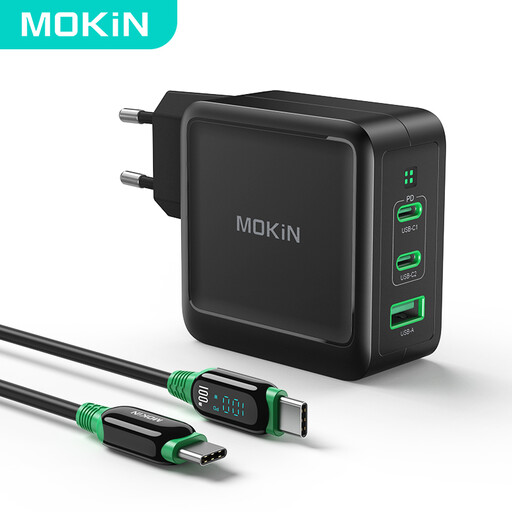
Suited to a set-up where you want to connect two USB-C devices at the same time.
The description states a maximum of 45 W via USB-C1 and 18 W via USB-C2 when charging simultaneously, plus a 1.5 m cable included.
 No image available
Could suit a desk where devices with USB-C and USB-A cables need to be connected at the same time.
The description lists two USB-C ports, one USB-A port and the ability to charge multiple devices simultaneously.
 No image available
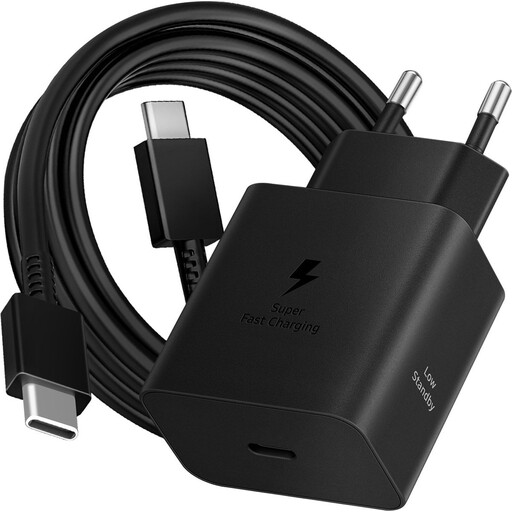
Suited to anyone connecting one USB-C device at a time who wants a cable included with the charger.
The description lists one USB-C port and a 1.8 m cable included.
 No image available
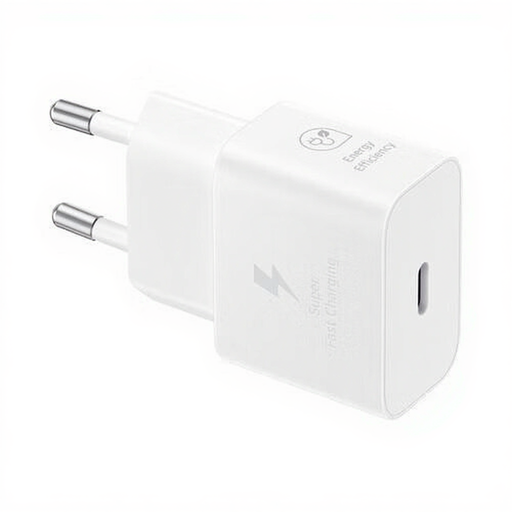
Suited to anyone who wants to charge one USB-C device at a time, with a cable included with the charger.
The description lists one USB-C port and a 1 m USB-C cable included.
 No image available
Suited to anyone who wants to add charging ports and extra sockets to their desk set-up; this is a desk unit, not a separate wall charger.
The description lists two 20 W USB-C ports, one 18 W USB-A port, three Schuko sockets, a clamp mount and a 1.4 m mains cable.
No. Check the connector on your headphones or charging case, as well as the charger’s output. Apple Support describes cases with both Lightning and USB-C; for the Sony WF-1000XM4, Sony recommends using the USB-C cable supplied.
Check that the cable is connected properly at both ends and is suitable for your model. Sony warns that using a cable other than the one supplied may cause problems with the WF-1000XM4. With wireless charging, placing the case incorrectly can slow or stop charging. These instructions apply to that model.
No. According to the Dutch government, the Netherlands has no fixed statutory warranty period. If a product is faulty, the retailer is your point of contact; any manufacturer’s warranty is in addition to your statutory rights.
CE marking is mandatory for electrical products. The Netherlands Food and Consumer Product Safety Authority also states that most consumer products don’t require a separate compulsory inspection, so a CE mark isn’t proof of an independent test.
No. The Dutch regulation concerns the connectors on new devices placed on the market from 28 December 2024. Apple Support also documents older cases with a Lightning port; the rule doesn’t make your existing case physically compatible with USB-C.