
Trimmer owners who still need to check the charging requirements
First, check which cable, USB port and power supply are approved for your model. Philips refers users to its product documentation for safe charging.


First, check your trimmer’s model number and charging instructions: a plug that fits doesn’t prove that the adaptor is suitable. Then choose a single port if you’re only charging your trimmer, or extra ports if you also want to connect another device. For example, a Philips OneBlade manual we consulted specifies the HQ87; keep the charging area and cables dry.
First, check which cable, USB port and power supply are approved for your model. Philips refers users to its product documentation for safe charging.
If you want to charge your trimmer and possibly a second device at the same time, check whether the adaptor has the right USB ports. Hama says its USB-A and USB-C ports can be used simultaneously.
Choose a suitable mains adaptor, and keep the adaptor and cable dry and undamaged. The Netherlands Food and Consumer Product Safety Authority warns that unsafe electrical equipment can cause a fire or electric shock.
| Buying concern | What to look for | Who is this important to? |
|---|---|---|
| Compatibility with your trimmer | Look up the exact model and compare the specified adaptor, the plug on your cable and the port’s output. | If I want to avoid relying on a plug that simply fits, I check the instructions for my trimmer. Around 36% of consumers put compatibility first. |
| Safe charging | Check that a mains adaptor sold in the Netherlands bears the CE marking, and don’t use a damaged cable or adaptor. Keep the charging area dry. | If you use the adaptor at a desk, you’ll want to know that it’s suitable and undamaged, and keep the charging area dry. Around 29% of consumers are most concerned about safe charging. |
| Sharing ports | Check how many USB-A and USB-C ports you need and how their outputs work when used at the same time. | If I want to charge another device as well as my trimmer from the same socket, I check that the ports are suitable and can be used together. Around 21% of consumers give this top priority. |
| Avoiding unnecessary purchases | First check your existing adaptor and cable; then see which parts are included with the new charger. | If you don’t want to buy more than you need, first check whether your existing adaptor is suitable according to the manual. Around 14% of consumers make this their priority. |
A Philips OneBlade manual we consulted specifies the HQ87. So, a cable that physically connects doesn’t, by itself, confirm that the adaptor is approved for your model.
Follow the charging instructions for your exact trimmer model and check which power supply and port they specify.
A cable with a USB-A plug won’t connect directly to an adaptor with USB-C ports only.
Before buying, check the plug at the power-supply end of your existing trimmer cable and compare it with the adaptor’s ports.
The wrong connection could mean you still need to buy a suitable cable or a different charger.
An adaptor’s wattage doesn’t, by itself, indicate how long your trimmer will take to charge. Philips says charging and operating times vary between OneBlade models.
Check the required output against your trimmer’s manual, and don’t base your choice on a higher wattage alone.
For Philips grooming devices, start with the charging instructions for your specific model.
According to Hama, model 00201991 has one USB-A port and one USB-C port, for those looking for two suitable connections from a single socket.
The Nexode range includes adaptors with several USB-C ports and a USB-A port, for workspaces with different devices.
The Dutch version, EP-T2510NBEGEU, is a USB-C mains adaptor.
These adaptors have one or more USB ports for a trimmer cable and, if needed, a second device. Before use, check that the connection and output match your trimmer’s manual; the product name alone doesn’t confirm compatibility.
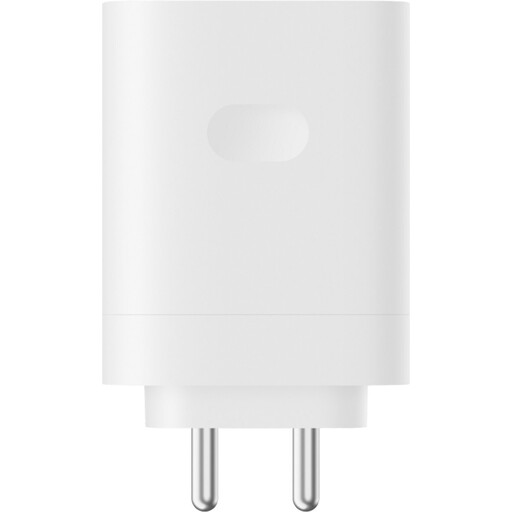 No image available
For anyone looking for an adaptor with one Type-A port; check whether your trimmer’s manual allows this charging method.
The product name specifies 120 W and a Type-A port.
 No image available
For anyone who wants to connect a second device as well as their trimmer, provided both charging methods meet the requirements in the manuals.
The product name specifies 80 W and Type A + Type C.
 No image available
For anyone considering a USB-C adaptor; check that the connection matches your trimmer cable and its approved charging method.
The product name specifies Dual USB-C, 65W and GaN.
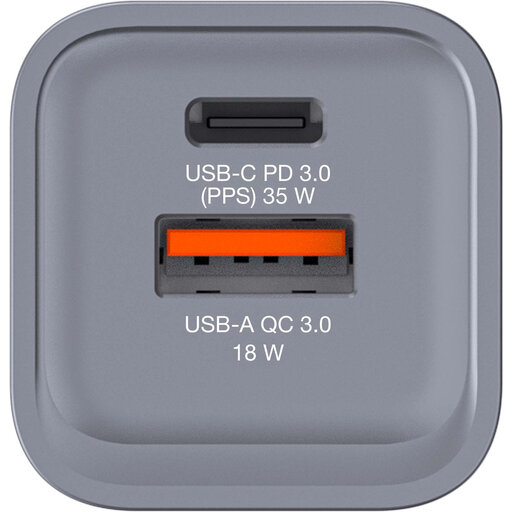 No image available
For anyone who needs a USB-A port as well as USB-C; check that the output is suitable for your exact trimmer model.
The product name specifies 34 W, one USB-C PD port and one USB-A QC 3.0 port.
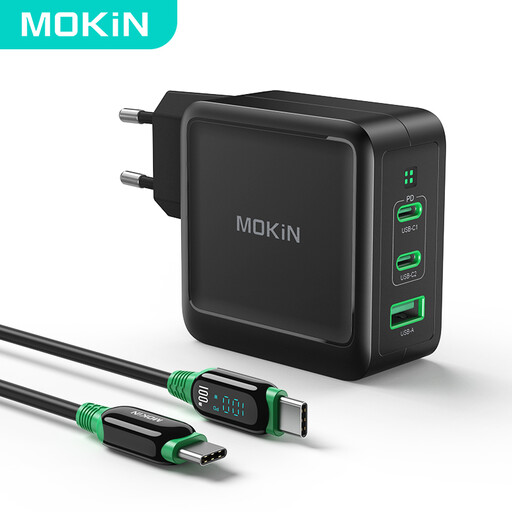 No image available
For anyone who wants to connect several devices; compare the port you plan to use with your trimmer’s charging instructions.
The product name specifies 100 W, GaN and 2C1A.
No. A plug that fits isn’t enough to establish compatibility. Compare the manual for your exact trimmer model with the cable and the port’s output. For example, a Philips OneBlade manual we consulted specifies the HQ87; follow the instructions for your version.
No. An adaptor’s maximum output doesn’t, by itself, predict how long a trimmer will take to charge. Philips says charging and operating times vary between OneBlade models. Check the required output and the information for your trimmer.
Yes. The Netherlands Food and Consumer Product Safety Authority says that mains adaptors sold in the Dutch market must carry the required CE marking. This marking doesn’t mean that every individual product has been independently tested.
When you buy from a business, you’re entitled to a product that is fit for purpose; according to the Dutch government, there is no fixed statutory warranty period in the Netherlands. For distance purchases, you generally have 14 days to change your mind. Check the terms that apply to your purchase.
Follow your trimmer’s manual. For the OneBlade instructions mentioned above, Philips says to unplug the adaptor before cleaning with water and to keep the USB cable and power adaptor dry. For another brand, consult its own manual.