
A dedicated charging spot on the kitchen counter
You want to charge a tablet in a fixed spot without exposing the adapter or cable to moisture or trapping heat. The Netherlands Fire Service identifies moisture as a risk for chargers and batteries.


First, choose a charger, cable and charging stand that are compatible with your exact tablet model. Then decide whether one port is enough or if you want to charge several devices at once. A higher wattage doesn’t guarantee faster charging for every tablet: for the fast-charging feature described for iPad Pro (M5), for example, Apple specifies a suitable USB-C cable and an adapter of at least 60 W. Keep the charging area dry and allow the adapter and tablet to dissipate heat.
You want to charge a tablet in a fixed spot without exposing the adapter or cable to moisture or trapping heat. The Netherlands Fire Service identifies moisture as a risk for chargers and batteries.
You want to know which adapter and cable are right for your tablet. Apple Support explains that the required adapter rating and cable type depend on the iPad model.
You may want to connect a second device as well as your tablet. In that case, the power available from each port matters more than the total wattage alone.
First check your tablet’s connector, cable and required charging standard. Then choose the number of ports and make sure the charging spot is dry and allows heat to escape.
The points below will help you weigh up the most important factors when choosing a USB charger for a tablet on the kitchen counter.
| What to consider | What should you check? | Who is this most important for? |
|---|---|---|
| Safe location | Choose a dry spot away from water and heat sources. Check that the cable and adapter are undamaged and can dissipate heat. | If I want to charge my tablet on the kitchen counter, I want to avoid spills and overheating. Around 36% of consumers prioritise finding a suitable, safe spot. |
| Tablet compatibility | Find your exact tablet model and check the connector, cable and requirements for the charging speed you want. | I want the adapter and cable to be right for my tablet, rather than choosing based on a high wattage alone. Around 29% of consumers prioritise compatibility and a suitable charging speed. |
| Charging two devices at once | Check the power available from each port when several devices are connected. | If I want to charge another device as well as my tablet, I want to know how much power each port gets. Around 21% of consumers prioritise charging multiple devices at once. |
| Cable and positioning | Check whether a cable is included, which type your tablet needs and whether the cable will reach your chosen spot. | I want to be able to place my tablet somewhere suitable without using the wrong cable or finding one is missing. Around 14% of consumers make the cable and practical positioning their top priority. |
According to Apple Support, the cable type required for iPad models depends on the model. The Netherlands Food and Consumer Product Safety Authority says that electrical equipment covered by the relevant Commodities Act Decree must carry a CE mark. Check the mark and the identity of the specific model.
For the Belkin models mentioned, the power available differs by port and when two devices are connected at once.
Check the power distribution for the exact combination you plan to use.
Apple Support says that the required cable type depends on the iPad model. With Samsung, the cable included may vary by version.
Check your tablet model, connector and what’s included in the box before ordering.
A similar brand and wattage don’t prove that model numbers or versions are identical.
Compare the full model number and relevant version before treating an adapter as the same product.
Apple adapters are a useful point of comparison for iPads. The adapter and cable you need depend on your iPad model.
Samsung’s 25W Power Adapter is an example of a single-port USB-C charger with requirements for Super Fast Charging.
The BoostCharge range includes a single USB-C port model and versions with two ports.
The Nexode 30W USB-C adapter is an example of a compact, single-port charger.
This selection includes chargers for one tablet and multi-port models for shared use. Before buying, check that the connector, cable and charging requirements are right for your tablet, and that the specific mains adapter carries the applicable CE mark.
 No image available
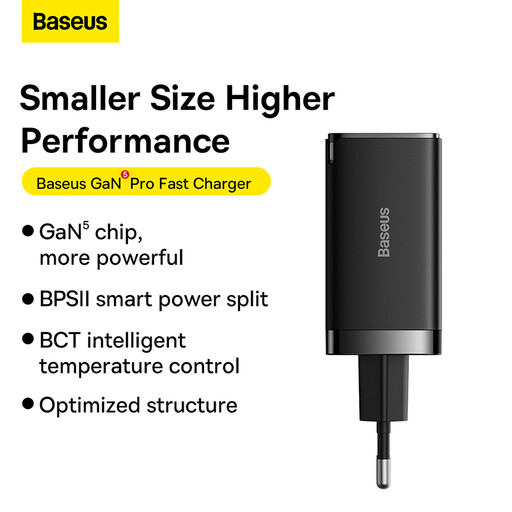
With two USB-C ports and an included 1.5 m USB-C cable, this model could suit a shared charging spot.
When charging devices at the same time, the product description states that it provides up to 45 W via USB-C1 and 18 W via USB-C2. Keep the charger dry and ensure adequate ventilation.
 No image available
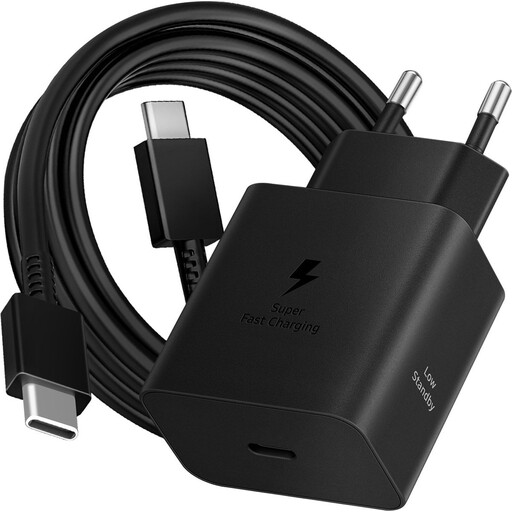
The product description lists three charging ports and an included 1 m USB-C cable, making it an option if you want to connect several devices as well as a tablet.
Power is shared when several devices are connected: the description lists 45 W + 20 W when using two USB-C ports, and 45 W + 15 W when using USB-C alongside two other ports. Keep the charger dry and ensure good ventilation.
 No image available
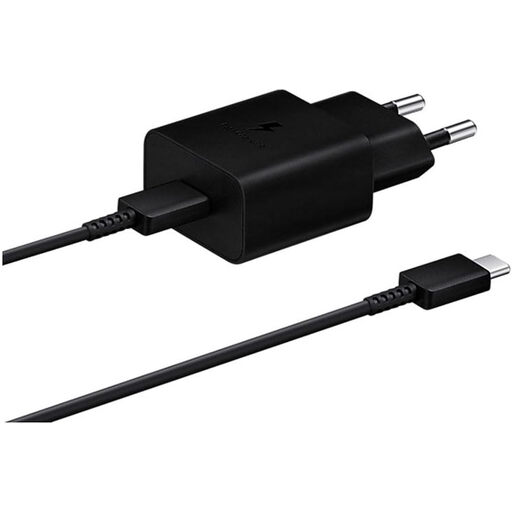
This model has a single USB-C output and may suit a tablet with matching connection and charging requirements.
The product information lists an included 1.8 m USB-C cable. Keep the adapter away from water and extreme temperatures.
 No image available
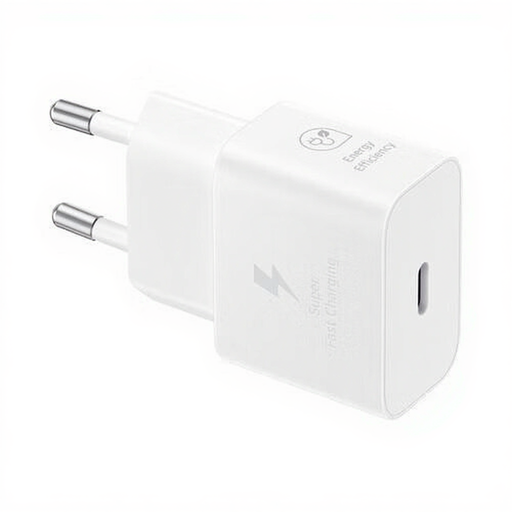
A USB-C output model for a tablet whose connection and charging requirements are compatible with this adapter.
The product name lists an included 1 m cable. Keep the adapter away from moisture and high temperatures.
 No image available
The product information lists a USB-C output. Check that it and the charging requirements are compatible with your tablet.
The product name lists an included 1 m cable. Keep the adapter away from moisture and high temperatures.
No, that doesn’t automatically apply to a tablet you already own. According to the European Commission, EU rules for the tablets covered have applied to new products sold since 28 December 2024. Check your tablet’s connection and the type of cable it needs.
Choose a dry spot away from spills, don’t use a damaged cable or adapter, and make sure the equipment can dissipate heat. Twente Fire Service recommends using a hard surface and, ideally, charging during the day. Keep an eye on the tablet and charger while they’re in use.
No, wattage alone doesn’t guarantee a particular charging speed. Check your tablet’s requirements, the cable and the port you’re using. For the fast-charging feature described for iPad Pro (M5), Apple specifies at least 60 W with a suitable USB-C cable, while a multi-port adapter may share its power between devices.
According to ConsuWijzer, the seller is responsible for the legal guarantee if a product doesn’t do what you could reasonably expect under normal use. Online purchases also usually come with a 14-day cooling-off period from the date of delivery, subject to applicable exceptions.
The Netherlands Food and Consumer Product Safety Authority says that electrical equipment covered by the relevant Commodities Act Decree must carry a CE mark. Check the mark and the identity of the specific adapter: a declaration for a different version doesn’t automatically confirm that it applies to your model.