
Fan owners with an existing cable
You want to check first that the adapter port matches your fan’s cable and specified charging input. Charging requirements vary by fan model, so check your device’s manual.


Start by checking your fan’s connector, cable and specified charging input. Then choose an adapter with the right USB port and output. One port keeps things simple, while two can be useful if you’re sharing the same socket with another device. A higher maximum wattage doesn’t guarantee that your fan will charge faster.
You want to check first that the adapter port matches your fan’s cable and specified charging input. Charging requirements vary by fan model, so check your device’s manual.
You want to plug your fan and possibly a second device into the same socket. The number and combination of USB-A and USB-C ports determine which cables you can connect.
You take your adapter with you and want a compact setup. First, make sure the port and cable match your fan’s charging input.
The points below are for consumers looking for a USB mains adapter for an existing rechargeable fan at a shared desk.
Suitable for: a fan cable with USB-A at the adapter end; two USB-A ports can be useful when sharing a socket.
Bear in mind: a USB-C-to-USB-C cable won’t connect directly.
Suitable for: a desk where cables with different USB connectors are used.
Bear in mind: check the output for the combination of ports you want to use at the same time.
Suitable for: a fan that is confirmed to charge with your USB-C cable and the adapter’s output, if you don’t need a second port.
Bear in mind: a USB-A cable won’t fit directly, so you may need a separate cable.
| What to consider | What should you check? | Who is this important for? |
|---|---|---|
| Fan compatibility | Compare the charging instructions and input specification with both ends of the cable and the adapter’s output. | If I want to charge my fan with the cable I already have, I’ll first check that the connectors and output are compatible. Around 36% of consumers prioritise compatibility. |
| Sharing a socket | Check the number and type of ports, and the output when using them simultaneously. | If I want to connect another device as well as my fan, I’ll look for a combination of ports that suits both cables. Around 29% of consumers prioritise sharing one socket. |
| Electrical safety | Check the CE marking, manufacturer and model information, and any relevant warnings for the exact version. | When choosing a mains adapter, I want to be able to check the marking and traceable model details. Around 21% of consumers prioritise adapter safety. |
| Compact setup | Compare the dimensions, ports and box contents, including whether the cable you need is included. | If I often move between desks, I want an adapter that works with my cable and takes up little space. Around 14% of consumers make compactness their top priority. |
Your fan’s charging input determines which adapter output is suitable. An adapter’s maximum power isn’t automatically the same as the fan’s charging power.
Before choosing, check the manual, both ends of the cable and the output specification for each port.
The stated total power doesn’t tell you how much power each port provides when both are in use.
Check the specification for the combination of ports you need, and choose two ports only if they suit your desk setup.
According to the Netherlands Food and Consumer Product Safety Authority, CE marking is mandatory for relevant electrical products, but a marking doesn’t prove that an individual item is safe. The NVWA has issued a specific warning about the recalled IKEA ÅSKSTORM 40W USB charger, model ICPSW5-40-1; this warning does not apply to all USB chargers.
Check the marking and exact model details, and look for warnings that apply to that model.
The WCB002 is an option if you want to plug two USB-A cables into one socket.
The 00201991 combines USB-A and USB-C for a desk where different cables are used.
Anker’s European product range includes both a single-port USB-C option and a version with USB-A and USB-C.
Joybuy product options for this topic. For each model, check that the port and output match your fan’s charging input and cable; the wattage alone doesn’t confirm compatibility.
 No image available
May suit a desk where USB-A and USB-C cables are used; check that the output is suitable for your fan.
The product name lists 80 W and Type A and Type C connections.
 No image available
May suit you if your fan cable uses USB-C and you need a second USB-C port; check your fan’s charging specification.
The product name lists up to 65 W, two USB-C ports and GaN.
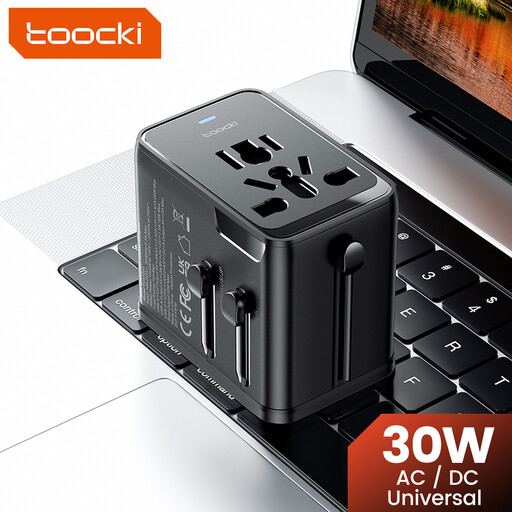 No image available
Could be worth considering if you want to connect several devices; check that the ports and output match your fan’s charging instructions.
The product name lists 30 W PD, one USB-A port and two USB-C ports.
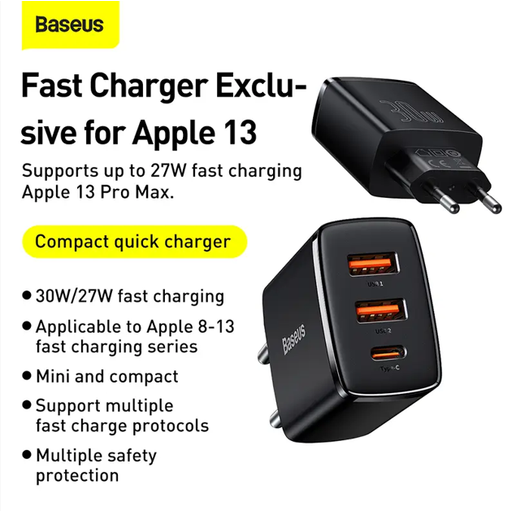 No image available
Check that this adapter’s connector and output match your fan’s cable and charging instructions.
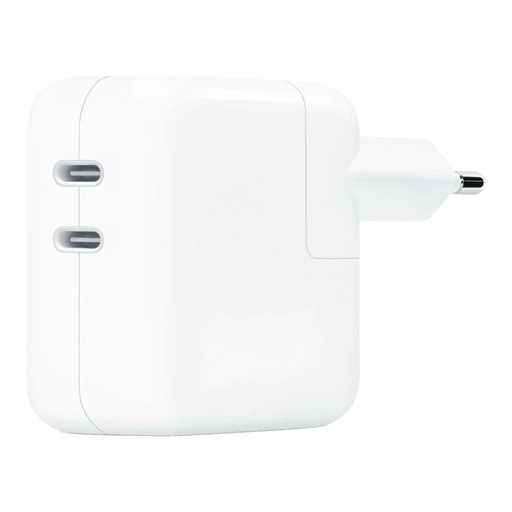 No image available
May suit you if your fan cable uses USB-C and you also want to connect a second USB-C device; check the output for your fan.
The product name lists 35 W and two USB-C ports.
No, the connector shape alone isn’t enough. Compare your fan’s specified charging input and cable with the adapter’s output; a maximum fast-charging rating doesn’t automatically tell you how much power the fan will use.
Use a port that matches your fan’s cable. If you want to connect two devices to one socket, check the number of ports and the output when they’re used simultaneously, and follow your fan’s charging instructions.
It depends on the version. The Belkin WCB002 packaging lists the wall charger; Anker says the cable for the A2637 is sold separately. Check what’s included with the model you choose.
According to ACM ConsuWijzer, online consumer purchases generally come with a cooling-off period of up to 14 days after delivery, although exceptions depend on the purchase. The statutory guarantee also applies if, under normal use, the product doesn’t perform as you could reasonably expect; this isn’t simply a fixed two-year period.
No, that doesn’t apply to fans. The European Commission lists specific device categories covered by the common charging port rules, and fans aren’t on that list. According to the European Commission, new ecodesign requirements for external power supplies will take effect on 14 December 2028. The applicable CE marking requirement, as set out by the Netherlands Food and Consumer Product Safety Authority, applies to electrical mains adapters sold on the Dutch consumer market.