What should you consider when choosing?
First check the cable and the light’s charging requirements. Then consider how many ports you need to use at once and which devices you’ll connect.
| What to consider |
What should you check? |
Who is this important for? |
| Connection and charging specifications |
Compare the connector on the charger end of your cable and the light’s charging requirements with the charger’s port and output specifications. |
I want to use my existing cable without having to guess whether the connection will fit; compatibility is the top priority for around 36% of consumers. |
| Safe use |
Check that the cable and charger are undamaged, and keep the charger uncovered so heat can escape; the Fire and Rescue Service advises against covering the charger. |
At a busy desk, I want to place the charger in an open space, away from other items; safe use is the top priority for around 29% of consumers. |
| Sharing a socket |
Count the ports you need to use at once, and check the power output per port and how it’s shared when multiple ports are in use. |
I want to connect my reading light at the same time as another device; sharing a socket is the top priority for around 21% of consumers. |
| Charging other devices |
Check that the port types and output specifications suit those devices’ cables and charging requirements. |
If I charge other devices at the same desk, I want their connections to fit; versatility for other devices is the top priority for around 14% of consumers. |
Joybuy products to compare
This selection of Joybuy products includes USB-C chargers, chargers with USB-A and USB-C, and multi-port models. For each model, check that the connection and output specifications suit your cable and reading light.
 No image available
Lenovo Dual USB-C 65W GaN Charger, 2 ports
Could be suitable if your cable has a USB-C connector at the charger end and you also want to connect a second USB-C device; check the reading light’s charging requirements.
The product description specifies two USB-C ports and a maximum combined output of 65 W. When both ports are in use, it states a maximum of 45 W via USB-C1 and 18 W via USB-C2.
View at Joybuy
 No image available
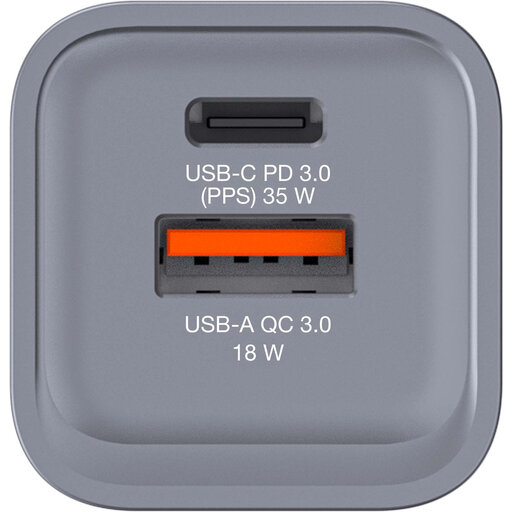
Verbatim GNC-35 GaN charger, 34 W, 1× USB-C PD and 1× USB-A QC 3.0
Could be suitable if you want to connect both a USB-C and a USB-A cable to one charger; check which port matches your reading light cable.
The product information specifies a maximum of 34 W, one USB-C PD port and one USB-A QC 3.0 port.
View at Joybuy
 No image available
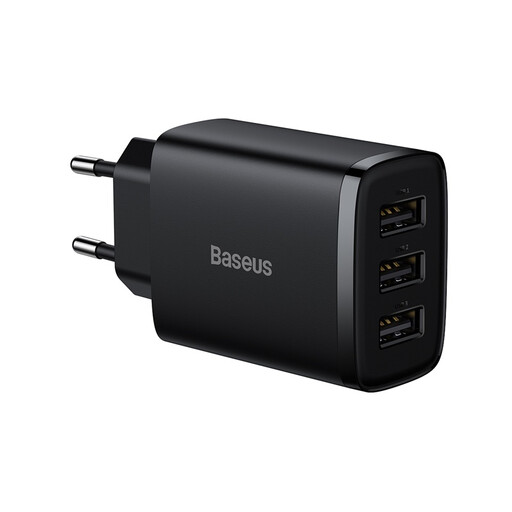
BASEUS Compact Charger 3U 17W EU Black
The product information describes this as a compact charger for small electronic devices; before buying, check that its connection and output specifications suit your reading light.
The product description specifies an output of 17 W.
View at Joybuy
 No image available
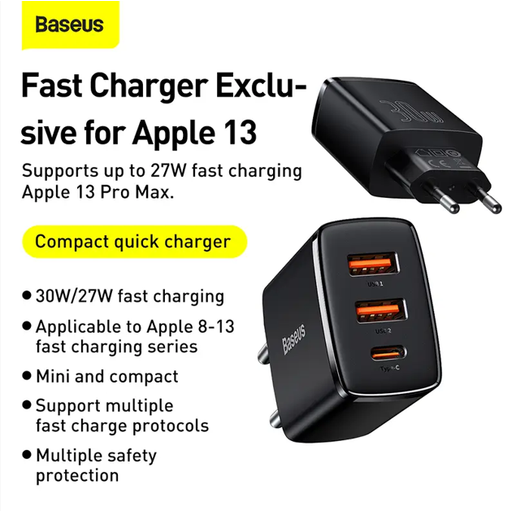
Baseus Compact Quick Charger - Black
The product description says it’s suitable for use at home, in the office and on the go. Check that this version’s connection suits your reading light cable and its charging requirements.
The product description specifies a maximum total output of 30 W.
View at Joybuy
 No image available
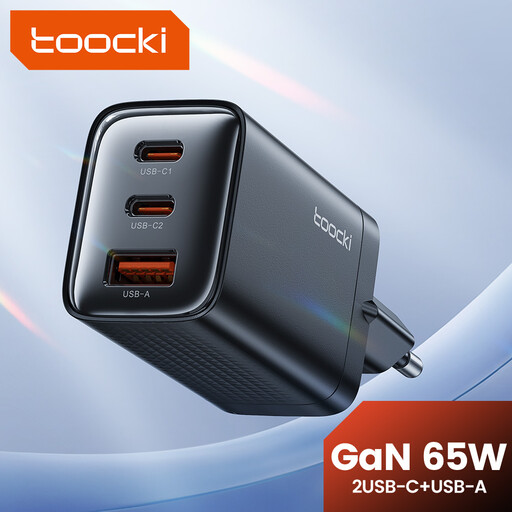
toocki 65W GaN USB-C wall charger, 3 ports
Could be suitable if you want to connect several devices to one socket; check whether one of the ports matches your reading light cable.
The product description specifies a maximum total output of 65 W and three ports: two USB-C and one USB-A.
View at Joybuy
Frequently asked questions
Do I need a USB-C charger for every USB reading light?
No. Check the connector on the charger end of your cable and the charging requirements of the specific light. The European Commission lists specific device categories covered by the rules on a common USB-C connection; reading lights aren’t included. That doesn’t tell you which connection your light has.
How can I use a charger safely at a shared desk?
Don’t use a damaged cable or charger, and keep the charger uncovered so heat can escape. This is the advice of the Fire and Rescue Service; it doesn’t confirm that a specific charger is suitable for your reading light.
Does a CE marking mean a charger has been independently tested for quality?
No. Business.gov.nl explains that CE isn’t a quality mark. Where applicable EU rules require CE marking, the manufacturer declares that the product meets those requirements; this isn’t the result of an independent test.
Can I get help if my charger breaks too soon during normal use?
For a consumer purchase in the Netherlands, you’re covered by the statutory guarantee if the product doesn’t meet the reasonable expectations you could have of it. According to ACM ConsuWijzer, the seller must put this right free of charge under the applicable conditions, for example by repairing or replacing it; a manufacturer’s guarantee doesn’t replace this right.
Can I return a charger bought online if the port doesn’t fit?
For an online consumer purchase, the ACM says you’ll usually have 14 days to change your mind. Check the terms and any exceptions for the specific purchase. This is separate from your statutory rights if a product is faulty.


